Commission Management
Commission is the cut the platform takes from every booking at a partner's property. Commission Management sets that rate — as a country default, optionally overridden per property type, and optionally overridden further per partner. When a booking's commission is calculated, the most specific rate that exists wins: partner override → property-type rate → country default.
This page exists only in Multi Mode. Every rate you set here applies to the country selected in the topbar.
Property Verification's Approve action is disabled until a commission rate resolves for a property's country + property type — at minimum, set a country default here first.
Default Rates Tab
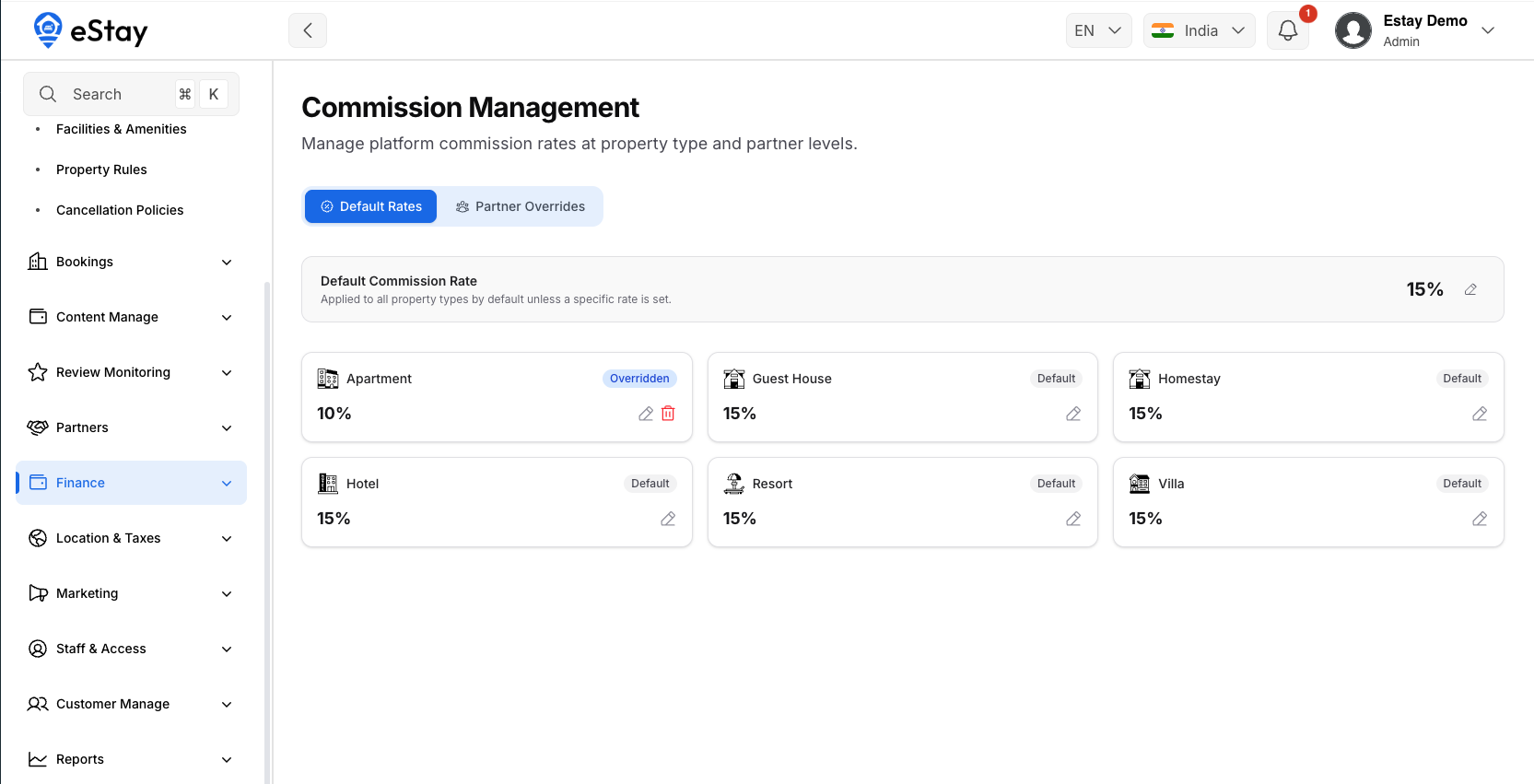
- Default Commission Rate — one percentage that applies to the whole country unless overridden. Editing it shows a warning that this affects every booking without a more specific rate.
- Per Property Type — every property type enabled for this country, showing its resolved rate and whether it's a type-specific override or just inheriting the default. Edit a type to set its own rate; delete a type's override to fall back to the country default again.
Partner Overrides Tab
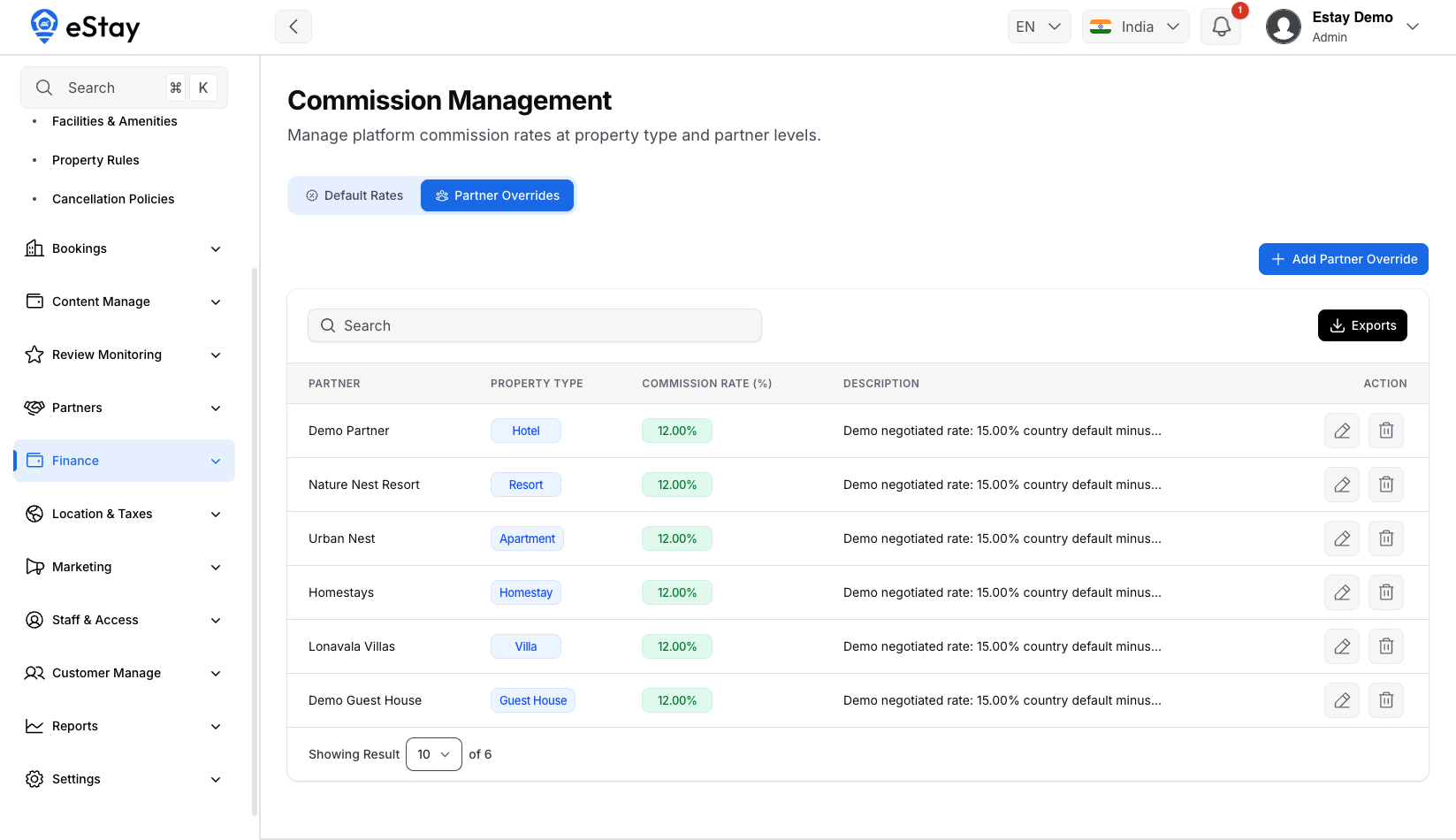
For a specific partner who negotiated a different rate than their property type's default. Click Add Partner Override:
| Field | Notes |
|---|---|
| Partner | Only approved partners in the selected country. |
| Rate | 0–100%. |
| Description | Required — record why this partner gets a different rate. |
The override applies to the partner's own property type (a partner has exactly one property type). Edit or delete an override from the table; deleting reverts that partner to their property type's rate.
Where to Go Next
- A property can't be approved? → check it has a resolvable rate here first, then go back to Property Verification.
- See what partners actually earned after commission → Property Payout.