Homepage Sections
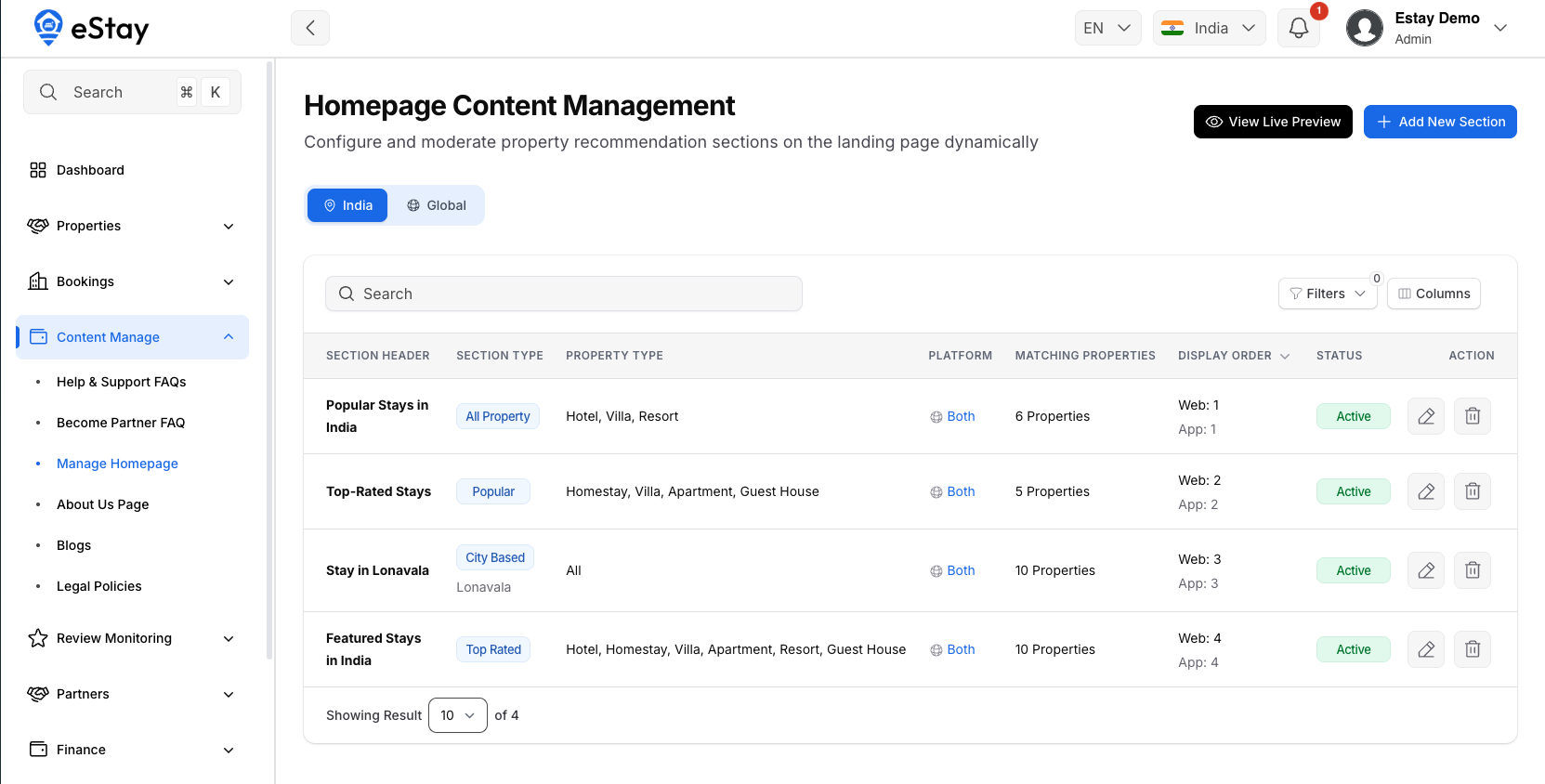
Curate the property-recommendation sections shown on your platform's homepage — web and app — per country. Each section is a filtered, sorted slice of properties (e.g. "Trending in Paris") that you position and can preview live before publishing.
This page exists only when the platform is running in Multi Mode.
Country vs. Global Sections
Two tabs:
- Country — sections for the country currently selected in the topbar.
- Global — fallback sections with no country attached.
If a country has no active sections configured for a platform (web or app), a warning banner tells you so — you'll want either a country-specific section or a Global one to fill the gap. Global sections aren't additive on top of a country's own sections; they're what shows when the country hasn't defined its own.
Adding or Editing a Section
Click Add New Section (or the edit icon on an existing one):
| Field | Notes |
|---|---|
| Section Title | Shown as the section heading to guests. |
| Section Type | E.g. city-based, highest-rated — whatever section types your platform defines. (Recently Viewed isn't here — it's generated per-guest automatically, never admin-managed.) |
| Display Platform | Web, App, or Both. |
| Target Country | Locked to your selected country on the Country tab; choosable on the Global tab. |
| Target City | Only required/shown when Section Type is city-based. |
| Property Type | Optionally restrict to specific property types — leave empty to include all. |
| Sort By Rule | How matching properties are ordered (e.g. highest rating). |
| Web Display Order / App Display Order | Position among other sections, 1–50, unique per country and platform. |
| Status | Active or Inactive. |
As you fill in the filters, a live matching properties count updates below the form — a green banner with the count, or an amber warning if nothing matches. Click View Properties to preview the actual list before saving.
Previewing Before You Publish
View Live Preview (top of the page) opens your real homepage in an embedded preview, reflecting whichever tab you're on — Country or Global — so you can check how sections actually look without leaving the admin panel or affecting what live visitors see.
The List
| Column | Description |
|---|---|
| Section Header | The title. |
| Section Type | Badge, with target city shown underneath for city-based sections. |
| Property Type | The types it's filtered to, or "All". |
| Platform | Web, App, or Both, with an icon. |
| Matching Properties | Live count of properties currently matching this section's filters. |
| Display Order | Web and App order shown together. |
| Status | Active or Inactive. |
Filter by status, platform, or section type. Use the Columns button to toggle which columns are visible.
Where to Go Next
- The properties feeding these sections → Property Management.