Partner Verification
Partner Verification is the queue of partner sign-ups still waiting on a decision — a partner lands here the moment they register, and stays until you approve, reject, or ask for a correction. Once approved, they move to All Partners.
This page exists only when the platform is running in Multi Mode.
The Queue
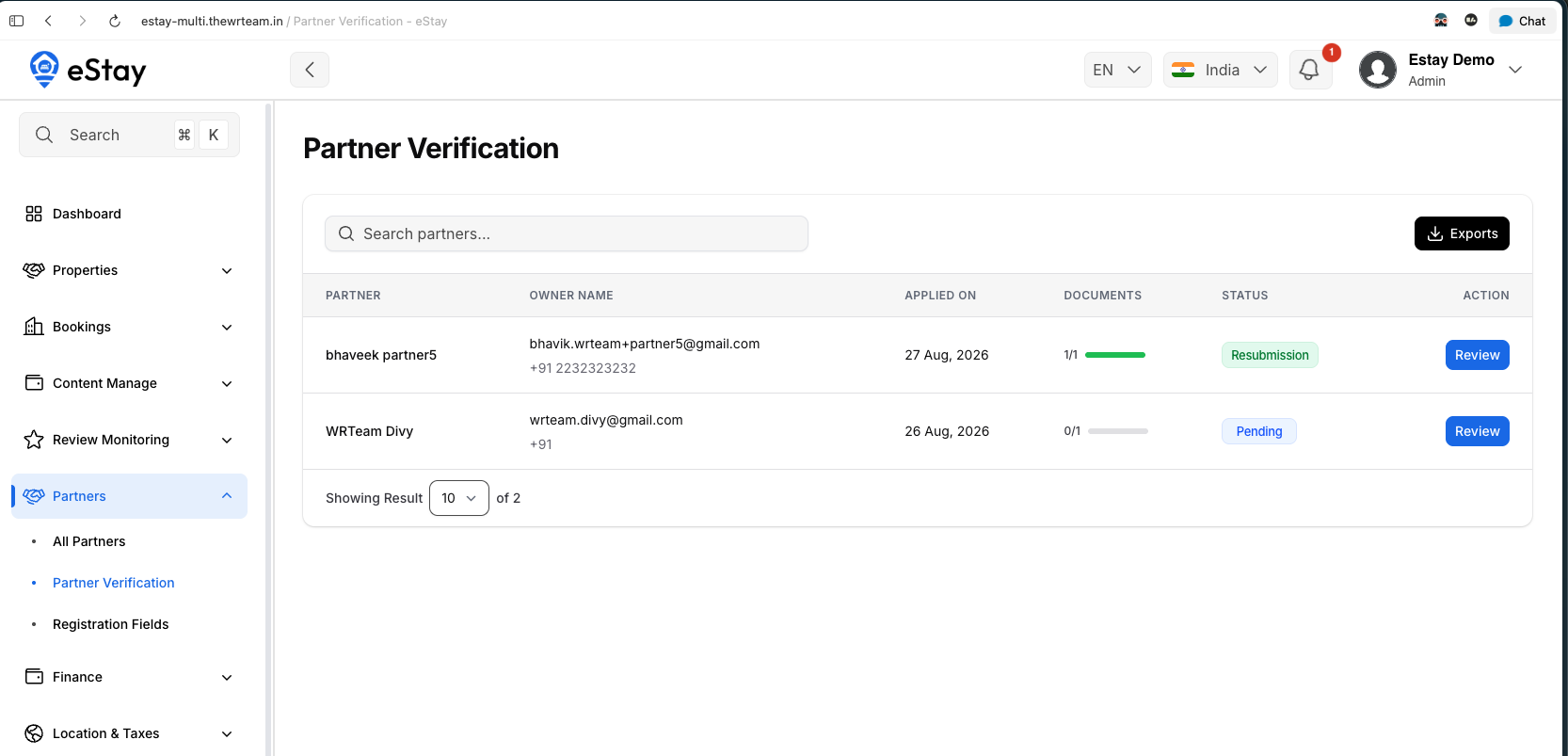
| Column | Description |
|---|---|
| Partner | Name, searchable by name or email. |
| Owner Name | Email and phone. |
| Applied On | Registration date. |
| Documents | A progress bar (filled / total) showing how many of the required Partner Registration Fields the partner has filled in for their country. |
| Status | Pending, Resubmission (they corrected and resubmitted), Correction Requested, or Rejected. |
Each row's action button reads Review (for Pending/Resubmission — needs your attention) or View Details (for anything already actioned).
Reviewing an Application
Open a row to see the partner's full submission and three actions:
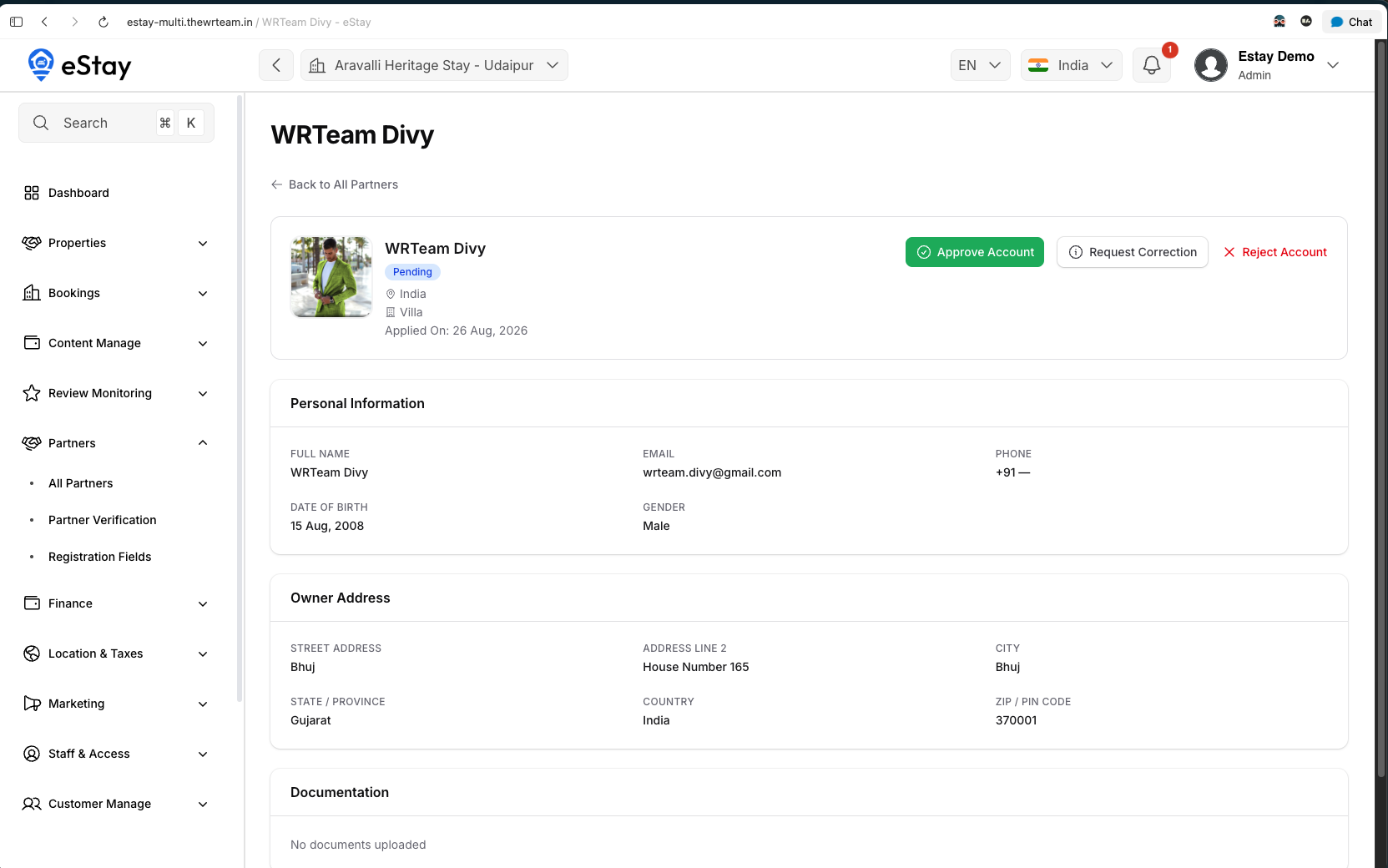
Approve
Approves the account and notifies the partner by email and push notification.
Approve is greyed out (with a tooltip explaining why) if the partner hasn't set a property type or at least one country yet. Those two fields aren't collected at registration — they're only gathered later, in the partner's own setup wizard inside the Partner Panel. If a partner applies but hasn't gotten that far, wait — approving is possible again once they complete it.
Request Correction
Sends the partner back with a required reason (up to 500 characters) explaining what to fix. Their status becomes Correction Requested; once they update and resubmit, they reappear here as Resubmission.
Reject
Permanently rejects the application — the partner would need to submit an entirely new registration. Requires a reason (up to 500 characters). A warning banner confirms this before you submit.
Every action (approve, correction request, reject) sends the partner both an email and an in-app/push notification with your reason, and is logged to the account's audit log (visible later on All Partners).
Skipping This Queue Entirely
Settings > General > Partner Settings has an Auto-Approve Partners toggle. Turn it on and new registrations skip this queue completely — they're approved automatically the moment they register, with no manual review. Leave it off (the default) to review every application yourself.
Where to Go Next
- Configure what partners must submit → Partner Registration Fields.
- Already-approved partners → All Partners.
- A partner's first property, once they're approved → Property Verification.