Calendar Sync (iCal)
Calendar Sync keeps a room's availability in step with external booking platforms — Airbnb, Booking.com, MakeMyTrip, or any other site that supports the standard iCal calendar format:
- Share your calendar — give another platform a link so it always knows when this room is booked here.
- Import their calendar — bring in the dates that platform has already blocked, so you never get double-booked.
Updates happen automatically in the background, roughly every 15 minutes — not instantly. A booking made on Airbnb can take a few minutes to appear here, and vice versa.
This feature must be enabled by the platform admin before you can use it. If you don't see a Calendar Sync option anywhere below, ask your admin to enable it — see Step 1.
Step 1: Check It's Turned On
Calendar Sync has two switches, and both need to be on:
- Platform-wide — your admin enables it for all partners (nothing you control).
- Your own account — go to Settings, and under the Calendar Sync section, turn on Enable iCal Calendar Sync.

The toggle locks while any of your rooms still has an active connection — a lock icon explains how many to disconnect first.
Step 2: Open a Room's Calendar Sync Page
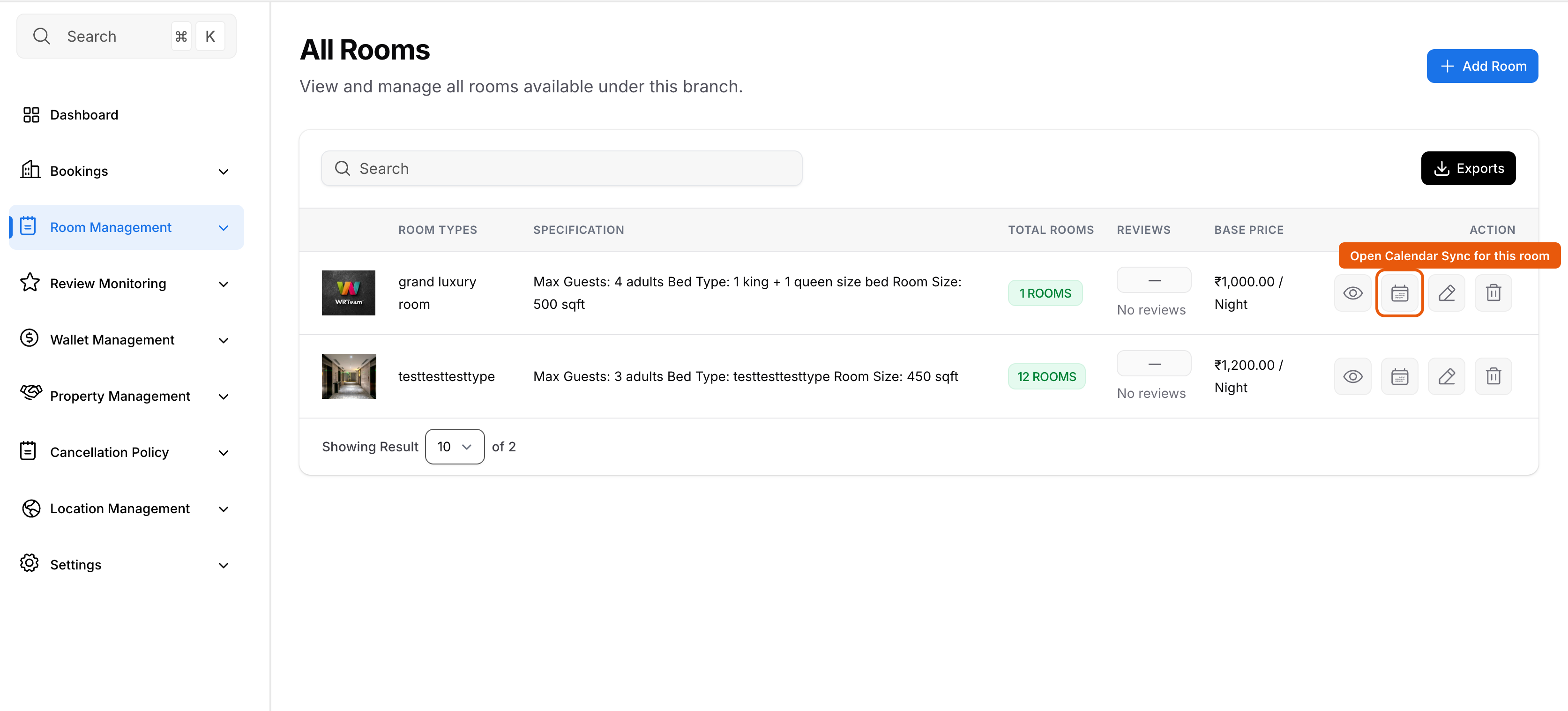
- Go to Room Management → All Rooms.
- Click the Calendar Sync icon on the row for the room you want to connect.
Step 3: Connect, Share, and Import
The rest works exactly the same way as the admin side — this page walks through it in full detail with screenshots: Calendar Sync (Admin Guide). On your own room's page you'll do the same three things:
- Add Connected Room — creates one sync connection for this room.
- Copy Calendar Link (under "Share your calendar") — paste it into Airbnb/Booking.com's own calendar settings.
- Add Calendar to Import (under "Calendars from other platforms") — paste in the
.icslink they give you, so their bookings block your availability here too.
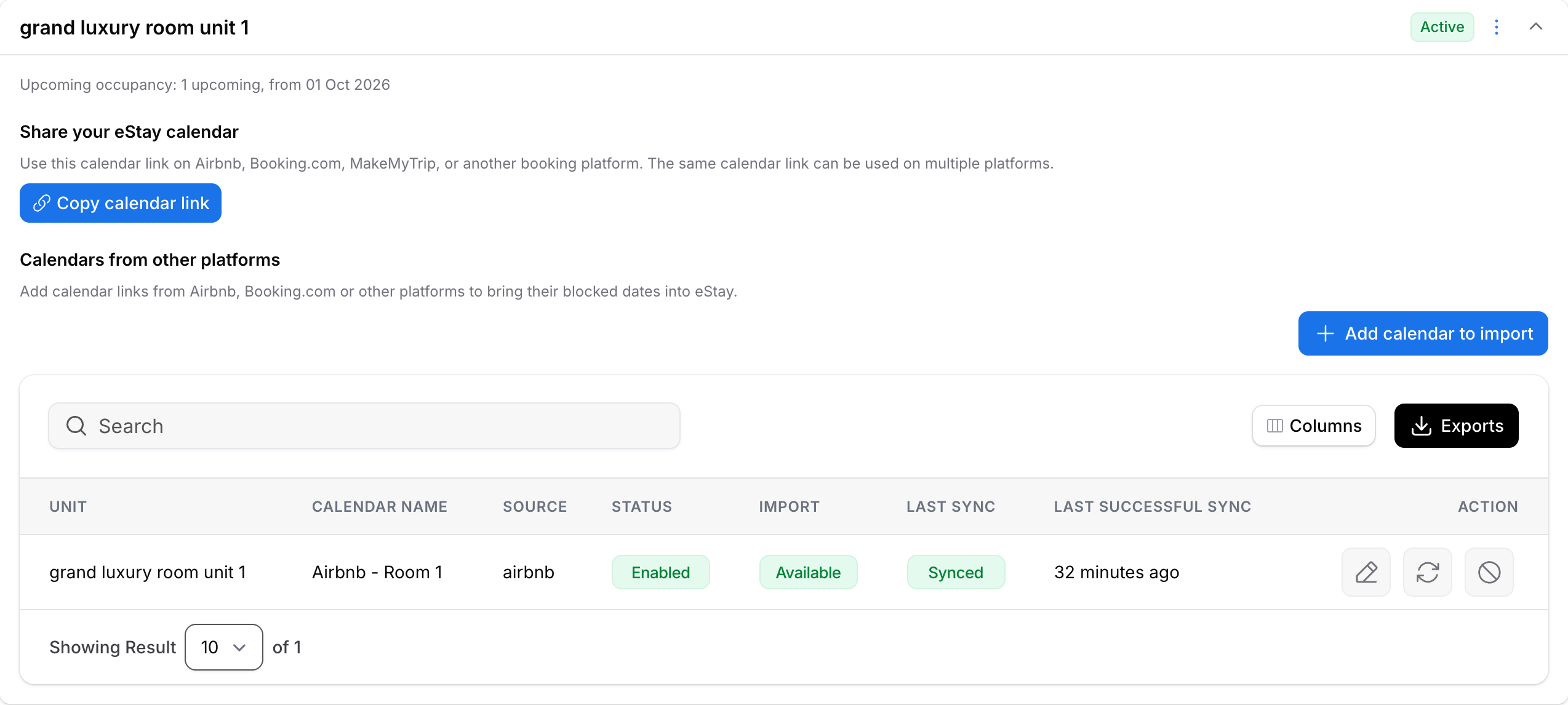
Anyone with your export link can see this room's booked dates. If it's ever exposed, regenerate it from the ⋮ menu on the room's card — the old link stops working immediately.
Sync Health
Scroll to Sync Health & Warnings at the bottom of the room's page for anything that needs your attention — a calendar that failed to sync, for example.
What You'll See Elsewhere
An active imported booking shows as a distinct, striped External Calendar Block on your Availability Calendar — clearly different from a normal booking, with no guest details attached. Connecting or importing a calendar never changes your actual room count, which stays controlled by Room Inventory.
Where to Go Next
- Setting up the rooms you're syncing → Room Management.
- Seeing imported blocks on your calendar → Availability Calendar.