Profile
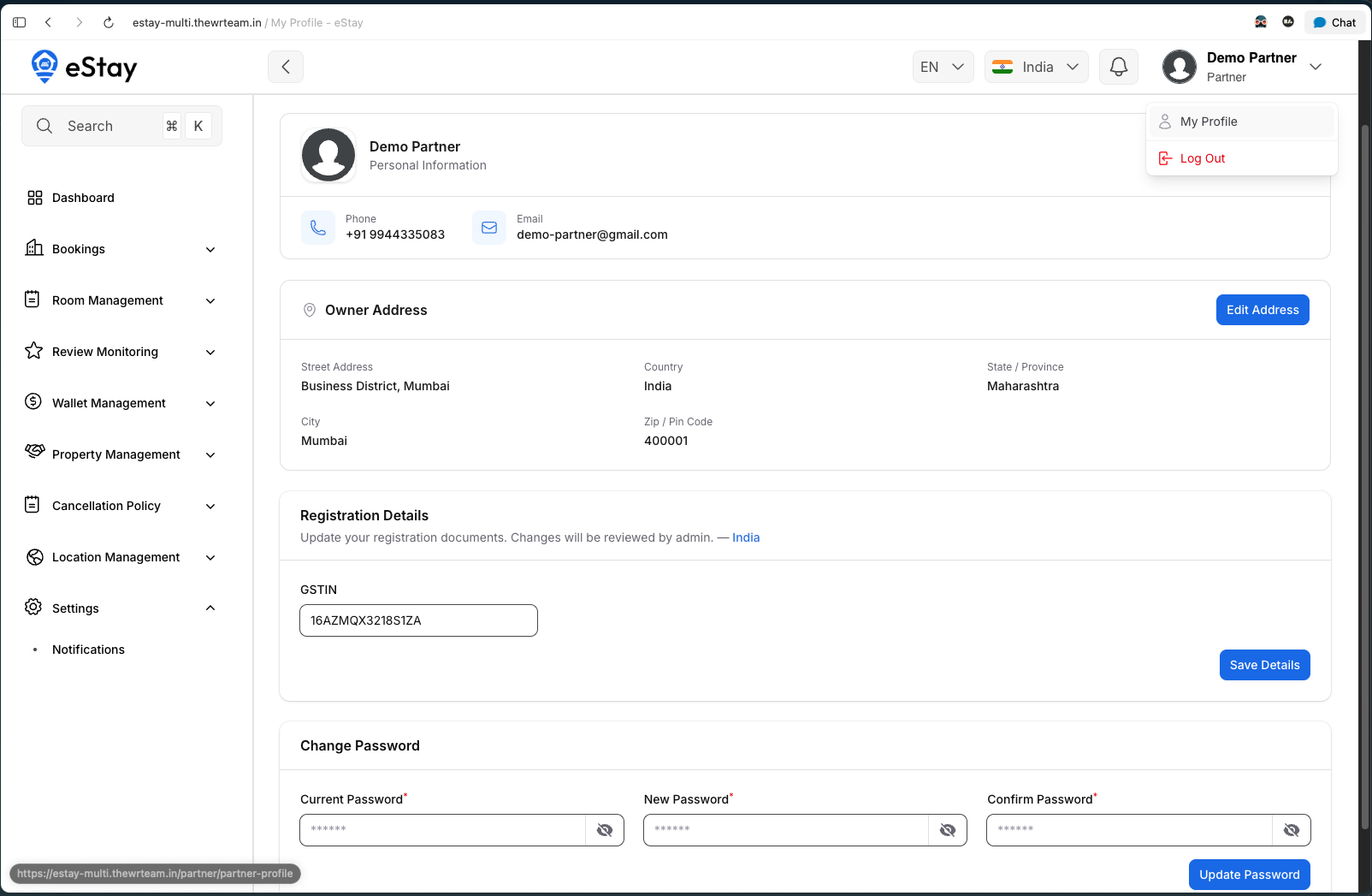
Reached from the user menu (top right), not the sidebar — where a partner manages their own account details, separate from anything property-related. It's one continuous page, not separate screens: a Personal Info card, then Owner Address, Registration Details, and Change Password stacked below it.
Personal Info
Avatar, name, phone, and email, shown at the top of the page. Editable anytime.
Update the email field and the platform immediately sends verification codes — one to the current address, one to the new one. Both codes have to be entered correctly before the change takes effect; the email doesn't switch on its own just by editing the field.
Address
The partner's own address (separate from any property's address) — shown read-only with an Edit Address button that opens the edit form.
Registration Details
An inline form, right on the page — re-save the custom Partner Registration Field answers submitted during the Setup Wizard — useful if something needs correcting outside of a formal admin correction request.
Password
Also inline, below Registration Details — current password, new password, and confirm, with their own Update Password button.
Where to Go Next
- Notification preferences → Settings.
- The original submission this extends → Setup Wizard.