Wallet
Each property has its own wallet — this page is scoped to whichever property is currently selected in the topbar, not the partner as a whole. If a partner owns multiple properties, switch properties to see a different wallet.
Stats
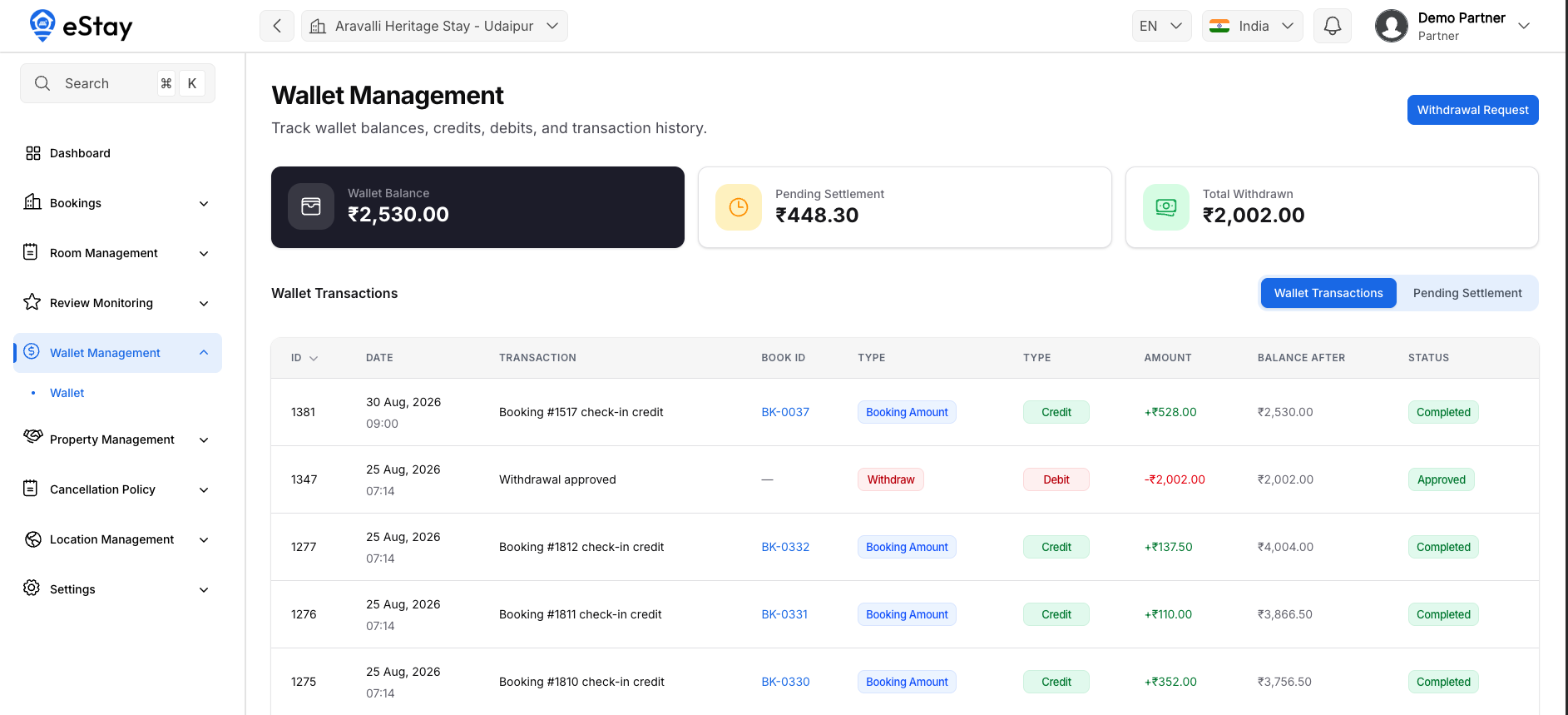
| Stat | What it shows |
|---|---|
| Wallet Balance | The property's current, actually-credited balance — available to withdraw. |
| Pending Settlement | What's about to be credited: the commission-adjusted total for Confirmed/Checked-in bookings that haven't been credited yet (credit happens at check-in). |
| Total Withdrawn | Sum of all approved withdrawals to date. |
Tabs
- Wallet Transactions — the full ledger of credits and debits.
- Pending Settlement — the bookings behind that "Pending Settlement" figure, before they're credited.
Requesting a Withdrawal
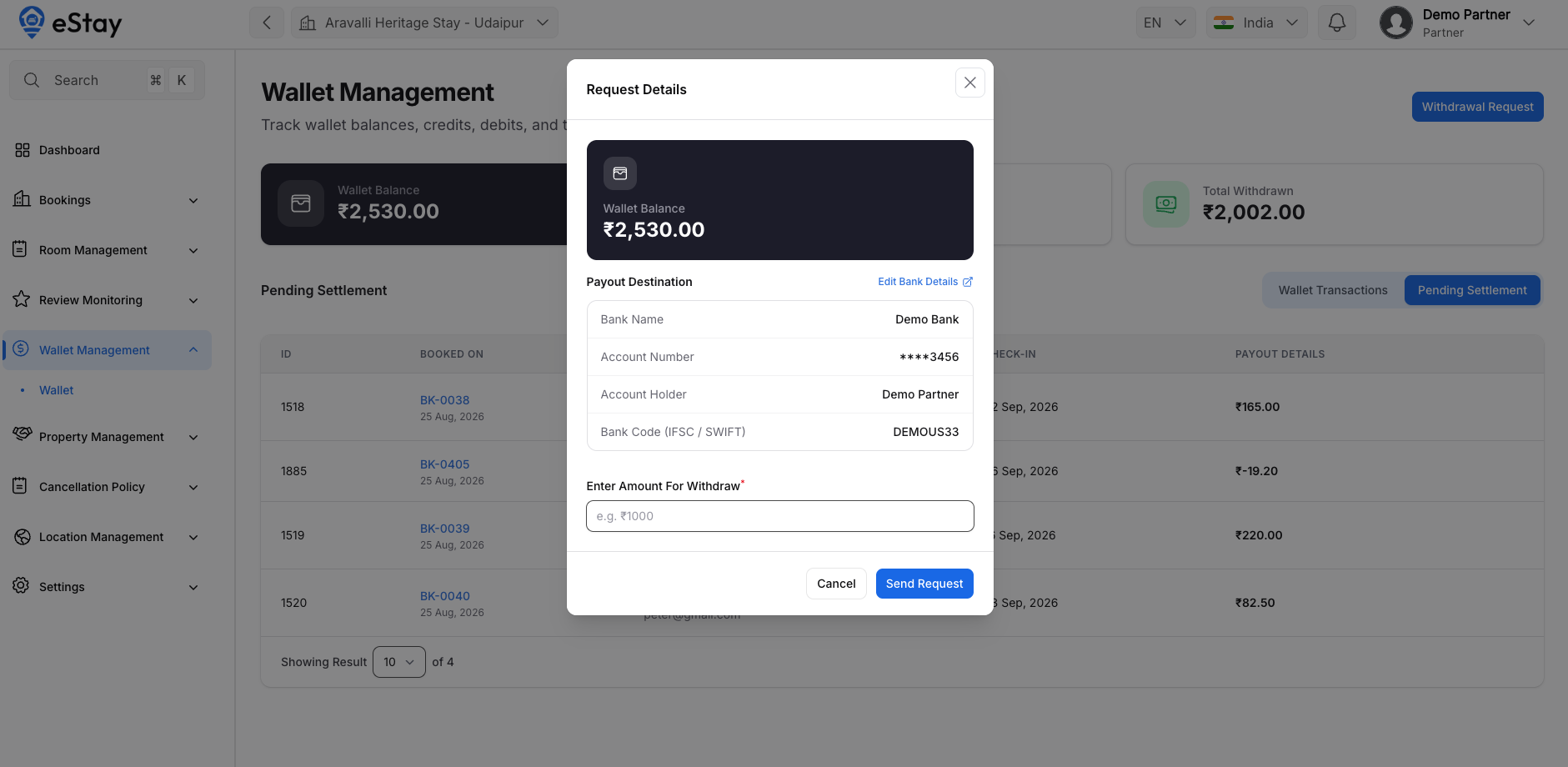
Request Withdrawal (only shown when there's a positive available balance) opens a modal showing the available balance and the bank account payout will go to, and asks for an amount (capped at the available balance). Submitting sends the request to admin's Withdrawal Requests queue.
Where the bank details come from
The payout bank account isn't set here — it's the same Bank Details entered on the property itself. A link in the withdrawal modal jumps straight to editing them if they're missing or out of date.
Where to Go Next
- What actually gets credited, and when → Property Payout (admin side) — check-in triggers the credit.
- Editing the payout bank account → Property Management.