From where to enable Google Map
info
By default, OpenStreetMap will be enabled as the map provider, as it is a free source. If you choose to enable Google Maps, it will use the paid Google Maps service and may incur additional charges based on usage.
Step 1 — Open the Environment File
Open the .env file in the project root:
.env
Step 2 — Enable Google Map
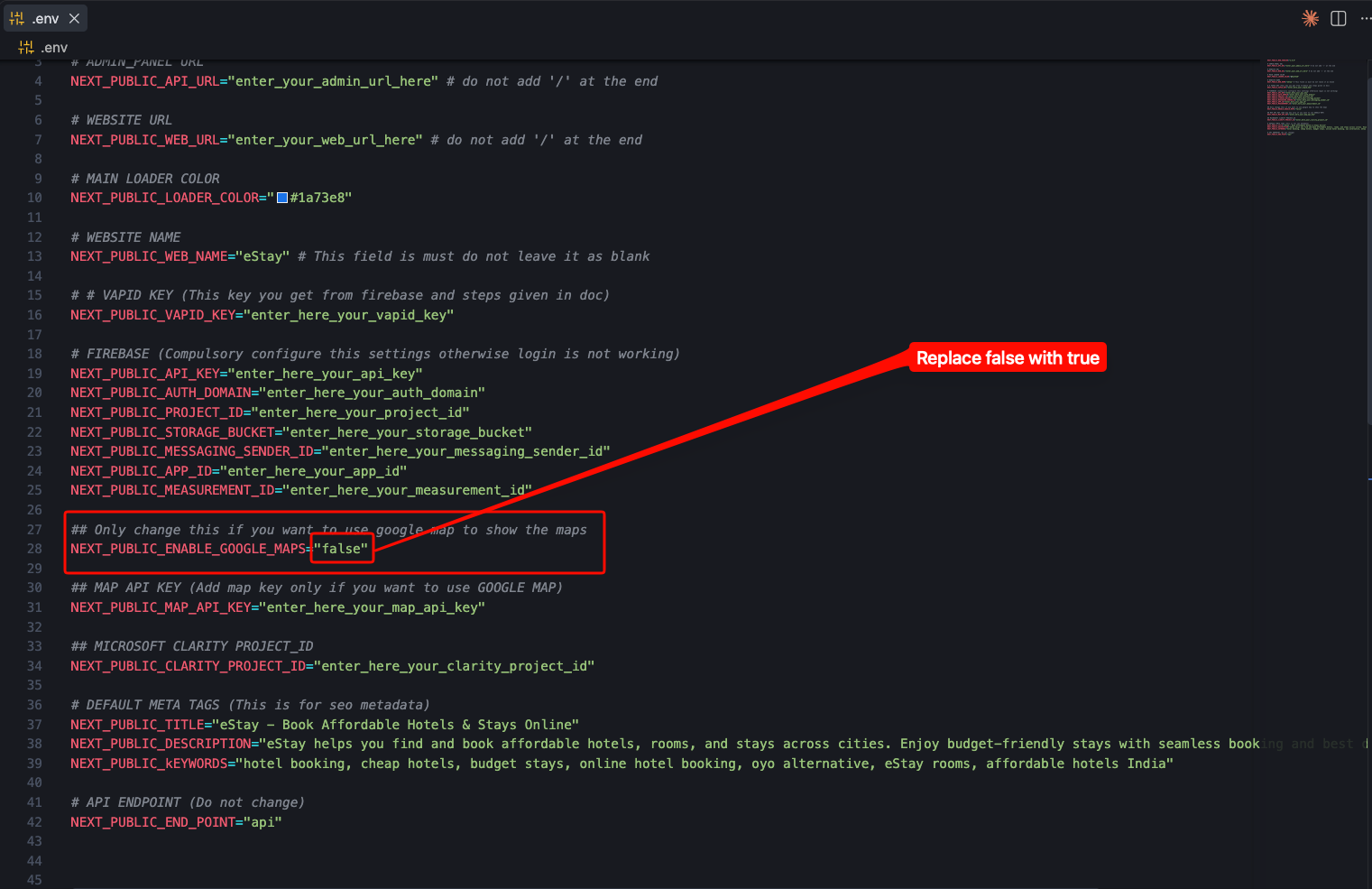
Find NEXT_PUBLIC_ENABLE_GOOGLE_MAPS and replace "false" with "true"
NEXT_PUBLIC_ENABLE_GOOGLE_MAPS="true"
warning
Once you enable Google Maps, you need to create a Google Maps API key and add it as NEXT_PUBLIC_MAP_API_KEY in the .env file. If the API key is not added, the maps will not load.