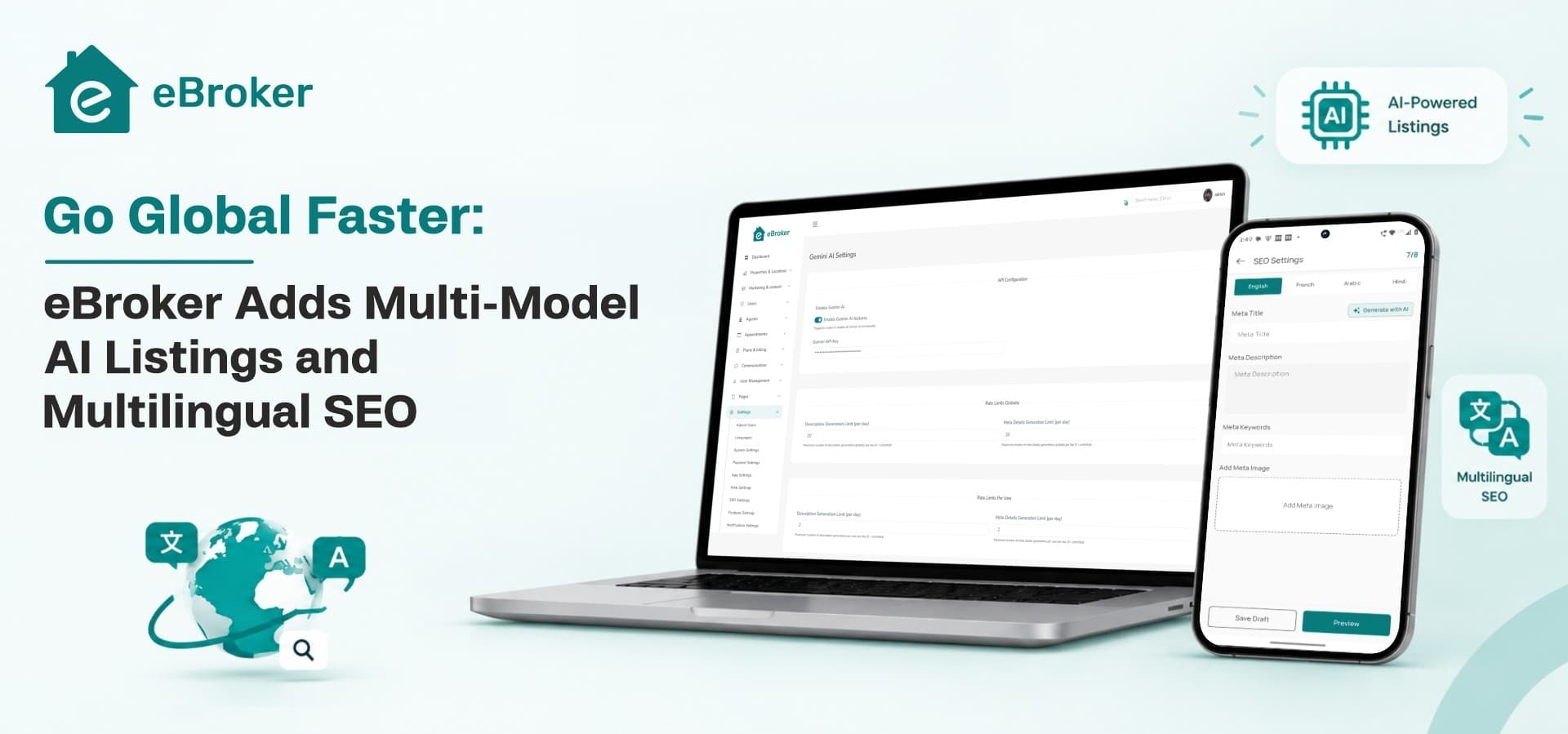
The latest update to eBroker, our real estate software for property marketplaces, helps you grow into new markets faster. Sellers and agents can now generate a property listing with AI, from the title and price to facilities, nearby places, SEO fields and translations. Your website can then rank in every language and country you serve, with its own URL, meta tags and schema for each.
What's new in this eBroker update?
This release adds an AI listing generator and multilingual SEO to eBroker. Here is everything in it:
Why does a global property portal need multilingual SEO?
Because people look for homes in their own language. A family in Dubai may search in Arabic. An NRI in London may search in English for a flat in Pune. A landlord in Gujarat may list in Gujarati. If your portal only exists in one language, search engines have nothing to show the others.
Google works out a page's language from the words on the page, not from a setting in the code. Its guidance for multilingual sites is to give each language its own URL, link the versions to each other, and let visitors pick their language instead of redirecting them automatically. A portal that follows those rules can be found in each market on its own terms.
That is the gap this eBroker update closes. You keep one platform and one admin panel, and search engines see a proper page for every language and country you serve.
How does eBroker help you target every country and language?
eBroker already supports multiple languages in the app, website and admin panel, along with country-wise home sliders and location-based listings. This update makes all of that visible to search engines.
A separate URL for each language and country
The website now adds the language and country to the URL as folders: /<language>/<country>/. Folders on one domain are one of the URL setups Google recommends for international sites, and they are easy to run because everything stays on a single website.
In SEO mode, the default language and the "All" country option are left out, so your main pages keep short, clean URLs. Here is how it looks, assuming English is your default language:
Meta titles and descriptions in every language
Your meta title and meta description are what people see in search results before they click. They can now be set for each language, so a buyer searching in Arabic sees an Arabic title and description, and a buyer searching in Hindi sees Hindi.
Schema markup in every language
Schema markup is structured data that tells search engines what a page contains, like a property's type, price and location. It is now multilingual too, so every language version of a listing carries data that matches its own text.
Does this follow Google's guidance for multilingual sites?
Yes, on the two points that matter most. Google recommends a separate URL for each language version of a page, and it works out a page's language from the visible content. eBroker gives each language its own URL and fills each version with text, meta tags and schema in that language.
How does eBroker's AI listing generator work?
You describe the property in your own words and eBroker's AI fills in every text field of the listing. You set the location and category and add the photos. The finished listing then opens in a preview, where you can change anything before you submit.
When someone taps Add Property, eBroker now asks how they want to add it:
It works in the mobile app and on the website, for both property and project listings.
What does the AI fill in?
How to add a property with AI in eBroker
-
Open Add Property and choose Generate with AI.
-
Pick the category and property type, and set the location.
-
Describe the property in your own words, the way you would tell a buyer.
-
Let AI fill the title, description, price, facilities, nearby places, SEO fields and translations.
-
Add your photos.
-
Check the preview, change anything you want, and submit.
Can you choose which AI model writes the listings?
Yes. Multi-model AI options let portal owners pick the AI model behind listing generation. Models differ in cost, speed and writing quality, so you can choose the one that fits your portal and switch later if your needs change.
Why does AI listing matter for a global portal?
New markets start with few listings, and every listing on a multilingual portal needs text in each language. Generating AI helps with both. Posting takes less effort, so more sellers and agents finish their listings. The AI also fills translations and SEO fields, so each new listing is ready to be found in every language you run, with no separate translation step.
Which markets can you target with one eBroker portal?
Any mix of languages and countries you want to serve. A few examples of how portal owners might use it:
How to launch your portal in a new market
-
Add the new language in the admin panel and translate the interface text.
-
Add the countries you want to serve.
-
Turn on SEO mode so the language and country appear in your URLs.
-
Set meta titles and descriptions in the new language for your main pages.
-
Ask sellers and agents to post with Generate with AI, which fills translations and SEO fields for every listing.
-
Submit your sitemap in Google Search Console and check the Performance report by country to see where you are being found.
Why build your global portal on eBroker?
Building multilingual property management software yourself means two mobile apps, a website, an admin panel, translation handling and SEO for every language. eBroker gives you all of it as a ready real estate script with full source code: Flutter apps for Android and iOS, a Next.js property listing website template and a Laravel admin panel.
If you are comparing the best real estate apps to launch with, here is what eBroker brings to a global marketplace:
-
Multi-language app, website and admin panel, now with SEO for each language and country
-
AI listing generator that fills every text field, with your choice of AI model
-
Separate roles for users and verified agents
-
In-app chat and appointment booking, so it works as a property booking app and light real estate CRM software
-
Map search with Google Maps or OpenStreetMap
-
Listing fees, agent subscriptions, featured listings and ad banners for revenue
Existing customers get this update free, since every eBroker licence includes lifetime updates. See the eBroker changelog for details.
Take your property portal global
Try the eBroker demo on Android, iOS, web and the admin panel. Already an eBroker customer? Update to v1.9.0, turn on SEO mode and try Generate with AI on your next listing. Questions before buying? Contact our sales team.