Every great online quiz platform has one problem to solve before anything else: getting a first-time visitor to actually press play. Signup forms, email verification, password rules, they're all friction, and friction is the enemy of a good quiz night. The latest update to Elite Quiz, the ready-made flutter quiz app trusted by quiz publishers and trivia entrepreneurs around the world, removes that friction entirely.
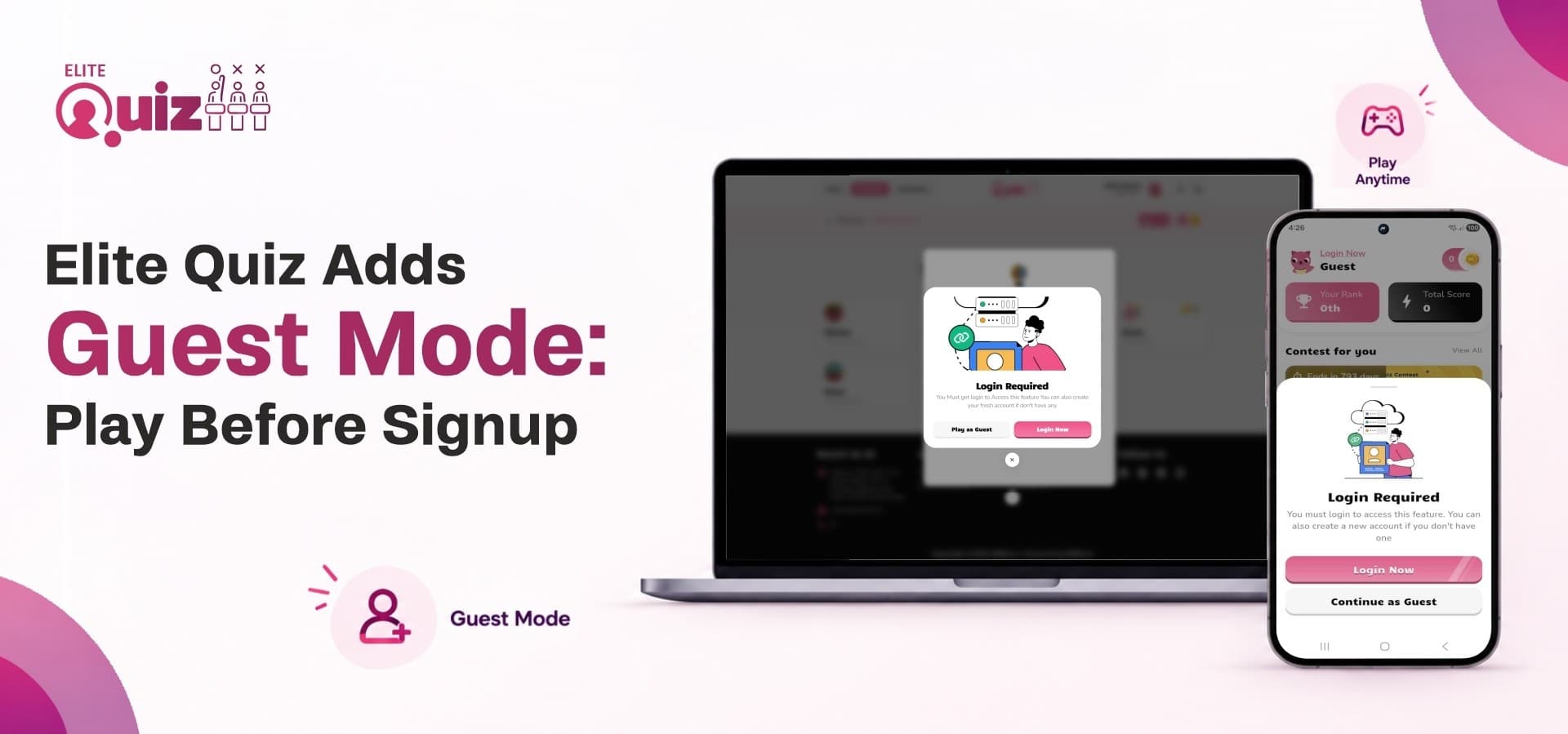
With this release, Elite Quiz introduces Guest Mode, powered by Firebase Anonymous Authentication. Instead of asking new users to register before they've even seen what your app can do, they can now tap "Continue as Guest" and be in a live match within seconds. No email. No password. No waiting.
Think of it as a demo level in a video game. You don't hand a player the full campaign save file on day one, you give them a taste of the mechanics, let them feel the win, and then invite them to register their profile so their progress actually counts. That's exactly what Guest Mode does for your live quiz app, and this blog walks through every mechanic of the update, one checkpoint at a time.
The New Update, Level by Level
Checkpoint 1: Entering the Game (Guest Authentication Flow)
Getting into Guest Mode is designed to feel instant, almost like a one-tap "quick play" button. Here's the sequence behind the scenes:
-
The user taps Continue as Guest.
-
The app quietly creates a temporary guest account for the player in the background.
-
That account gets a unique player ID, so the app knows who is playing.
-
The app checks this ID with the quiz platform to confirm it is genuine.
-
A guest profile is created, and the player is ready to start.
-
The player is now logged in and ready to compete.
No forms. No friction. Just a straight line from "I'm curious about this app" to "I'm in a quiz." For any online trivia platform trying to reduce bounce rate on first open, that single tap is a conversion win.
Checkpoint 2: Choosing Your Game Modes (Module Access Control)
Not every gameplay module has to be open to guests, and that's by design. Admins get full, granular control from the Admin Panel over which modules a guest can enter, including:
-
Quiz Zone
-
Self Challenge
-
Fun & Learn
-
Guess the Word
-
Daily Quiz
-
Exam
-
Contest
-
One vs One Battle
-
Group Battle
-
Any future module added down the line
If a module is switched off for guests, the app doesn't just silently block them, it prompts them to register or sign in, turning a locked door into a clear next step rather than a dead end.
Checkpoint 3: The Play Meter (Guest Play Limit)
This is where the update really borrows from game design logic. Instead of unlimited free access (which removes any incentive to register) or a hard wall after one match (which kills the demo experience), Elite Quiz uses a global Guest Play Limit.
Picture it as a shared energy bar across every mode the guest is allowed into. Say the limit is set to 10. A guest could spend that "energy" however they like:
-
Quiz Zone → 4 sessions
-
Self Challenge → 3 sessions
-
Fun & Learn → 2 sessions
-
Guess the Word → 1 session
That's 10 total, and once it hits zero, gameplay pauses until the player registers or signs in. It's the same psychology behind mobile game energy systems: enough taste to build a habit, not enough to remove the reason to commit.
Checkpoint 4: The Guest HUD (Profile Restrictions)
A guest's profile is intentionally stripped down, like a game's tutorial UI before the full stat sheet unlocks. What guests see:
-
A default profile picture
-
A generated guest display name (more on that below)
-
Remaining Guest Plays, so they always know how much "energy" is left
-
A prominent Login / Register Now button
What stays hidden: email address, mobile number, and authentication provider, since none of that exists yet for an anonymous account.
And what's locked entirely until registration: editing the profile, changing the name, updating the picture, changing email, changing mobile number, and changing password. It's a read-only HUD by design, nudging the player toward the "save your progress" moment.
Checkpoint 5: Saving the Run (Account Linking)
Here's the part that makes Guest Mode genuinely useful instead of just a gimmick: nothing is lost when a guest decides to register. Through Firebase Account Linking, a guest can upgrade to a full account using Google, Apple, Email & Password, or Phone Number.
When linking succeeds:
-
The player keeps the same profile, so nothing starts from scratch.
-
The guest profile is upgraded instead of a new one being created.
-
The account changes from Guest to Registered.
-
Details like email, phone number, name, and profile picture are added wherever they apply.
-
All existing progress, scores, and unlocks carry over safely.
In gaming terms, this is the equivalent of converting a demo save file into your permanent profile, same stats, same unlocks, just now backed up under your real identity.
Checkpoint 6: When the Save File Conflicts (Existing Account Edge Case)
Sometimes a player tries to link a credential that's already tied to another Firebase account elsewhere. In that case:
-
Firebase automatically rejects the linking attempt.
-
The guest account stays exactly as it was.
-
No guest data changes.
-
The backend isn't touched.
The app simply lets the player know that credential already belongs to another account and asks them to either use a different one or sign in to their existing account instead. No accounts get merged, keeping data boundaries clean.
Checkpoint 7: Connection Drops (Account Linking Failure)
Network hiccups and cancelled auth flows happen. If linking fails for any reason, network failure, user cancellation, a Firebase error, or anything unexpected, the update handles it gracefully:
-
The guest account remains fully active.
-
The player just keeps using Guest Mode as normal.
-
No guest data is lost.
-
No backend update occurs.
-
A clear error message explains what happened.
Nothing about the experience breaks. The player simply stays in the guest state and can try linking again later.
Checkpoint 8: The Scoreboard (Guests on Leaderboards)
Instead of a wall of identical "Guest" entries, which looks broken and undermines competitive energy, Elite Quiz generates a unique, friendly display name for each guest at account creation. Think:
-
Elite Guest 2847
-
Clever Tiger 421
-
Smart Owl 658
-
Swift Falcon 193
That name sticks with the player consistently until they either link their account or the guest record is deleted, giving every live quiz app leaderboard a sense of real competition even before anyone signs up.
Checkpoint 9: One Device, One Run (Multi-Device Limits)
Guest accounts are tied to the device they were created on and can't be picked up on a second device. Multi-device play only unlocks once the account is registered and linked, another natural incentive to convert a guest into a full player.
Checkpoint 10: Locked Vaults (Wallet & Purchases)
Guests can't touch anything financial: no wallet, no coin purchases, no in-app purchases, no withdrawals. Combined with the locked profile features covered earlier, this keeps Guest Mode purely about gameplay exploration, with account-level and money-related actions reserved for registered players.
Checkpoint 11: The Admin's Control Room
Everything above is tunable without touching code. From the Admin Panel, admins can:
-
Turn Guest Mode on or off entirely
-
Enable or disable guest access per individual gameplay module
-
Set (and later adjust) the Guest Play Limit
And crucially, changes apply in real time. Disable a module and guests are locked out of it immediately, met with a login/register prompt on their next attempt. Raise the Guest Play Limit from 10 to 15 and existing guests instantly gain those extra plays. Lower it from 15 to 10 and any guest already past the new limit is asked to register before their next session. There's no lag, no app restart required, just live configuration.
Checkpoint 12: Game Over, For Real (Logout & Inactivity)
Guest Mode is intentionally temporary, and the update is upfront about that. If a guest logs out, they get a clear warning that their progress will be permanently lost unless they register first. Confirming logout deletes the anonymous Firebase account, deletes the backend guest record, clears local app data, and sends them back to the authentication screen. The next time they tap Continue as Guest, it's a brand new run from zero.
The same applies to inactivity. If a guest account goes quiet past a configured inactivity window without registering, the platform can warn them, and if the window closes without action, the anonymous account and its backend record are permanently removed. It's a clean way to keep guest data from piling up indefinitely.
Outro
Guest Mode turns Elite Quiz from "sign up to find out if you like it" into "play first, decide after," which is exactly how the best online quiz platform experiences are supposed to work. It lowers the barrier for first-time players, keeps leaderboards feeling alive, gives admins full runtime control, and makes sure nothing is lost the moment a player decides to register for real.
If you're building or running a flutter quiz app, this update is worth a serious look at Elite Quiz on the WRTeam Marketplace.