Most course creators do not fail because their subject knowledge is thin. They fail because their course looks like a folder of random videos instead of a guided path, and because a learner who finishes has nothing to show for it. A learning management software platform earns its price the moment it fixes both problems: it gives every course a repeatable structure and it gives every finisher a certificate that actually means something. eLMS, WRTeam's self-hosted learning management system, builds both of these directly into the instructor workflow rather than leaving them as an afterthought.
This post walks through exactly how course structuring and certification tracking work inside eLMS, from the four-step course builder instructors use to publish content, down to how a completion certificate gets generated and handed to a student. The goal is to show what actually happens behind the scenes, since that is usually the part a demo screenshot cannot show.
Building Course Structure Step by Step
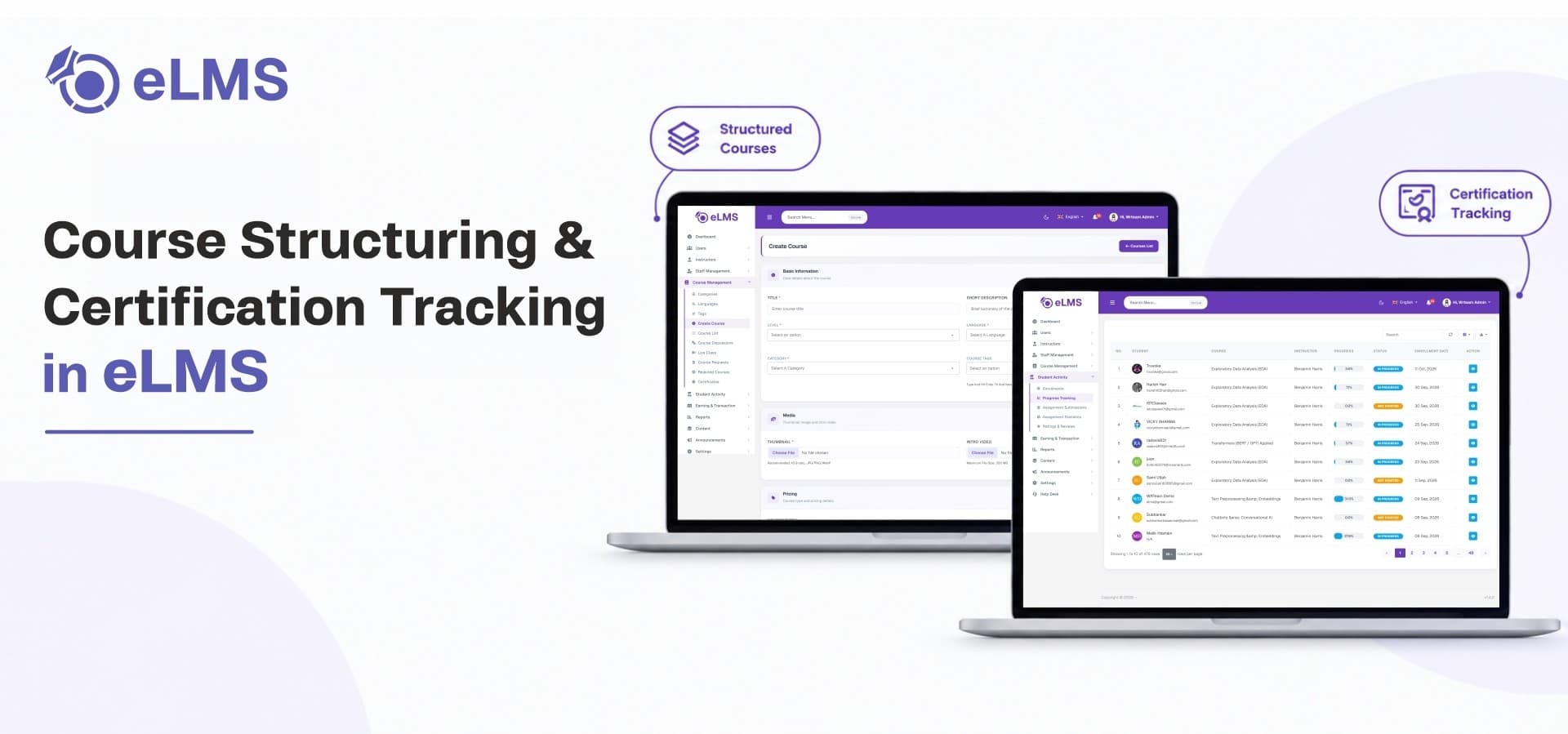
An eLMS course is not a single upload. It is assembled through a four-step builder that separates basic information, pricing, curriculum, and publishing so that nothing gets skipped before a course goes live.
Chapter-Based Curriculum Design
Every course in eLMS is organized into chapters, and each chapter acts as a self-contained module. Instructors add chapters one at a time, give each a title, and reorder them with drag-and-drop whenever the sequence needs adjusting. Chapters can be expanded or collapsed in the builder view, which keeps a 20-chapter course as easy to manage as a 3-chapter one. This chapter layer is what separates a real online learning management system from a flat video library, because it forces content into a hierarchy a student can actually follow.
Course Metadata and Discovery Settings
Before any chapter gets built, the first step of course creation captures the details that make a course findable and understandable on its own listing page. This includes the course title, a short description, category and sub-category classification, a difficulty level such as Beginner, Intermediate, or Advanced, the language of instruction, and searchable tags. Instructors also fill in what students will learn and any prerequisites up front, plus meta title and meta description fields for search visibility, before ever touching the curriculum itself. Handling this at the structure stage, rather than as an afterthought, keeps every course in a catalog consistently labeled, which matters once a catalog has more than a few dozen courses sitting side by side. It also means category filters, difficulty badges, and search results on the storefront stay accurate automatically, since they read directly from the same fields an instructor filled in during course creation.
Four Content Types Inside Every Chapter
Inside each chapter, instructors are not limited to video lessons. eLMS supports four distinct content types that can be mixed and matched per chapter:
-
Lectures – video lessons sourced from a YouTube URL or a direct file upload, with an optional free-preview toggle so prospective buyers can sample a lecture before enrolling, plus attached resource files.
-
Quizzes – built in two stages, first setting the total points and a required pass grade percentage, then adding individual questions with single or multiple correct answers, image support, and configurable answer options.
-
Assignments – practical tasks with written instructions, an allowed submission file type list (image, video, audio, or document), a points value, and an optional skip toggle for instructors who want the assignment to be non-mandatory.
-
Resources – standalone study materials such as images, audio, video, external links, or documents attached directly to a chapter without being tied to a specific lecture.
Because all four types live inside the same chapter, an instructor can structure a chapter as watch, then quiz, then assignment, then supplementary reading, without leaving the curriculum builder.
Sequential Completion and Pass-Grade Gating
Course structure only matters if it controls the order in which students move through it. eLMS gives instructors a sequential completion toggle at course creation, which forces students to progress through content in order rather than skipping ahead. On top of that, each quiz carries its own pass grade percentage, and that grade is what unlocks the next chapter, unless the instructor has enabled the optional quiz-skip setting. Together these two controls turn a course from a pile of lessons into an actual learning management platform sequence with real checkpoints, which matters most for certification courses where completion needs to mean something. A driving-test-prep course, for example, can require an 80 percent pass on the road-rules quiz in chapter two before chapter three's practical scenarios ever unlock, so a certificate issued at the end reflects a learner who actually cleared each stage rather than one who clicked through videos on fast forward.
Tracking Student Progress Through the Course
Structure is only half the job. eLMS also tracks how each student is moving through that structure, both for the instructor's own reporting and for certificate eligibility.
Real-Time Completion Percentages
Every enrolled student shows up in a course's Student Enrolled tab with an enrollment date and a visual completion percentage, so an instructor can see at a glance who is close to finishing and who has stalled early. This same completion data feeds the course statistics dashboard, where enrollment counts, revenue, and review scores sit next to the completion picture, so an instructor is never guessing which courses are actually being finished versus which ones are only being purchased.
Quiz and Assignment Reporting
Beyond simple completion, eLMS breaks performance down by activity. The Quiz Report tab lists every quiz in a course with question counts and lets an instructor open individual attempt records, showing correct versus incorrect answers, earned points, pass or fail status, and the date of the last attempt. The Assignments List tab does the same for submitted work, grouping submissions by course and chapter and giving instructors a direct action to view, grade, and leave notes on each one. This level of detail is what most buyers actually mean when they ask whether a platform can "track" learners, rather than just enroll them, and it is the reporting layer that turns raw enrollment numbers into something an instructor can act on.
Certification Tracking in eLMS
Once a course is structured and progress is tracked, the certificate is the final piece, and it works differently depending on whether the course is free or paid.
Certificate Design and Branding
Certificates are created and managed from the admin panel, not hardcoded into the platform. Each certificate entry includes a name, description, title, subtitle, background image, signature image, and signature text, and can be switched active or inactive independently of the course itself. A dedicated styling editor lets an admin place text, images, and dates anywhere on the certificate layout. Because the whole platform is delivered as white label lms app source code, the certificate design can carry the operator's own branding from day one rather than a generic template with someone else's logo on it. A training company can run one certificate layout for its technical courses and a separate one for its soft-skills track, toggling each active or inactive as programs launch or get retired, without needing a developer to touch code every time a new certificate style is needed.
Automatic Certificate Generation With Student and Course Data
Rather than manually filling in a name on every certificate that gets issued, eLMS uses two placeholder variables, Student Name and Course Name, that can be dropped anywhere in the certificate design. When a student downloads their certificate after finishing a course, those variables are automatically replaced with their actual name and the actual course title. This removes manual certificate handling entirely once a course is set up, which matters once a catalog grows past a handful of courses and hundreds of students are finishing at different times. It also means the same certificate template can be reused across every course under a category without an admin ever opening a design tool twice for the same layout.
Certificate Pricing for Paid and Free Courses
Certification is also tied into how a course generates revenue. For paid courses, the certificate fee is bundled into the course price by default, so a student who buys the course is already covered. For free courses, certificate access can be priced separately with its own unlock amount, letting an instructor give away the learning content while still charging for the credential at the end. This is one of several monetization paths built into eLMS as an online course selling platform, alongside instructor coupons and wallet-based purchases.
Because eLMS is self-hosted per instance rather than a shared multi-tenant service, all of this structuring and certificate data, along with every student record behind it, stays on infrastructure the operator controls, rather than sitting inside a vendor's shared database alongside every other customer's courses.
Where eLMS Fits for Course Creators
None of this course structuring or certificate tooling is locked to a single-instructor setup. eLMS supports team courses, where co-instructors are added directly during course creation and can jointly manage a course's chapters, discussions, and submissions while earnings stay with the course owner. That means the same chapter-and-certificate system scales from one person running a niche skill course to an institution or training company publishing dozens of courses across several instructors from the same learning management systems deployment, whether it is running as a single-instructor academy or an instructor marketplace where each teacher builds and certifies their own catalog independently.
Course structuring solves half the retention problem, but pricing decisions around that structure, including how certificates and payment plans work together, is what determines whether a course business actually turns a profit.
Ready to Launch Your Own Structured Course Platform?
eLMS gives you the chapter-based course builder, progress tracking, and branded certificate system covered above, ready to deploy as your own lms website and mobile app. Explore eLMS on WRTeam Marketplace to see the full feature set and demo access.