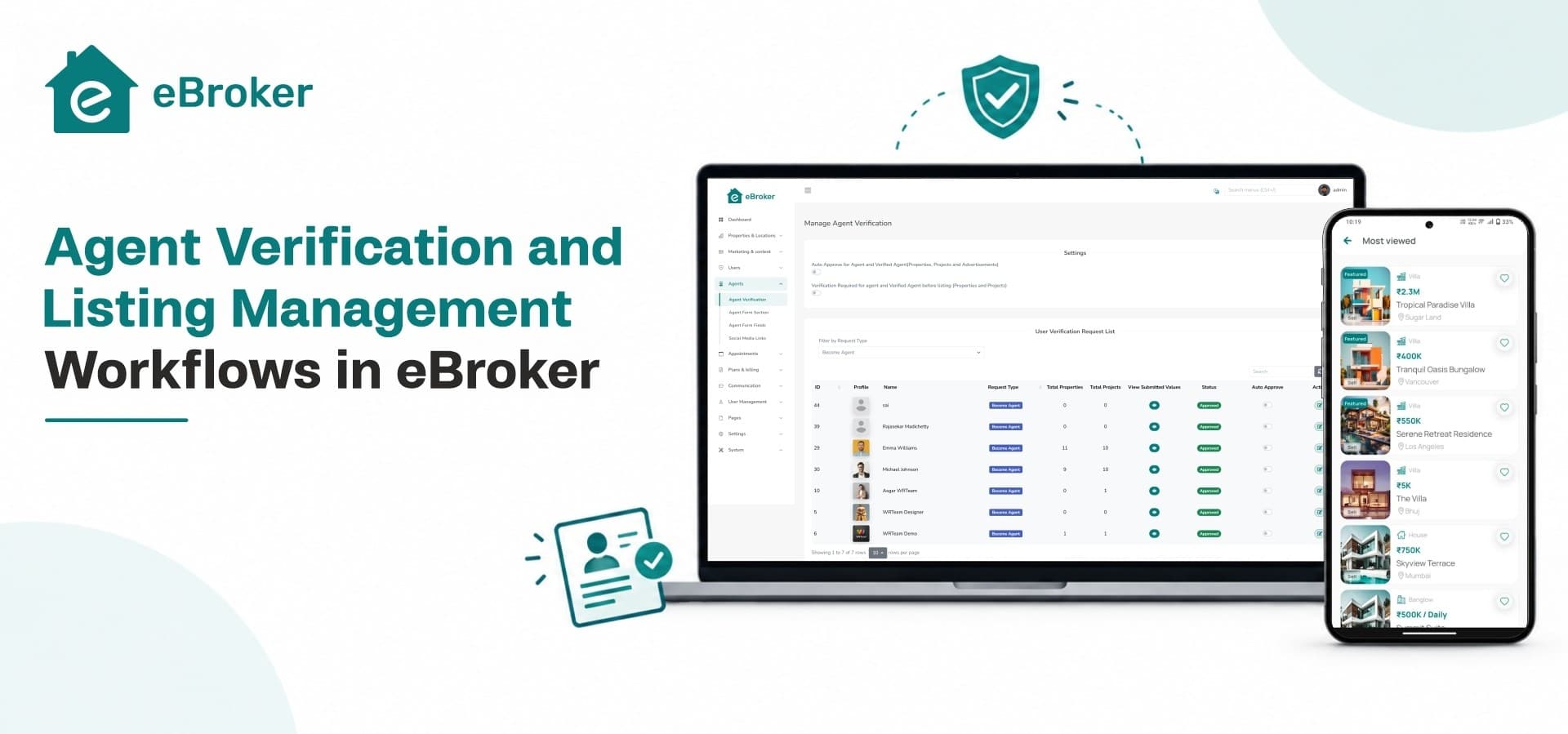
Anyone who has browsed a property portal for more than five minutes has run into the same problem: a listing that looks promising, a phone number that doesn't answer, and a price that turns out to be fictional the moment you ask. Property buyers and renters have grown wary of platforms where anyone can post anything, and that wariness costs marketplace owners real traffic and real trust. The fix isn't more listings. It's better-managed ones, posted by agents who have actually been checked.
This is where agent verification stops being a nice-to-have and becomes a structural requirement for any serious property platform. In eBroker, verification and listing management aren't separate features bolted on as an afterthought. They're designed as one connected workflow, from the moment an agent signs up to the moment a listing goes live and stays accurate.
Why Agent Verification Matters in Property Marketplaces
Trust and Buyer Confidence
A property portal is only as credible as the people posting on it. When a buyer sees a verified badge next to an agent's name, they're more willing to call, message, or schedule a visit. Without that signal, every inquiry carries a small tax of doubt, and doubt is what makes people close the tab and go somewhere else.
This is also part of what separates a purpose-built platform from a generic listings script. Buyers comparing options often gravitate toward the best real estate apps precisely because those apps put visible effort into filtering out noise before it reaches the user. Verification is one of the simplest, most visible ways a platform can prove it's doing that filtering.
Reducing Fake and Duplicate Listings
Fake listings aren't always malicious. Sometimes they're outdated properties nobody bothered to remove, or the same unit posted three times by three different sub-agents. Either way, they clutter search results and waste buyer time. A verification layer at the agent level, combined with listing-level checks, cuts down on both the deliberate scams and the accidental mess.
How Agent Verification Works in eBroker
Document Submission and Admin Approval
When a new agent registers on an eBroker-powered platform, they submit their business or identity documentation through their dashboard. That submission doesn't go live automatically. It sits in an admin queue until someone on the platform's side reviews it and either approves or rejects it, with a reason attached if it's rejected.
This matters for platform owners running real estate software at scale, because manual, ad-hoc verification doesn't hold up once you're onboarding dozens of agents a month. Having a structured queue means nothing slips through simply because it arrived on a busy day.
Verified Badges and Profile Visibility
Once approved, an agent's profile carries a verified marker that's visible to anyone browsing their listings. This isn't just cosmetic. Verified agents typically see better response rates on inquiries, because buyers filter mentally for that badge before they filter for anything else, including price.
Admins also retain the ability to revoke verification if an agent's documentation expires or if repeated complaints come in. Verification in eBroker is a status, not a one-time stamp, which keeps the badge meaningful over time rather than becoming decorative.
Listing Management Workflows for Agents
Adding and Editing Property Listings
Once verified, agents get access to a listing dashboard where they can add new properties with details like location, price, category (sale or rent), amenities, and specifications. Editing an existing listing follows the same interface, so correcting a price or updating availability doesn't require submitting a new listing from scratch.
For agents juggling a large portfolio, this dashboard functions less like a simple form and more like a lightweight real estate CRM software, keeping every property, its status, and its inquiry history in one place instead of scattered across spreadsheets and message threads.
Listing Status Tracking
Every listing in eBroker moves through clear states: pending review, active, and sold or rented. This status tracking does two things at once. It tells the agent exactly where each property stands, and it tells the buyer whether what they're looking at is actually still available, rather than a stale post from three months ago.
A few practical benefits of clear status tracking:
-
Buyers don't waste time inquiring about properties that are already closed
-
Agents get a running view of their active pipeline without cross-checking notes
-
Admins can spot listings stuck in pending for too long and follow up
Media and Virtual Tour Uploads
Listings support multiple images and, depending on configuration, virtual tour links, giving agents a way to present a property properly instead of relying on a single blurry photo. This matters more than it might seem. Listings with complete, high-quality media consistently draw more serious inquiries than bare-bones ones, because buyers can rule properties in or out before ever making a call.
Scheduling and Appointments
Beyond the listing itself, agents can manage viewing requests and appointment scheduling directly through the platform. This turns the listing page into something closer to a property booking app, where a buyer's interest can move straight from "I want to see this" to a confirmed time slot without a back-and-forth of phone tag.
Admin-Side Controls for Listing Oversight
Approval Queues and Moderation
Just as new agents pass through an approval queue, new listings can be routed through moderation before they go public. Admins can review details, flag anything that looks incomplete or suspicious, and approve listings in bulk once they're satisfied. This keeps the browsing experience clean without requiring admins to manually inspect every property after the fact.
Reporting and Flagging Tools
Buyers and other users can flag listings that look inaccurate, duplicated, or fraudulent. Flagged listings surface in the admin panel for review, creating a feedback loop where the community helps maintain listing quality rather than leaving it entirely to the platform team. Over time, this combination of upfront moderation and ongoing flagging is what keeps a marketplace from degrading into a dumping ground the way many unmanaged directory sites eventually do.
Where This Comes Together in eBroker
Individually, agent verification and listing management are common features. What makes the combination useful in eBroker is that they're built as a single workflow rather than two disconnected systems bolted together. A verified agent gets a smoother path to publishing, a clearer view of their listing pipeline, and tools that behave like proper property management software instead of a bare submission form. An admin, meanwhile, gets oversight at both the agent level and the listing level without needing to build custom moderation tools on top of a script.
For platform owners building on mobile as well as web, that same workflow carries over into a dedicated property management app, so agents can review inquiries, update listing status, or respond to a new lead without being tied to a desktop dashboard. Whether that pay-as-you-go flexibility around listing fees is enough to actually attract more sellers to a portal is its own question, and it's the one we'll get into next.
eBroker's verification and listing tools set the foundation, but for portals thinking about growth, the bigger question is how pay-as-you-go listing fees help property portals attract more sellers without scaring off agents with upfront costs.
Ready to launch a property marketplace your agents and buyers can actually trust? Explore eBroker on WRTeam Marketplace