If you are comparing platforms to launch a grocery or pharmacy delivery business, the number of options on the market can make the decision harder rather than easier. Some scripts only handle a single store, others bolt pharmacy on as an afterthought, and many are not built to grow past one business model. Before you commit budget and time to any multi vendor grocery delivery script, it helps to know exactly which capabilities separate a platform that scales from one that boxes you in within a year.
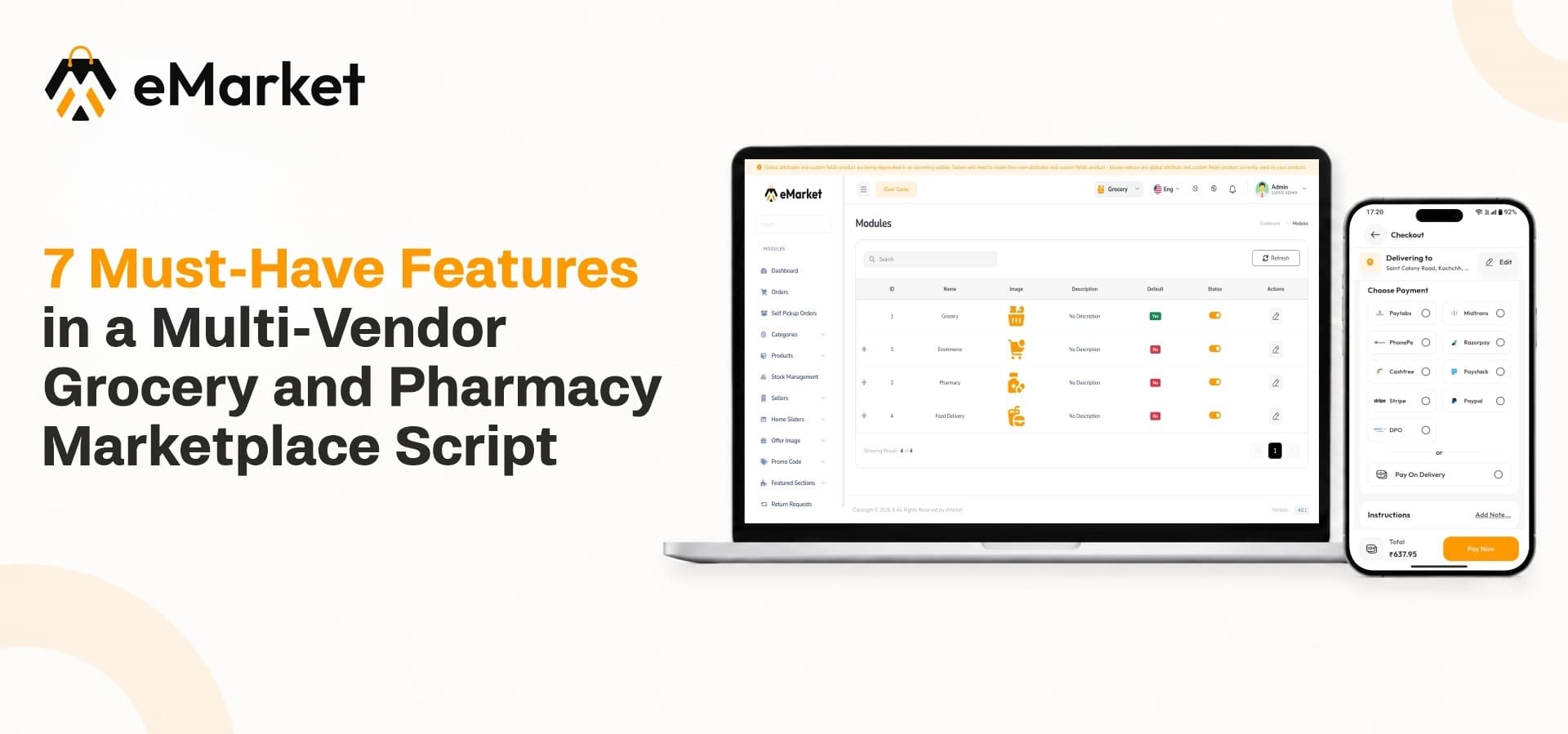
This guide walks through seven features worth checking on any grocery or pharmacy marketplace script, why each one matters to a buyer evaluating platforms, and how eMarket, WRTeam's multi-module marketplace source code, addresses each area. Whether you are launching your first grocery store online or planning a combined grocery and pharmacy operation from day one, these are the checkpoints to work through before you buy.
1. Multiple Business Modules Under One Platform
A grocery-only script forces you to rebuild or bolt on new software the moment you want to add pharmacy or general retail. Look for a platform where these are treated as modules within the same system rather than separate products stitched together.
eMarket is built around this exact idea. It runs Grocery, Pharmacy, and eCommerce Module options from one centralized admin panel, one backend, and one customer application, so sellers across categories operate inside the same ecosystem instead of three disconnected systems.
Why this matters for a buyer
-
A single backend means one set of servers and one maintenance cycle instead of three.
-
Sellers and customers use one login and one app, regardless of which category they shop or sell in.
-
New categories can be switched on later without migrating existing orders, sellers, or customer data.
The Pharmacy Module sits alongside the general grocery and retail catalog, letting a single marketplace serve both a weekly grocery run and a prescription refill without asking customers to switch apps. Because each module can be switched on independently, a business can start with groceries, prove the model, and activate pharmacy or general retail later without a rebuild. Food delivery, parcel delivery, and ride booking currently sit on the platform's roadmap as coming-soon and planned modules, so if those are part of your near-term plan, confirm current availability before you scope a launch date around them.
2. Cross-Platform Apps and a Web Storefront
Buyers increasingly expect to shop from a browser as easily as from a phone, and sellers expect a mobile-first experience for managing their store. A script limited to one platform narrows your reach before you have even launched.
A flutter multi-vendor grocery app gives you native performance on Android and iOS from a single codebase, which is exactly how eMarket's customer, seller, and delivery apps are built. Alongside the apps, eMarket ships a web version so customers who prefer browsing on desktop are not left out.
What to check on any platform you compare
-
Does the mobile app run on both Android and iOS, or only one?
-
Is the web storefront a genuine multi vendor ecommerce app source code you can rebrand, or a locked demo?
-
Do catalog updates, pricing, and promotions sync across app and web automatically, or require separate uploads?
Having apps and web running on shared backend logic means catalog updates, pricing changes, and promotions apply everywhere at once instead of needing separate maintenance for each channel, which saves real time once you have more than a handful of products live.
3. Zone-Based Delivery Management
Grocery and pharmacy orders are time-sensitive in a way many other categories are not. A shopper waiting on a prescription or fresh produce needs to know a nearby seller can actually fulfill and deliver the order, not just that a seller exists somewhere on the platform.
eMarket includes a smart zone-based delivery system that connects customers with nearby sellers based on configured delivery zones. This keeps fulfillment realistic instead of promising deliveries a seller cannot practically complete, and it lets delivery operations stay optimized as the marketplace grows into new areas.
Questions worth asking before you buy
-
Can delivery zones be configured per seller, or only for the platform as a whole?
-
What happens when a customer sits inside two overlapping seller zones?
-
Does the system route orders to the nearest available seller automatically?
Ask specifically how a script handles zone configuration and whether it can support multiple sellers operating in overlapping areas, since that is where many simpler scripts fall short once a marketplace grows past a single neighborhood.
4. Multi-Vendor Seller Onboarding and Store Management
A marketplace is only as strong as the sellers on it, so the onboarding and store management tools matter as much as the customer-facing app. If adding a new seller is a manual, error-prone process, growth becomes a bottleneck.
eMarket's admin panel supports structured seller onboarding, where new sellers are added with their account details, store information, and business profile from a centralized workspace, and incoming registration requests can be reviewed and approved before a store goes live.
What sellers get once they are onboarded
-
A dedicated dashboard to manage products, pricing, discounts, and approval status.
-
Tools to track inventory, sales, returns, and earnings without contacting the admin team directly.
-
A wallet and withdrawal system to review balances and request payouts.
This separation of responsibilities, admins controlling who joins the marketplace and sellers running their own store day to day, is worth confirming on any platform you evaluate, since it directly affects how much manual work falls on you as the marketplace grows.
5. Real-Time Inventory and Stock Management
Nothing damages trust in a grocery or pharmacy marketplace faster than an order confirmation for an item that is actually out of stock. Inventory accuracy is not optional in these categories.
eMarket addresses this with centralized stock management, where sellers update quantities and track availability from their own dashboard while administrators can monitor product availability across all sellers and stores from the admin side.
Signs of a properly built stock system
-
Low-stock and out-of-stock items are flagged automatically so sellers can act before a customer orders them.
-
Stock levels update in real time across the app rather than on a delayed sync.
-
Admins have visibility into inventory across every seller, not just their own store view.
When comparing scripts, check whether stock updates reflect across the app in real time or only after a manual sync, since a delay of even a few minutes can lead to cancelled orders in a fast-moving grocery environment.
6. Point of Sale (POS) for In-Store Sales
Many grocery and pharmacy sellers still do a meaningful share of business in person, and a marketplace script that only handles online orders misses that revenue entirely.
eMarket includes a built-in Point of Sale system that lets sellers create sales orders, add products to a cart, register walk-in customers, apply discounts or additional charges, and complete billing directly from the seller dashboard.
Why POS needs to be native, not bolted on
-
Sales made through POS feed into the same reporting and inventory system as online orders.
-
Sellers get one consolidated view of performance instead of reconciling two separate records.
-
Stock deducted at the counter reflects immediately in the online catalog, preventing overselling.
If your sellers run physical counters alongside their online storefront, confirm this is a native feature and not a third-party add-on, since integration quality varies widely between scripts and a bolted-on POS often breaks inventory sync.
7. Multiple Monetization Options for the Marketplace Owner
The script you choose determines how many ways you can actually earn from the marketplace, not just how it looks to shoppers and sellers.
eMarket is built to support several revenue streams at once:
-
Marketplace commissions on orders across every active module.
-
Delivery and service fees charged on top of order value.
-
Subscription plans with configurable pricing and benefits for sellers who want premium placement.
-
Advertising revenue through featured listings and promotional banners.
Commission and configuration settings can be managed per module, so a grocery order and a pharmacy order can carry different commission structures if your business model calls for it. Before choosing a script, map out which of these monetization paths you actually plan to use, since a platform that only supports flat commissions will limit you later if you want to introduce subscriptions or featured placements.
Quick Checklist: What to Verify Before You Buy
Use this as a fast recap while you compare scripts side by side:
-
Modules – Can grocery, pharmacy, and general retail run on one backend, and can new categories be activated without a rebuild?
-
Apps and web – Does the platform ship native Android and iOS apps plus a rebrandable web storefront, with catalog data synced across both?
-
Delivery zones – Can zones be configured per seller, and does the system route orders to the nearest available seller automatically?
-
Seller tools – Can sellers manage their own products, inventory, and earnings without relying on the admin team for routine tasks?
-
Stock accuracy – Do stock levels update in real time across the app, with low-stock alerts built in?
-
In-store sales – Is Point of Sale a native part of the platform, syncing directly with online inventory?
-
Revenue options – Does the script support commissions, delivery fees, subscriptions, and advertising, or only a single flat commission model?
A script that checks all seven boxes gives you room to grow into new categories and revenue streams without switching platforms later.
Where eMarket Fits
Across these seven areas, eMarket is built specifically for businesses that want to run grocery, pharmacy, and general retail from one platform rather than stitching together separate systems as they grow. The module-based structure means you are not locked into a single business model at launch, and the shared backend keeps operational costs lower than running multiple standalone scripts side by side.
Ready to Launch Your Grocery and Pharmacy Marketplace?
See how eMarket's grocery, pharmacy, and retail catalog work together on one platform. Explore eMarket on WRTeam Marketplace