Selling from one store is simple. Selling from several stores, each with its own products, opening hours and delivery area, is where most businesses start to struggle. Stock runs out in one location while another has too much, orders are promised to addresses no rider can reach, and delivery fees are guessed rather than planned. A hyperlocal ecommerce platform solves this by tying every store, product and delivery area together in one system.
This post is a feature walkthrough of how SnapBuy manages multiple stores, inventory and delivery zones. You will see what each tool does, how the pieces connect and what to set up first.
1. Why Multi-Store Businesses Need Structure
Before looking at individual features, it helps to see where multi-store operations usually go wrong.
Scattered Stores, Scattered Data
When each store runs on its own spreadsheet or app, the owner has no single view of orders, stock or performance. Decisions become guesses, and problems appear only after customers complain.
Delivery Without Boundaries
A customer who orders from a store outside its service area creates a failed or delayed delivery. Without clear boundaries, riders are sent to places they cannot reach in a reasonable time, and customers lose trust.
Stock That Does Not Match Reality
If a product shows as available but is not on the shelf, the order is cancelled and the customer is disappointed. In fast delivery, that single failure often means the customer does not return.
What a Good System Provides
A well-built platform gives owners:
-
One panel to manage every store
-
A clear catalog that all stores can use
-
Map-based delivery boundaries
-
Flexible delivery pricing
-
Live reporting across locations
2. Multi-Store Management
SnapBuy is built around a multi-store model, so growth does not mean rebuilding your system.
Adding and Configuring Stores
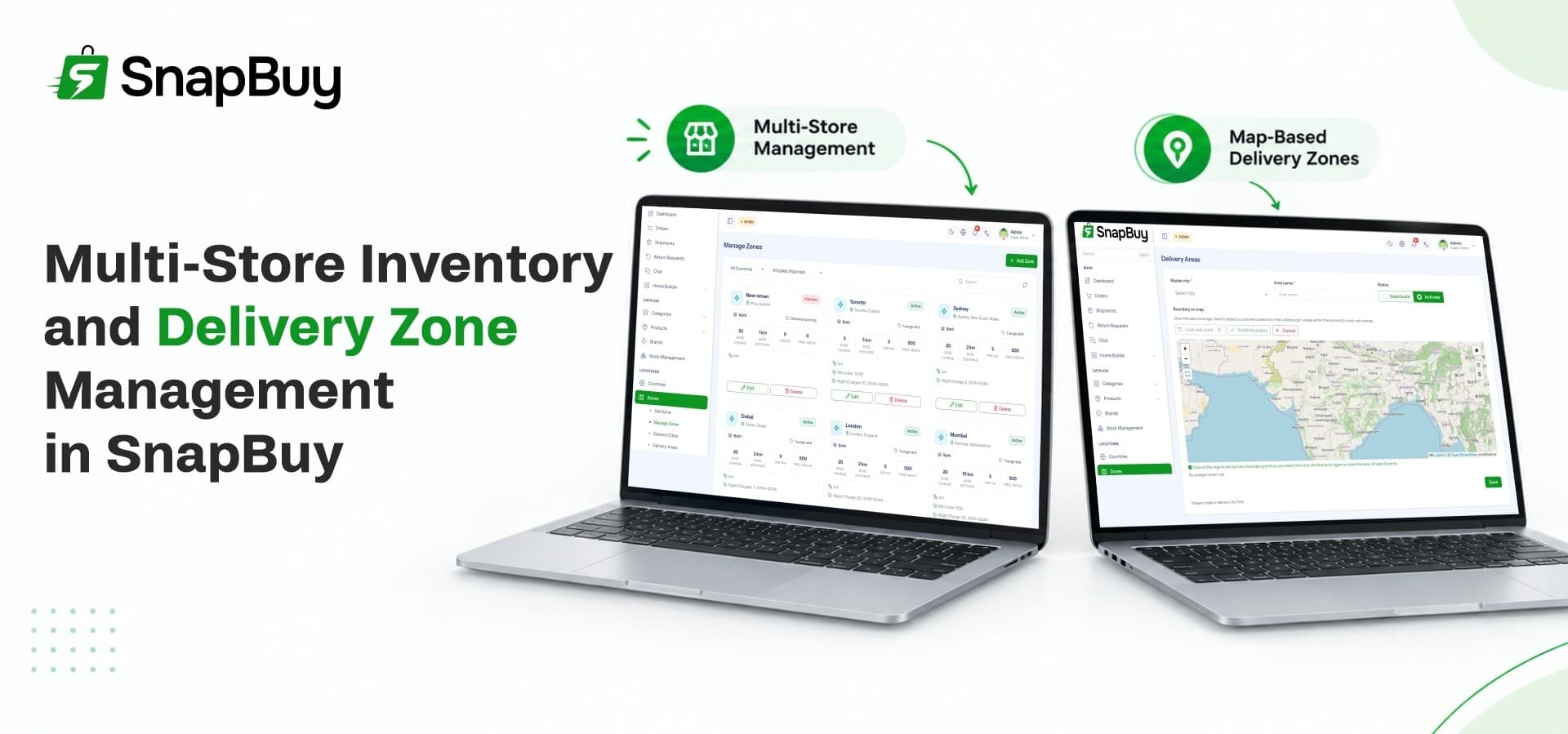
From the admin panel, you can manage unlimited stores. For each store you set the details customers need: name, contact information, operating hours, product availability and map location. Opening a new branch becomes a matter of adding a store, not starting a new project.
A Dedicated Store Panel
Each store has its own panel, so store staff can work without seeing the rest of the business. This keeps daily tasks simple for the store team and keeps sensitive data limited to those who need it.
Central Control for the Owner
A reliable ecommerce management system lets the owner see everything while staff see only their part. SnapBuy gives you one centralized dashboard for products, orders, deliveries, shoppers and payments. You can compare stores, spot problems early and act without calling each branch.
Growing Across Cities and Countries
As the business expands, SnapBuy supports multi-branch, multi-country, multi-language and multi-currency operations. Each country can have its own currency, time zone, payment gateways, date format and business policies, all managed from one place.
3. Product and Inventory Management
Inventory is the base of every order. SnapBuy gives you tools to build a catalog and keep it accurate.
A Complete Product Catalog
Products can include variants, attributes, pricing, taxes, images and inventory details. A shirt with sizes and colors, or a grocery item with different pack sizes, can be listed cleanly so customers pick the right version.
Bulk Import and Export
Adding hundreds of products one at a time is slow. SnapBuy supports bulk Excel import and export, so you can load a large catalog quickly and update prices or details in batches. This saves hours during launch and during seasonal changes.
Low-Stock Alerts
The admin dashboard tracks best-selling products, top-performing stores and valuable customers, and it sends low-stock alerts so inventory stays on track across your locations. Acting on an alert before an item runs out prevents cancelled orders.
AI Help for Product Content
Built-in AI can generate product descriptions and SEO-friendly metadata. For a catalog with many products, this reduces writing time and helps new items become searchable faster.
Returns and Restocking
After-sales work affects stock too. SnapBuy's returns workflow supports approval, wallet refunds and inventory restocking, with complete order tracking. When a returned item goes back into stock, your numbers stay accurate.
In short, the inventory side covers:
-
Catalog building with variants and attributes
-
Bulk upload and export through Excel
-
Low-stock alerts for each location
-
Returns that restock products
-
AI-generated descriptions and metadata
4. Delivery Zone Management
Zones decide who you can serve and how fast. This is where the platform's map tools become essential.
Drawing Zones on Interactive Maps
SnapBuy lets you create delivery zones visually on interactive maps. You trace the exact area a store covers rather than typing lists of postal codes. Customers inside the zone can order, and customers outside it are not offered a delivery you cannot fulfill.
Preventing Overlap
Overlapping service areas cause confusion about which store should handle an order. SnapBuy helps you prevent overlapping zones, so each area has a clear owner and orders are routed with less friction.
Separate Coverage for Each Sales Channel
Instant delivery and scheduled delivery rarely cover the same distance. Strong quick commerce software lets you set different delivery coverage for quick commerce and standard ecommerce. A store might offer instant delivery within a small radius and scheduled delivery across a wider area, all within the same platform.
Flexible Delivery Pricing
Delivery charges can be set to suit your business. SnapBuy supports surge pricing, flat rates, slabs, and charges by city or delivery area. A short-distance order can cost less than a long one, and busy periods can carry a higher fee when you choose.
Zone-Based Promotions and Homepages
Zones also shape what customers see. Coupons can target zones and sales channels, and the visual homepage builder lets you customize banners, featured sections and promotions for different channels, languages and delivery zones. A customer in one neighborhood sees offers that apply to them.
5. How Stores, Zones and Riders Work Together
Features matter most when they work as one flow. Here is how a typical order moves through the system.
From Order to Doorstep
-
A customer opens the app and the system checks their location against your zones.
-
They shop from the stores that serve their area.
-
The order goes to the right store and appears in unified order management.
-
An admin or store assigns a delivery boy.
-
The delivery boy accepts the order and follows route navigation.
-
The customer tracks the delivery live and shares the OTP for secure handover.
Managing the Delivery Team
Riders can register independently by submitting personal information, identity documents and bank details. Admins then control approvals, commissions, salaries, payouts, account status and performance from the dashboard. The delivery app guides each rider through order acceptance, navigation, OTP verification, confirmation and return pickups.
Money Side of Delivery
Riders track commissions, wallet earnings and Cash on Delivery collections in real time. They can request withdrawals from the app, and admins review them through an approval workflow. Clear tracking simplifies reconciliation at the end of each day.
Customer Transparency
Customers see real-time order tracking, live rider location, direct calling and in-app support chat. They can also cancel orders, request item-level returns and reorder with one tap. These tools reduce support calls and build trust.
6. Turning Operations Into Revenue
A well-organized platform also earns. SnapBuy connects stores, zones and income streams so growth does not require new tools.
Running Stores as a Marketplace
With ecommerce marketplace software, you can invite multiple stores onto one platform and earn from the activity they generate. SnapBuy supports commission on every successful order across participating stores, and subscription plans for stores with different features, limits and benefits.
Delivery and Service Fees
Delivery charges, convenience fees and surge pricing add to your income. Because pricing is configurable by city or area, you can match fees to real delivery costs.
Visibility and Advertising
Stores often want more exposure. You can monetize featured products, sponsored stores, homepage banners and promotional placements. In-app ads and brand campaigns add another stream.
Loyalty and Repeat Orders
Coupons, cashback, referral rewards and a built-in wallet help bring customers back. Percentage discounts, fixed offers and free delivery can all be scheduled and targeted by audience, zone and channel.
7. Reporting and Control
Managing several stores and zones requires clear numbers.
Live Dashboard
The dashboard shows revenue, orders, sales trends and key business metrics in real time. You can filter reports by country, zone and time period to see where the business is strong and where it needs attention.
Side-by-Side Channel Insights
Quick commerce and standard ecommerce performance can be compared side by side. Orders, revenue and customer activity show which channel is growing faster and where to invest.
Roles and Permissions
Role-based access control lets you create unlimited staff accounts with exact permissions. A store manager can handle orders and stock, while finance staff see payments and withdrawals. Everyone has access to what they need and nothing more.
Notifications
The notification center supports push notifications, emails and SMS alerts for orders, promotions and account updates. Customers and delivery boys stay informed without manual messages.
8. A Setup Checklist Before You Launch
Work through this list before opening to customers:
-
Add your first stores with hours, contacts and map locations.
-
Build or import your product catalog with variants and prices.
-
Draw delivery zones for each store and check for overlaps.
-
Set delivery charges by area, slab or flat rate.
-
Onboard and approve your first delivery boys.
-
Create a launch coupon for each zone you serve.
-
Place a test order from start to finish.
A test order through every step reveals gaps while they are easy to fix.
Where SnapBuy Fits
SnapBuy brings customer apps, a web storefront, a delivery app and a Laravel admin panel into one package, with multi-store tools, map-based zones and flexible delivery pricing built in. For owners looking for a single ecommerce solution that handles both instant and scheduled delivery, it removes the need to run separate systems.
Start Managing Stores and Zones With Ease
Ready to run multiple stores and delivery areas from one platform? Explore the features, demo and license options for SnapBuy on the WRTeam Marketplace.