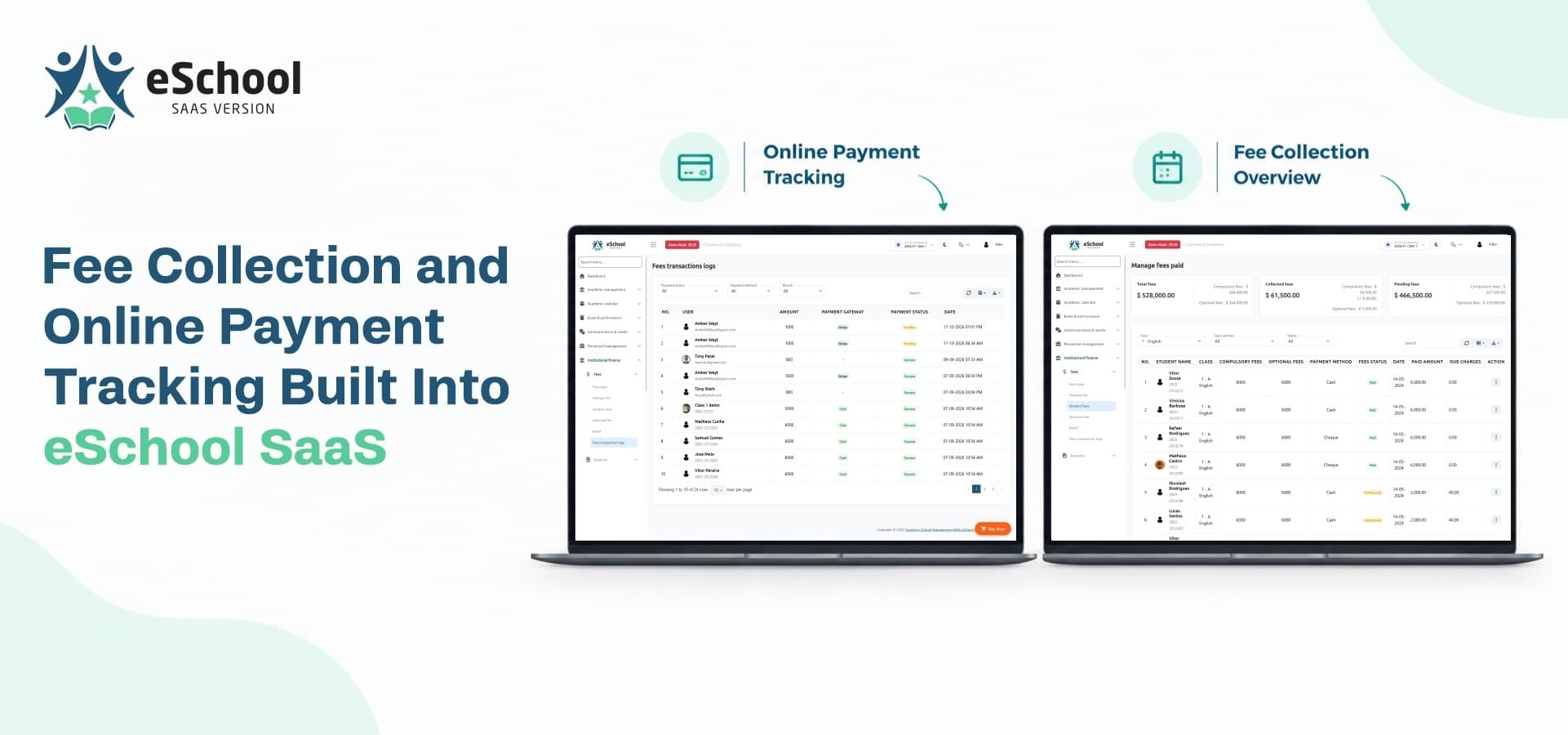
Every school runs on fees, and every school has its own way of collecting them. One campus accepts cash at the front desk, another prefers bank deposits, and a third wants parents to pay from their phones. Add a few more campuses and the accounts team spends more time chasing receipts than reviewing income. An online school management system with fee collection built in solves this by keeping every payment, balance and record in one place.
This guide shows how fee collection and payment tracking work inside eSchool SaaS. You will see how fees are set up, how parents pay, how administrators follow each payment, and what to check before you launch.
1. Why Fee Collection Gets Complicated Across Multiple Schools
Collecting fees at one school is a routine task. Collecting fees at several schools, each with its own rules, is an operational challenge that grows with every new campus.
Every School Has Its Own Fee Rules
No two institutions structure their fees the same way. A primary school may charge a flat amount per class, while a senior campus adds lab, activity or transport charges. Policies on discounts and concessions also differ from one school to the next.
Common differences include:
-
Different fee amounts for each class and section
-
Separate academic sessions and due dates
-
Optional charges such as transport or activities
-
Concessions for specific students
Where Manual Tracking Breaks Down
Paper registers and shared spreadsheets work until the volume grows. After that, the same problems keep returning:
-
Payments are entered late, so balances are out of date
-
Duplicate or missing entries make reconciliation slow
-
Parents cannot check what they owe without calling the office
-
Owners have no consolidated picture of what is collected and what is pending
A fee module inside the main platform removes these gaps because fees, students and payments share the same records.
2. How Fee Management Works Inside eSchool SaaS
Fee handling follows the same logic as the rest of the platform. Every school operates as its own workspace, and the Super Admin sits above all of them.
Separate Fee Setup for Each School
eSchool SaaS is built on multi-tenant architecture, so a school admin configures fees without touching another school's data. Dependable school management software should allow this, because a junior campus and a senior campus rarely charge the same amounts. Each admin defines what their classes pay, and those settings stay inside that school's workspace.
Fee Records Linked to Every Student
Fee data is only useful when it connects to the person who owes it. In a connected student management system, each learner's profile holds admission details, class, guardian information and fee status together. When a parent asks about a balance, staff open one profile instead of searching through registers.
Staff can quickly see:
-
The student's class and section
-
Guardian contact details
-
Current fee status
-
Payment records linked to that student
Manual Payments and Fee Relief
Not every family pays online. eSchool SaaS lets staff record manual fee payments, so cash or bank deposits made at the office sit in the same system as gateway payments. Admins can also grant fee relief to eligible students without editing records by hand. The outcome is one consistent ledger, whatever way the money arrived.
3. Online Payment Options for Parents
Convenience decides how quickly fees come in. Parents who can pay in a couple of minutes from their phone rarely wait for the last date.
Gateways Supported Out of the Box
A dependable school management solution should not lock schools into a single payment provider. eSchool SaaS supports Razorpay, Stripe, Flutterwave and Paystack. You can choose the gateway that suits the currencies and countries your schools work with, and avoid rebuilding payment integrations yourself.
Paying From the Mobile App and the School Website
Parents get a dedicated Flutter app where fee details sit beside attendance and homework. They do not need to learn a separate tool for money matters. Each school also keeps its own branded school management website, so families see their school's identity rather than a generic portal.
Notifications That Reduce Follow-Up Calls
The platform uses Firebase cloud messaging for push notifications and includes WhatsApp integration and editable email templates. Schools can use these channels to keep families informed, which means fewer phone calls from the accounts desk and fewer misunderstandings about due dates.
4. Tracking Payments and Finding Gaps Early
Collecting money is only half the job. The other half is knowing, at any moment, where the money stands.
Dashboards for School Admins
School admins get dashboards and reports covering finance alongside attendance and academics. This helps them answer the questions that matter every week:
-
Which students have paid in full?
-
Which accounts still have a pending balance?
-
How is collection moving compared with earlier weeks?
-
Which classes need a follow-up?
Oversight for the Platform Owner
Running a multi school management system means you cannot open every school's books each morning. The Super Admin panel gives platform owners control over schools, plans and subscription health. Each school's data stays separate, so a principal sees their own finances and nobody else's. This balance of central control and school-level privacy is what makes growth manageable.
The Other Side of the Ledger: Staff Payroll
Money moves out as well as in. eSchool SaaS includes staff payroll management, so schools can handle salaries in the same environment where they track fee income. Keeping both sides together gives administrators a clearer view of how the school is performing financially.
5. Two Layers of Payments in a SaaS Model
If you plan to resell the platform, you will manage two separate payment flows. It helps to understand both before you launch.
Fees Parents Pay to Schools
This is the flow described above. Parents pay school fees, the school admin tracks them, and the money belongs to the school. Your role as the platform owner is to provide reliable tools, not to handle those funds.
Subscriptions Schools Pay to You
A saas school management system adds a second layer. Schools pay you for using the platform, and eSchool SaaS includes built-in billing for this. You can create plans, automate renewals and generate invoices, then choose how to charge:
-
Monthly or annual subscription plans
-
Pricing based on active student and staff counts
-
Paid add-ons such as transportation, chat or website management
-
Setup and onboarding services
Keeping the two flows separate keeps your accounts clean and makes each school's invoice easy to explain.
6. A Practical Checklist Before You Set Up Fee Collection
Before going live with any school, walk through these steps:
-
List every fee type each school charges and its due dates.
-
Decide which payment gateways you will activate.
-
Add students and guardians so every fee links to the right record.
-
Set the notification channels you want to use for fee updates.
-
Decide how cash and bank payments will be entered by staff.
-
Test one complete payment from a parent account before inviting everyone.
A short test run catches setup mistakes while they are still easy to fix.
Where eSchool SaaS Fits
As a school management system saas product, eSchool SaaS brings fees, student records, parent apps and subscription billing into one package. Schools collect fees with fewer manual steps, and you manage the whole network from a single panel. Teams comparing spreadsheets with a platform often wonder what the switch really costs, and how spreadsheet-based school management compares on real cost is worth a look before you decide.
Start Collecting Fees With Less Effort
Ready to give your schools a cleaner way to collect and track fees? Explore the features, demo and license options for eSchool SaaS on the WRTeam Marketplace.