A buyer opens a listing late in the evening, likes the photos, and has two quick questions about the neighborhood and the floor. If your platform makes them hunt for a phone number, that interest is gone by morning. Lead handling is where a property portal either earns real value for its agents or quietly loses it.
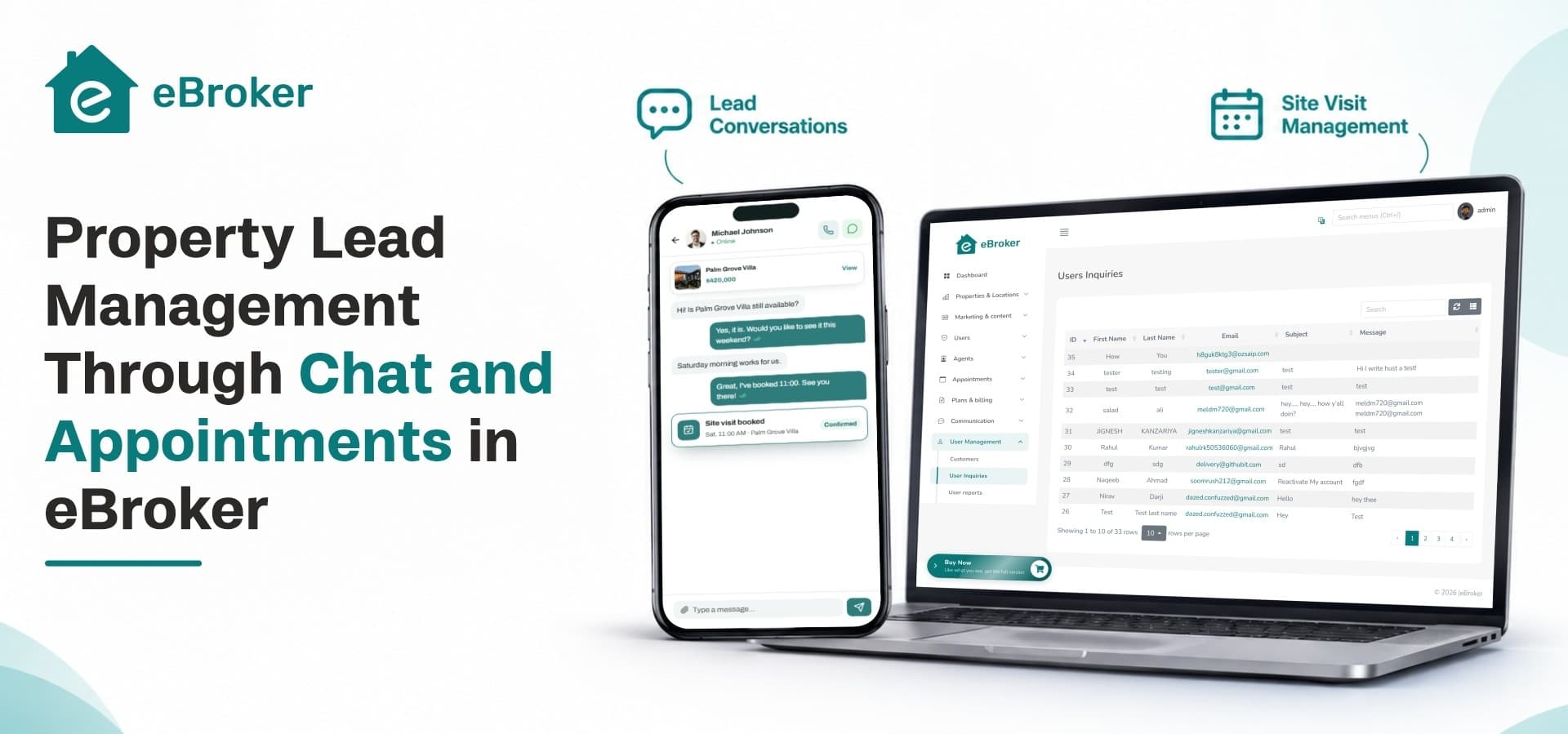
eBroker approaches this with two connected tools: in-app chat for the first conversation, and appointment management for the site visit that follows. This post walks through how both work, who uses them, and how they help an agent move a lead from curiosity to a confirmed visit.
Why Property Leads Slip Away Before a Visit Gets Booked
The gap between interest and a confirmed visit
Most leads do not disappear because the property was wrong for them. They disappear because replies came late, details got scattered across calls and notes, and nobody pinned down a time to meet. Agents who juggle phone calls, personal messaging threads and notebooks lose track of who asked what. Teams searching for real estate CRM software usually want one thing above all: a single place where every inquiry, conversation and visit request lives.
What buyers expect from a modern listing platform
Buyers now compare experiences, not just inventory. The best real estate apps let a visitor ask a question, read the answer and book a time without leaving the listing page. That expectation breaks down into four simple needs:
-
A fast way to reach the person who can answer
-
A clear view of who that person is and whether they are verified
-
An easy way to propose a visit time
-
Control over who can contact them and who cannot
Chat in eBroker: From First Question to Ongoing Conversation
Three chat types for three kinds of conversations
Property conversations are not all the same, so eBroker supports multi-type chat. Each type serves a different relationship on the platform:
-
User to Agent: a buyer or renter asks an agent about a listing, price, availability or paperwork
-
User to User: two people on the platform talk directly, for example when an individual owner lists their own property
-
User to Admin: a user reaches the platform operator with account, listing or payment questions
Keeping these channels separate means an agent's inbox stays focused on property inquiries, while platform questions go to the people who run the marketplace.
Direct agent chat and agent search
A buyer does not always know which listing they want, but they often know they want a trustworthy agent. eBroker includes an agent list with search and filters, and a direct agent chat option, so a visitor can open a conversation from the agent's profile without picking a specific property first.
Seen status and unread counts
Nothing frustrates a buyer more than wondering whether a message was read. Chat shows when messages have been seen, and unread counts help agents spot new inquiries in the chat list at a glance.
Chat controls that keep conversations clean
An open marketplace needs basic protection against spam and unwanted contact. eBroker gives users practical controls:
-
Block another user directly from the chat
-
Delete individual messages on the web version
-
Delete all chat messages at once in the mobile app
These controls matter for trust. Agents stay willing to answer inquiries when they know they can step away from abusive or irrelevant contacts.
A WhatsApp button for buyers who prefer it
Some buyers would rather continue on a messaging app they already use all day. eBroker adds a WhatsApp chat button on property details and agent details, so the platform captures the interest and the buyer can still choose the channel that feels natural. In-app chat remains the primary route, with the button as a convenient second option.
Lead Quality Starts Before the First Message
Complete profiles before conversations begin
Low-effort inquiries waste an agent's time. eBroker asks users to complete their name, email and mobile number before they can start a chat. That single rule means every conversation arrives with contact details attached, so an agent can follow up even if the chat goes quiet.
Verified badges and client types
Buyers hesitate to share plans with a stranger. eBroker uses four client types: Normal User, Verified User, Agent and Verified Agent, each with its own onboarding form. A verified badge is shown on the listing page, in profile settings and on the agent details screen. When a buyer sees that badge before sending a message, they start the conversation with more confidence.
Tracking real interest
Chat is one signal of interest, but not the only one. The admin panel shows the total number of interested users for listings, and property view counts avoid counting the same user twice on the same day. These numbers help platform owners see which listings attract attention and which ones need better photos, pricing or descriptions.
Appointment Management: Turning Conversations Into Site Visits
Why appointments need their own module
A chat can end with "sure, let's meet sometime," and then nothing happens. A dedicated appointment module gives the conversation a clear next step. For anyone building a property booking app, this is the feature that separates a simple listing gallery from a platform that actually produces visits.
How buyers schedule a visit
On an agent's listing, a user can use the schedule appointment option to request a visit. The request goes to the agent through the same platform where the conversation happened, so there is no need to copy details into a calendar by hand or repeat the property name over a phone call.
How agents manage their appointments
The appointment module runs across the admin panel, the web version and the mobile app. Agents get their own appointment management area, and the app includes a configuration flow where agents set up how they take appointments. Instead of tracking visits in separate notes, an agent sees every request in one list.
Filtering by status and meeting type
Once visits start piling up, finding the right one matters. The appointment list can be filtered by status and by meeting type. An agent starting the day can pull up confirmed visits, while an agent catching up on follow-ups can look at requests that still need attention.
The lead-to-visit journey, step by step
Here is how a typical lead moves through eBroker from the first look to a scheduled visit:
-
A buyer finds a listing through search, filters, the map or the agent's profile.
-
The buyer opens a chat with the agent, or taps the WhatsApp button if they prefer it.
-
The agent answers questions, with seen status confirming the message landed.
-
The buyer uses the schedule appointment option on the agent's listing.
-
The agent reviews the request in the appointment module and updates its status.
-
The visit happens, and the conversation stays in the chat list for follow-up.
Each step lives inside the same platform, which means the full history of a lead is easy to find later.
Agent Dashboard and Admin Oversight
What agents see in their dashboard
Agents who treat the platform as their daily property management app need numbers, not guesses. The agent dashboard shows statistics for their activity, and a separate agent mode keeps their listings and plans apart from their personal user activity. Clients can operate as an Agent and as a User independently, so a professional who also searches for a home does not mix the two roles.
What operators control from the admin panel
Platform owners need visibility without micromanaging. Those evaluating property management software for a marketplace should look for these controls, all of which eBroker's admin panel provides:
-
The appointment module, for reviewing visit activity
-
A chat module that has been refined across versions
-
Agent verification, with the option to require it before listings go live
-
Auto approval toggles for properties, projects and advertisements
-
Audit logs that record create, update and delete actions on listings
Together, these controls let an operator keep the marketplace trustworthy while agents handle their own leads.
Where eBroker Fits
If you are comparing real estate software for a portal, an agency or an independent brokerage, eBroker is a strong match when your goal is a clear path from listing view to chat to scheduled visit. It ships with Flutter mobile apps for Android and iOS, a Laravel admin panel and a responsive web version, so buyers and agents can use the same lead flow on whichever device they prefer.
It is worth being clear about scope. eBroker focuses on listings, chat, appointments, agent profiles and platform administration. If you need advanced sales automation such as lead scoring or scheduled follow-up campaigns, plan those as separate additions rather than assuming they come built in.
On the business side, eBroker is a one-time purchase with no monthly fees, includes free lifetime updates and supports white-label branding, so the platform can carry your own name from day one.
A quick launch checklist for lead handling
Before you open the marketplace to real users, work through these steps:
-
Decide your agent verification policy and set the admin controls to match.
-
Ask agents to complete their profiles, including banners, social links and contact details.
-
Test the full journey from search to chat to appointment on both web and mobile.
-
Walk agents through the appointment list and its status and meeting type filters.
-
Review chat controls and decide how your team will answer User to Admin messages.
-
Publish a few verified listings first so early buyers meet active, responsive agents.
Once the lead flow feels smooth, you can widen the marketplace knowing the basics already work. For the wider view of how listings, agents and buyers fit together, read about building a property listing marketplace that agents and buyers both trust.
Start Managing Property Leads With eBroker
Ready to give your agents a faster path from inquiry to site visit? Explore the full feature set, demos and licensing details for eBroker on the marketplace page: eBroker Real Estate Management Software