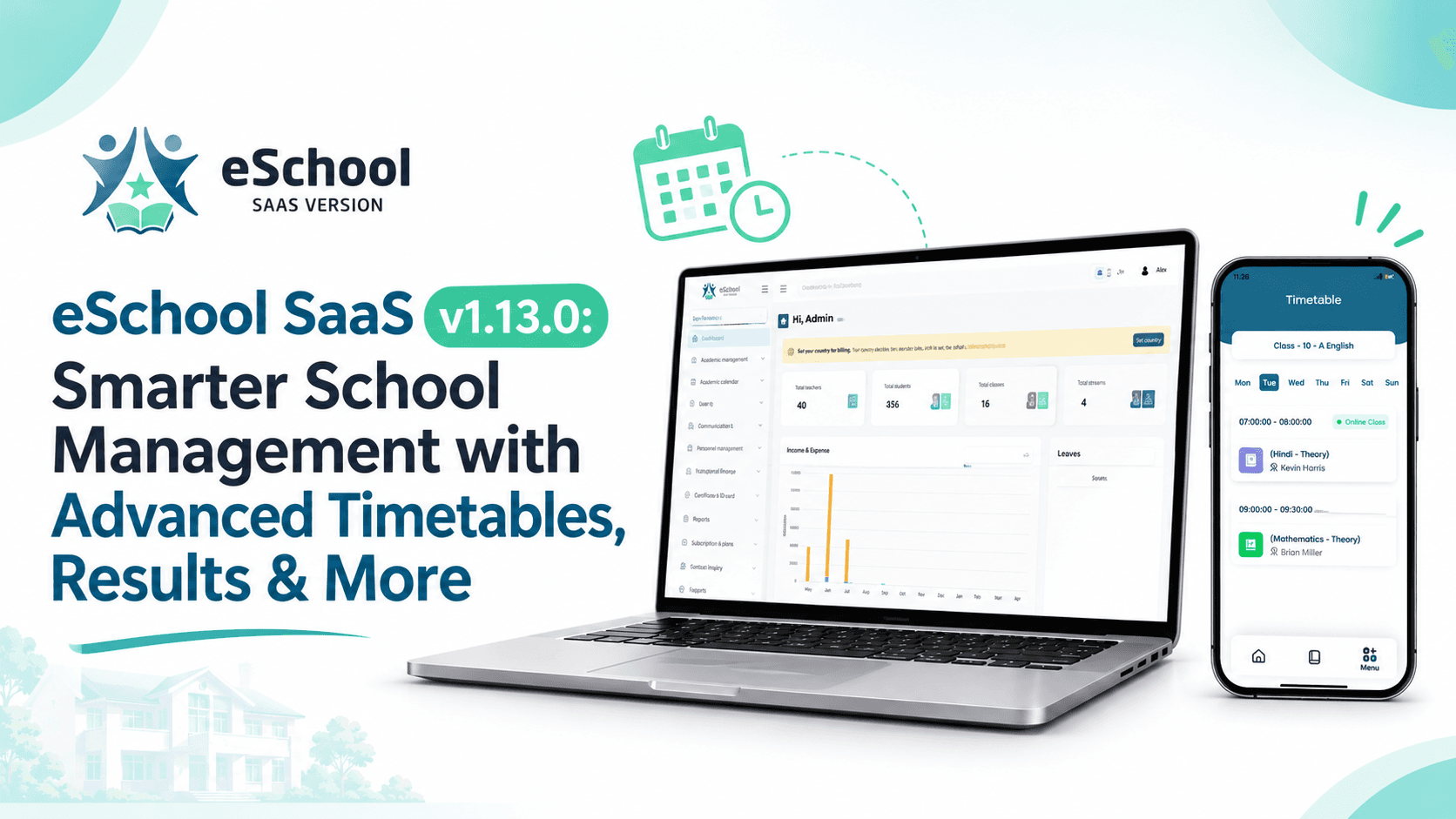
Running a school well comes down to small daily details: who teaches which class in which period, how final marks are calculated, which tax shows on an invoice, and who is in the building today. Version 1.13.0 of eSchool SaaS focuses on exactly these details. If you are searching for an online school management system that keeps improving after you buy it, this release shows what that looks like in practice.
This update brings five improvements:
-
A more flexible academic timetable
-
Weighted consolidated results
-
Country-wise tax invoices
-
A custom template for your school website
-
Simple staff leave and presence marking
Below, you will find what each one does, who benefits, and how to start using it.
What's New in eSchool SaaS v1.13.0
Every release should solve a real problem for the people using the product daily. Version 1.13.0 does this for admins, teachers and school owners. If you run a saas school management system across one campus or many, the changes cut manual work in scheduling, grading, billing, web presence and staff tracking.
Update Highlights at a Glance
-
Academic timetable: Build schedules with many different combinations.
-
Consolidated results: Admins set the percentage weight of each semester for the final result.
-
Country-wise tax invoices: Admins set tax per country, and invoices show it.
-
School website template: A custom template to present your school online.
-
Staff leave management: Mark each staff member as Leave or Present every day.
1. Academic Timetable With Many Combinations
Timetables are rarely simple. A school may run different period counts on different days, give each class its own schedule, and share teachers across sections. Version 1.13.0 is built to handle that variety. A flexible school management solution should adapt to how your school actually runs, not force you to fit a fixed template.
Different Periods Per Day
Not every day looks the same. A Saturday may be shorter, and a day with an assembly or a sports session may need fewer lessons. You can now set the periods for each day separately, so the timetable matches your real school week.
Different Timetables Per Class or Section
Grade 6 and Grade 10 almost never follow the same schedule, and neither do Section A and Section B. With this update, each class or section can have its own timetable. This helps schools with several streams, shifts or mixed academic programs.
Teacher and Subject Combinations
A timetable is really a set of pairings: a teacher, a subject, a class and a time slot. You can arrange these combinations in many ways, which suits schools where teachers cover multiple subjects or classes.
Why This Matters
-
Less time spent adjusting schedules by hand
-
Timetables that reflect the real school day
-
Students and teachers see a clear, organized schedule
-
Easier planning when staff or subjects change
2. Consolidated Results With Semester Percentage Weights
Final results can cause confusion when a school runs more than one term. Some schools treat every semester equally, while others give the second semester more weight. Version 1.13.0 puts that decision in the admin's hands. It also strengthens the platform as a student management system, because marks, terms and final outcomes now sit together in one place.
How the Weighted Result Works
The admin chooses the percentage that each semester contributes to the consolidated final result. For example:
-
Semester 1 counts for 40%
-
Semester 2 counts for 60%
-
Total: 100%
The platform then combines the marks according to those weights, so the final result follows your school's own grading policy.
Results Without Semesters
Not every school splits the year into semesters. If yours does not, you can still set the percentage for the final consolidated result. This keeps the feature useful for schools of any structure.
Why This Matters
-
Fairness: Final results follow a rule that the school has clearly defined.
-
Consistency: Every student in a class is graded under the same weights.
-
Less manual work: Staff do not need to calculate combined marks separately.
-
Clarity for parents: A single consolidated result is easier to understand than scattered term marks.
3. Country-Wise Tax Invoices
Schools that bill fees or services need invoices that follow local tax rules. These rules change from one country to another, and a platform that serves schools worldwide has to respect that. Version 1.13.0 handles this well, which matters for any multi school management system with branches or clients in different regions.
Admin-Controlled Tax Per Country
The admin sets the tax for each country. Once it is in place, the invoice shows the correct tax details for that country. You decide the rates, and the platform applies them where they belong.
What This Means for Your Billing
-
Invoices that match the tax rules of the school's country
-
Less risk of billing mistakes
-
A cleaner record for accountants and auditors
-
Easier expansion to new regions
Who Benefits Most
-
Education groups with schools in more than one country
-
Operators who offer the platform to schools in different regions
-
Finance teams that need clear, tax-ready invoices
4. Custom School Website Template
A school's website is often the first thing a parent sees. It should look professional, load clearly and share the information families want. Version 1.13.0 adds a custom template for exactly this purpose. A well-presented school management website helps a school build trust before a parent ever steps through the door.
A Stronger Online Presence
With the new template, your school can present itself online with a design that fits an educational institution. A good school website usually shares:
-
Who the school is and what it stands for
-
Admissions information
-
Contact details and location
-
News, events and announcements
Why a Template Helps
Building a website from scratch takes time and design skill. A ready template gives you a structured starting point, so you can focus on your content and your community instead of layout and styling.
Connected to Your Daily Operations
Because the template sits inside the same platform you already use for administration, your online presence and your school operations stay in one ecosystem. That means fewer separate tools to manage.
5. Staff Leave Management: Leave or Present
Knowing who is available each day makes planning far easier. Version 1.13.0 adds a simple way to track this for your teaching and non-teaching team. It brings a practical, everyday feature into your school management software without adding complexity.
How It Works
For each staff member, the admin marks the day as either:
-
Present, or
-
Leave
It is quick, clear and easy to learn, which matters for busy school offices.
Why Simple Works
Many schools do not need a long approval process just to know who is in school today. A direct Leave or Present mark gives you a daily record without extra steps.
Everyday Benefits
-
A clear view of staff availability each day
-
Easier arrangement of cover for absent teachers
-
A simple record to refer back to when needed
-
Less paperwork and fewer follow-up messages
Who Benefits From This Update
Each release should help more than one role. Here is how v1.13.0 supports the different people in a school community.
School Administrators
Administrators gain control over timetables, results, tax and staff records from a single platform. A dependable school management system saas should reduce admin hours, and these five features help with that.
Teachers
Teachers get clear schedules and no longer need to calculate combined marks by hand. This leaves more time for teaching and student support.
Finance Teams
Country-wise tax invoices reduce confusion and support accurate billing across regions.
School Owners and Education Groups
Owners get a more professional online presence, better oversight of staff attendance and a platform that grows with their institution.
How to Get Started With v1.13.0
Moving to a new version is straightforward when you prepare well.
-
Back up your data: Always keep a full backup before updating.
-
Review the update details: Check what has changed so your team knows what to expect.
-
Update your installation: Apply v1.13.0 following the product's update guidance.
-
Set up the new features: Configure timetable combinations, semester weights, country tax and staff marking.
-
Brief your team: Show staff the new features so everyone benefits from day one.
If you are new to eSchool SaaS, you can start directly with the latest version and use every feature in this update from the beginning.
Get eSchool SaaS v1.13.0 Today
Version 1.13.0 makes eSchool SaaS more flexible in the areas schools handle every day: timetables, results, tax, web presence and staff attendance. If you want a platform that keeps growing with your institution, now is a good time to explore it.