A single neighborhood can support a surprisingly healthy grocery business. Think of the apartment blocks, the housing society and the lanes around one busy market. People there need milk, vegetables and a forgotten packet of rice faster than a weekly supermarket trip allows. Most of these households already trust a nearby store, but very few of those stores let customers order from a phone and watch a rider approach.
This guide shows how a store owner, a small operator or a startup can close that gap. SnapBuy is a ready-made platform that runs on quick commerce software for instant local delivery. You will see how to set it up for one neighborhood, how a typical order flows, and how to keep customers returning.
1. Why One Neighborhood Is a Smart Place to Start
Launching city-wide on day one is expensive and hard to control. Starting with a single neighborhood keeps the business small enough to manage and still large enough to learn from.
1.1 A Smaller Radius Means Faster Promises
When every customer lives within a short ride of your store, you can promise delivery in minutes instead of hours. That speed is the main reason people choose a local delivery app over a larger retailer. It also keeps rider costs predictable, because each trip is short.
1.2 Trust You Already Have
A neighborhood grocer usually knows which families buy which brands and which items run out first. That knowledge is hard for a large competitor to copy. A branded app puts it to work through faster reordering, saved addresses and offers that match what your street actually buys.
1.3 Lower Risk, Clearer Data
One store, one delivery area and a handful of riders make it easy to see what is working. You can watch order volumes, peak hours and popular products without wading through noise. Once the numbers look healthy, you add a second store or a new area with confidence.
2. What a Neighborhood Grocery Business Needs From Software
Before choosing any tool, it helps to list what the daily work really involves. A neighborhood operation typically needs:
-
A customer app and web storefront where shoppers browse, search and place orders
-
A delivery app so riders can accept, navigate and complete orders
-
A store panel to manage stock, prices and incoming orders
-
An admin dashboard that ties orders, payments and staff together
-
Flexible payments, including cash on delivery, because many local shoppers still prefer it
-
Live tracking and support chat so customers are not left guessing
Building all of this separately takes months. SnapBuy bundles the customer apps, web storefront, rider app and Laravel admin panel into one package. For a first neighborhood launch, that saves time and removes the headache of connecting separate systems.
3. Setting Up Your Neighborhood Operation on SnapBuy
Here is how a one-neighborhood grocery launch typically comes together.
3.1 Create Your Store and Catalog
Start by adding your store with its name, contact details, operating hours and map location. Then build the catalog. SnapBuy supports products with variants, attributes, pricing, taxes and images, so a packet of rice in 1 kg and 5 kg sizes can sit under one product.
If you already have a stock list, bulk Excel import and export lets you upload hundreds of items at once instead of typing them in. Built-in AI can also draft product descriptions and SEO-friendly metadata, which is a real time saver for a catalog of several hundred items.
3.2 Draw Your Delivery Zone
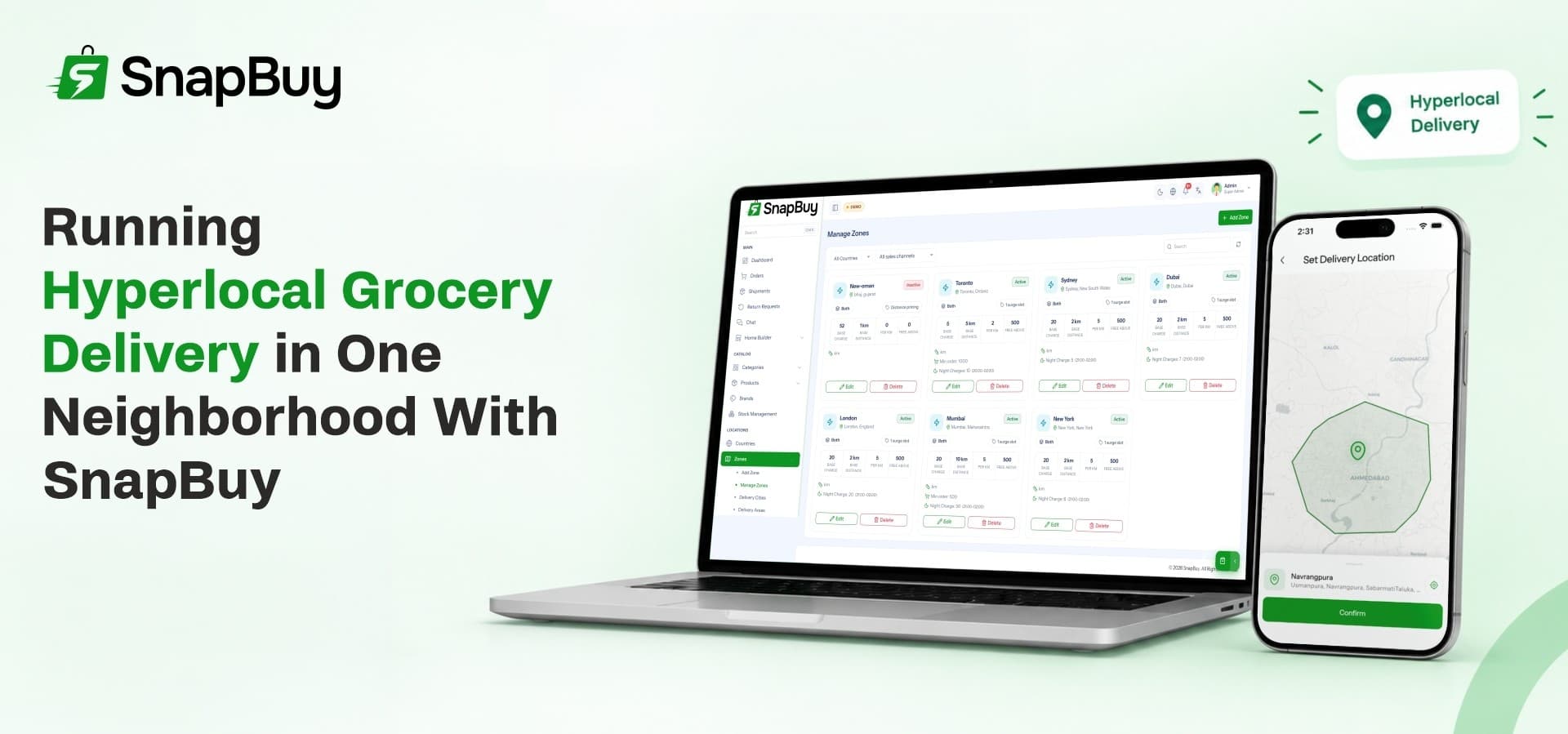
This step defines the neighborhood itself. SnapBuy lets you draw delivery zones visually on an interactive map and prevents overlapping service areas. Trace the streets and societies you can serve within your delivery promise, and customers outside the line will not be able to place an order. That protects you from taking orders you cannot fulfil on time.
3.3 Set Fair Delivery Charges
Delivery pricing can make or break a small grocery margin. SnapBuy supports flat rates, slabs, and charges by city or delivery area, plus surge pricing for busy periods. A common neighborhood setup looks like this:
-
A low flat fee for orders inside the core zone
-
Free delivery above a minimum basket value, to encourage larger orders
-
A small surge charge during evening rush hours or bad weather
3.4 Bring On Your Riders
You can register riders yourself or let them sign up through the app with identity documents and bank details. Admins then review and approve each rider. Commissions, salaries, payouts and account status are managed from one place, which keeps the whole workforce visible.
4. A Day in the Life: From Order to Doorstep
Here is what a single grocery order looks like once everything is live.
-
The customer opens the app and searches for what they need. Filters, variants and quick view keep the search fast, and guests can build a cart before logging in.
-
Checkout happens in seconds. The customer pays by card, wallet or cash on delivery and applies a coupon if they have one.
-
The store receives the order and begins packing. Staff update the status as items are picked.
-
A rider is assigned. The delivery app guides them through accepting the order, navigating the route and collecting the parcel.
-
The customer tracks the delivery live. They see the rider's location, can call them directly and can message support from within the order.
-
A secure handover completes the trip. An OTP check confirms the right person receives the order, and cash collected on delivery is logged for reconciliation.
Each step is visible to the customer and the admin, so problems get caught early instead of turning into complaints.
5. Keeping Customers Coming Back
A neighborhood business lives on repeat orders. SnapBuy includes several tools designed for exactly that.
5.1 Coupons and Cashback
The promotion engine supports percentage discounts, fixed offers and free delivery. You can schedule campaigns, target specific zones and limit offers to selected audiences. A welcome discount for first orders is an easy way to turn nearby households into regulars.
5.2 Wallet and Referrals
Customers can load money into a built-in wallet, receive cashback and track their transaction history. The refer and earn program rewards people who invite friends, which suits a neighborhood where word of mouth already travels quickly between neighbors.
5.3 Reviews and Easy Reordering
Verified ratings and photo reviews build trust with new shoppers. One-tap reordering saves time for weekly staples, and downloadable invoices keep records tidy. Cross-sell suggestions can also nudge customers to add related items, which gently raises the average basket.
6. Running the Whole Business From One Dashboard
Day-to-day control is where many small grocery operations struggle. When orders, stock, payments and riders live in different places, mistakes pile up. A single ecommerce management system brings these threads together, and SnapBuy's admin dashboard works this way.
6.1 Orders, Stock and Returns
Update order statuses, assign riders, generate invoices and process cancellations from one screen. When stock runs low, alerts warn you before shelves go empty. Returns follow a structured flow with approval, wallet refunds and inventory restocking.
6.2 Staff Roles and Permissions
You can create unlimited staff accounts and set exactly what each person can see or change. A packer might only handle orders, while a manager can view payments and reports.
6.3 Reports That Guide Decisions
The live dashboard shows revenue, order trends and top-selling products. You can see your best customers, compare quick delivery with scheduled orders, and spot the hours when demand peaks. Those insights tell you when to add a rider or which items to stock deeper.
7. Growing Beyond the First Neighborhood
Once the first area runs smoothly, the same setup can stretch. SnapBuy lets you run both instant delivery and scheduled shopping from one system, which is a useful eCommerce solution for stores that want to serve nearby customers quickly and farther customers on a planned basis. Because the platform supports multiple stores, zones, languages and currencies, you do not need to rebuild when you expand.
The technology behind it is built on Flutter, Laravel, Next.js and Firebase, which supports performance and long-term scalability. Push notifications, email and SMS alerts keep customers and riders informed as the operation grows.
7.1 Adding More Stores and Sellers
The first growth step is usually a second store in a nearby area. Later, some operators invite other local shops onto the same app. That turns a single grocery into ecommerce marketplace software where several sellers share one customer base, with revenue coming from commission, delivery fees and featured placements.
7.2 Choosing the Right Order to Expand
A sensible order looks like this:
-
Prove the first zone with steady repeat customers
-
Add a second store or adjacent zone
-
Introduce more categories, such as bakery, dairy or household items
-
Open the app to outside sellers only when operations are stable
8. Where SnapBuy Fits
SnapBuy suits owners who want to launch a neighborhood grocery delivery business without commissioning separate apps. It gives you the customer experience, the rider workflow and the back office in one package, so most of your effort goes into sourcing good products and serving customers well. As one hyperlocal ecommerce platform, it keeps the first launch simple and leaves room to grow.
Ready to launch grocery delivery in your neighborhood?
Explore SnapBuy, its demo apps and licence options.