Running attendance and parent updates for one school is manageable with a notebook and a WhatsApp group. Running it for five schools under one brand is a different problem entirely. Each campus has its own students, its own staff, its own shift timings, and its own set of parents expecting to hear back the same day. A generic spreadsheet, or a single-school app stretched across several logins, was never built to keep that many moving parts separate without someone eventually mixing up which update belongs to which campus.
This is where an online school management system built specifically for multiple schools changes the daily routine. eSchool SaaS runs on a multi-tenant architecture, meaning every school you onboard gets its own admin, its own staff, its own students, and its own data, while you manage all of them from a single Super Admin panel. Attendance and parent communication both run on this same separation, so nothing from one campus leaks into another, and no parent ever sees an update meant for a different school.
1. Why Attendance Gets Complicated Across Multiple Schools
The problem rarely shows up on day one. It shows up once a second or third school joins the platform and attendance starts needing to answer different questions for different people at the same time:
-
A school admin needs to see today's attendance for their campus only, without wading through data from schools they have nothing to do with
-
A platform owner running the business needs a combined view across every school without logging into each one separately
-
A teacher needs attendance marking to be fast enough to do between classes, not a separate task saved for the end of the day
-
A parent needs to know, quickly and without a phone call, whether their child is marked present
A saas school management system that treats every school as an isolated tenant, rather than a shared table with a school ID column bolted on, is what keeps these four needs from colliding. That separation is the foundation everything else in this post builds on.
2. Student Attendance That Stays School-Specific
Every school added to eSchool SaaS operates as its own tenant, and that matters most for attendance because of what it prevents. Specifically:
-
Attendance records, class lists, and academic calendars belong to one school only and never mix with another campus's data
-
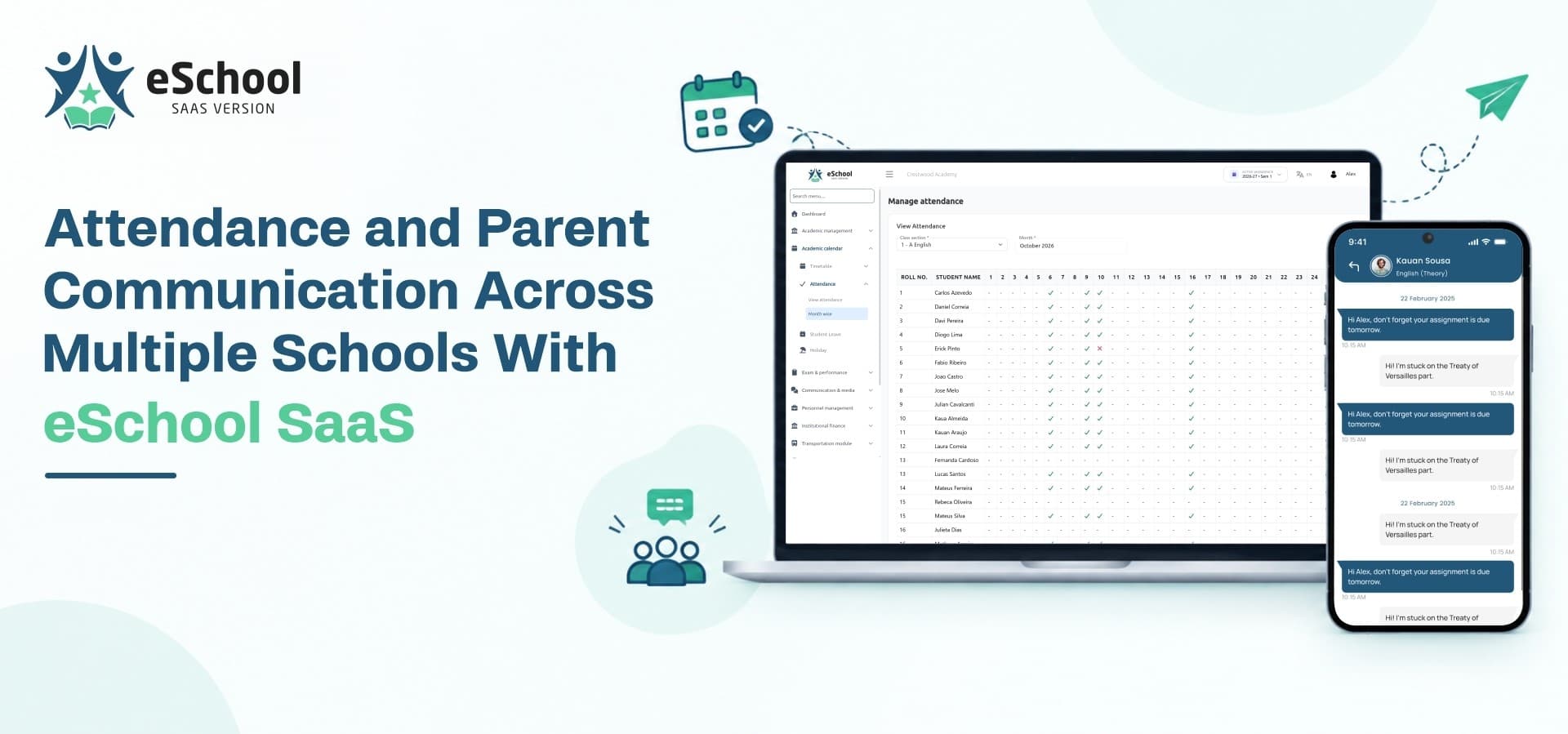
Teachers mark attendance through the dedicated Flutter app, and it reflects instantly in that school's own dashboard
-
School admins see their own attendance reports without needing access to, or visibility into, any other campus you run
-
As the platform owner, you retain a single Super Admin view across every school without having to switch logins or accounts
Branded Per School, Managed From One Panel
Each school also keeps its own branded school management website and its own admin identity under your platform, even though you control provisioning, subscriptions, and oversight from one place. A parent visiting their child's school never sees any trace of the other campuses you run, and the branding on that website reflects the individual school rather than your platform as a whole.
That same tenant-level separation is what makes eSchool SaaS function as genuine school management software for operators running more than one institution. A tool designed around a single school and later stretched across several logins tends to show the seams eventually, whether that's shared spreadsheets, mixed-up reports, or staff accidentally viewing the wrong campus's data. Building the separation in from the start avoids that problem entirely.
3. Staff Attendance, Including QR-Based Punch In and Punch Out
Staff attendance goes a step further with QR-based attendance, added in the latest product update. It runs alongside the existing manual attendance process rather than replacing it, and it's built around a few core pieces.
Shift Configuration, Per School
Each school configures its own shifts, such as Morning, Afternoon, or General, and each shift carries:
-
A start time and end time
-
A minimum number of full-day working hours
-
A minimum number of half-day working hours
Staff are assigned one shift each, and that assignment determines their expected working timing independently of the school's overall opening and closing hours.
Location-Verified QR Scanning
Staff scan a school-specific QR code to punch in and punch out, and can do so multiple times during the day. Before the scanner even opens, the system checks GPS status, confirms location permission, gets the staff member's current position, and compares it against the school's configured location and allowed radius. If the staff member is outside that radius, or GPS or location permission isn't available, the scanner does not open at all. The QR code itself belongs to one school, so a staff member at one campus cannot use another campus's code, and school admins can regenerate the code whenever needed.
Automatic Day-End Settlement
The system automatically totals valid working hours from completed punch pairs and settles each day's attendance as Present, Half Day, or Absent once the school's configured working day ends, plus a short buffer. Schools can choose whether valid hours are calculated strictly within the staff member's assigned shift window, or across the full day regardless of shift timing, while full-day and half-day requirements still come from the assigned shift either way.
A Safety Net for Real-World Gaps
A few situations are handled explicitly rather than left to guesswork:
-
If a staff member punches in but forgets to punch out, the system does not invent a punch-out time. The incomplete record is flagged and the school principal is notified by email so it can be reviewed
-
A short cooldown after each punch prevents an accidental duplicate scan from immediately recording the opposite action
-
If a network or server error occurs mid-scan, the punch is not treated as recorded and the staff member can simply retry
-
Manual attendance remains available throughout for corrections, missed punches, device issues, or any other exceptional case, so nothing ever gets permanently stuck
Because shifts, school location, and QR codes are all configured at the individual school level, this entire process works the same way whether you're running one campus or managing staff attendance across ten of them from the Super Admin panel. A school opening a new shift, changing its working hours, or moving a staff member between shifts does so without touching any other campus's configuration, and historical attendance stays tied to the rules that were active when it was recorded rather than being recalculated after the fact.
4. Keeping Parents in the Loop Without a Separate Tool
Attendance data is only useful to parents if it actually reaches them, and this is usually where multi-school operators lose the most time chasing manual updates one school at a time. eSchool SaaS handles this directly inside the platform rather than requiring a separate communication tool bolted on afterward.
Notifications and Messaging
-
Smart notifications push attendance, fee, and academic updates straight to the parent app instead of relying on phone calls or printed notices
-
WhatsApp integration lets schools send updates through a channel parents already check daily, without asking them to adopt a new app just to stay informed
-
Parent-teacher chat keeps attendance or behavior questions contained in one thread instead of scattered across calls and messages
Daily Updates and Records
-
The student diary gives teachers a direct, ongoing space to log day-to-day notes for parents to read, separate from formal report cards
-
The school noticeboard posts circulars and announcements that every parent at that specific school can see, without campus-to-campus crossover
-
Guardian information is stored per student, so the right contact receives the right school's updates every time, even across households with children at different campuses
Transportation as a Communication Touchpoint
For transportation-enabled schools, parents can also track their child's bus location live from the app. This turns attendance-adjacent worry, such as whether the bus has arrived or whether a child has boarded, into something parents can check for themselves instead of calling the school office to ask. Combined with attendance and diary updates arriving through the same app, a parent gets a fairly complete picture of their child's day without needing to contact staff directly for routine questions.
Where eSchool SaaS Fits
None of this requires stitching together a separate messaging tool, a separate attendance system, and a separate parent portal for each school you run. A student management system that already links attendance, staff shifts, and parent communication to the correct school tenant is what makes scaling past one campus realistic without adding a proportional amount of admin overhead for every new school you add.
This is also the part of a school management solution that buyers tend to underestimate until they're managing communication for a second or third campus by hand. It's easy to evaluate attendance and messaging features in isolation during a demo, and only notice the gaps once real schools, real staff, and real parents are relying on it every day.
A multi school management system built around tenant-level separation from the start avoids the retrofitting that generic platforms usually need once a single-school setup is asked to handle several schools at once. Adding a new school later shouldn't mean redesigning how attendance or communication data is kept apart from every other campus already on the platform.
Whether it's described as a school management system saas or simply the day-to-day tool staff and parents use, the separation between schools is what keeps attendance and communication accurate as the number of campuses grows. That consistency is ultimately what operators are paying for once they move past running a single school.
Ready to run attendance and parent communication across every school you manage from one dashboard? Explore eSchool SaaS