Education entrepreneurs who look after more than one school know the pattern well. Each campus ends up with its own spreadsheet, its own way of tracking fees, and its own idea of what "attendance report" even means. By the time results, payments, and parent messages are pulled together at the group level, half the month is already gone.
An online school management system built for more than one campus removes that friction by giving every school its own workspace while keeping oversight in one place. This post walks through what that looks like in practice, how eSchool SaaS structures multi-campus management, and what to check before choosing a platform to run it on.
What Is eSchool SaaS
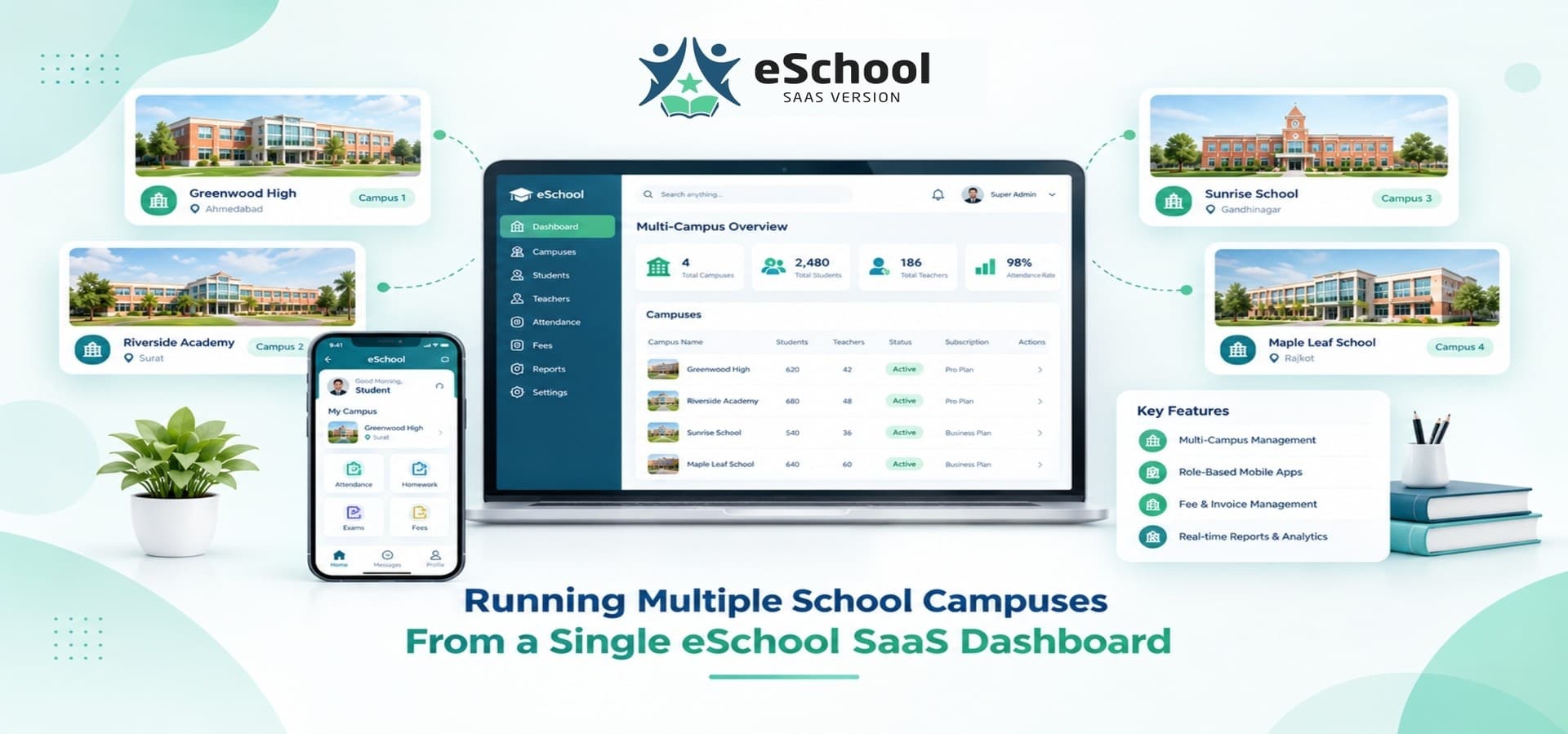
eSchool SaaS is a school management software platform built on a Laravel admin core with dedicated Flutter apps for students, parents, teachers, and staff, backed by MySQL and Firebase for messaging. It is built as genuine multi-tenant software, which means it was designed from the ground up to run several independent schools from one system rather than being a single-school tool stretched to cover more.
Each school that joins the platform gets its own admin account, its own staff and student records, and its own branded website, while a Super Admin panel sits above all of them. That Super Admin layer is where oversight, billing, and platform-wide reporting happen, without reaching into how any individual school runs its day-to-day operations.
This structure matters for two groups in particular:
-
School groups and franchises that already run more than one physical campus and want one login instead of several disconnected systems.
-
EdTech founders and software agencies who want to resell a saas school management system to independent schools as clients, each paying its own subscription.
Key Modules That Make Multi-School Management Work
A student management system only holds up across multiple schools if the modules underneath it were built for that from day one. Here is how the core pieces fit together.
Super Admin oversight
One dashboard shows every onboarded school, their subscription status, and platform-wide activity, so growth from one school to twenty does not mean twenty separate places to check.
Role-based Flutter apps
Students, parents, teachers, and staff each get an app built around what they actually need to do, from checking homework to approving fee payments, so daily use does not depend on logging into a browser dashboard.
Attendance and academic tracking
Every school records attendance, assignments, exams, and results inside its own space, with reporting that rolls up cleanly at both the school and group level.
Fee and invoice management
Each school sets its own fee structure and payment schedule, while the underlying system supports Razorpay, Stripe, Flutterwave, and Paystack for online collection.
Transportation management
Vehicles, routes, and transport attendance are tracked per school, with parents able to follow their child's bus in real time from the mobile app.
Subscription and billing automation
Plans, renewals, and invoicing for the schools themselves are handled through built-in SaaS billing tools, which is what turns a management platform into a recurring revenue business.
Timetable and scheduling
Class-wise timetables are built and managed per school, so scheduling changes at one campus do not affect how another campus organizes its own classes and staff.
Communication tools
A one-to-one chat system connects parents, teachers, and staff directly inside the app, alongside a school-wide notice board for announcements that need to reach an entire campus at once.
Reporting and analytics
Dashboards cover attendance, academics, finance, and subscription health, giving both individual school admins and group-level operators a clear read on how things are running without pulling numbers together by hand.
Who eSchool SaaS Is Built For
Not every school needs multi-tenant software, so it helps to be specific about who gets the most value from it.
-
School franchises and education groups running two or more campuses that want shared reporting without merging each school's day-to-day data.
-
EdTech founders who want to launch a school management website and platform under their own brand, sold to schools as customers.
-
Software agencies deliver white-label school systems to education clients without building the underlying platform themselves.
-
Independent schools that plan to expand, where starting on multi-tenant software from day one avoids a harder migration later.
For all four groups, the underlying question is the same: can one system handle more schools tomorrow without a rebuild today. A school management system SaaS answers that by keeping every school's data isolated while still reporting up to a single owner, which is a very different problem from simply running one school well.
Why Choose eSchool SaaS
Most school software stops at academics. A few things separate eSchool SaaS from a system that only tracks grades and attendance.
Built for scale from the start
Because the platform is multi-tenant by design, adding another school does not mean a new installation, a new database, or a new set of logins to manage.
Revenue built in, not bolted on
Subscription plans, student and staff-based pricing, and paid add-ons like transportation or advanced reporting are already part of the platform, so operators have more than one way to generate income from it.
White label from day one
Branding, domains, themes, colors, and email templates can be set to match your company name, which matters if the plan is to sell this as your own product rather than run it under WRTeam's name.
Support that continues after launch
Extended license buyers get free backend deployment and domain configuration support, along with maintenance support after go-live, so the technical side of running multiple schools does not rest entirely on your own team.
Choosing between platforms usually comes down to a checklist of features that matter for day-to-day operation, not just the pitch on a product page. The complete feature checklist for evaluating an online school management system walks through what to look for before committing to any platform.
Keeping Attendance and Parent Communication Organized Across Campuses
Attendance is one of the first things that gets messy once a group runs more than one school. Each campus tracks it differently, teachers report it on their own schedule, and parents end up messaging through whatever channel is convenient that day.
On eSchool SaaS, attendance is recorded inside each school's own workspace, so a teacher marking attendance at one campus never touches another school's records. Parents get a dedicated app for updates, homework, and one-to-one chat with teachers or staff, and push notifications through Firebase keep time-sensitive updates from getting lost. For a school group, that means attendance and communication stay consistent in structure across every campus, even though each school runs its own day independently.
Staff attendance follows the same pattern. Teachers and support staff are tracked separately from students, which matters when a group needs payroll or staffing reports at the campus level without mixing that data into student attendance figures. Because both attendance types live inside each school's own space, a group-level report can still be pulled from the Super Admin side when it is actually needed, without every campus manager having to compile it manually first.
Fee Collection and Payment Tracking Across Multiple Schools
Fee structures rarely match across campuses. One school might charge per term, another per month, and a third might run a mix of tuition and transport fees. A school management solution built for multiple schools needs to support that without forcing every campus into an identical fee plan.
eSchool SaaS handles this by letting each school configure its own fee and invoice structure, while payment collection runs through the same set of supported gateways, Razorpay, Stripe, Flutterwave, and Paystack, across the platform. Payment tracking and invoicing sit inside each school's admin panel, so finance staff at one campus are not sorting through another school's transactions to find their own.
Weighing the Real Cost of Spreadsheets Versus a Managed Platform
Spreadsheets feel free until the time spent maintaining them gets counted. Manually reconciling attendance, chasing fee payments, and merging reports from several campuses by hand adds up in staff hours every single month, and errors in a spreadsheet often go unnoticed until a parent or auditor points them out.
A multi school management system shifts that work into structured records that update automatically and roll up into group-level reporting without a manual export-and-merge process. The cost comparison is not just software price against zero cost for a spreadsheet, it is software price against the ongoing staff time, error correction, and reporting delays that come with managing several schools by hand.
There is also a risk cost that spreadsheets carry and rarely show up front. A single formula error, a duplicated row, or a version of the file that never got updated can throw off a fee report or an attendance count without anyone noticing until a parent or an auditor raises it. Structured records inside a managed platform do not remove every risk of error, but they remove the version-control problem entirely, since every school and every user works from the same live data instead of a file that might be a week out of date.
Onboarding a New School Without Starting From Scratch
Adding a new campus to a group, or bringing on a new client school if you are running this as a SaaS business, is where a lot of platforms slow down. Every new school has its own students, staff, fee plan, and branding to set up before it can go live.
eSchool SaaS is built as a ready-to-launch platform, with the Extended License including setup, configuration, and live deployment support, so a new school does not require a rebuild of the underlying system. Since every school on the platform is already isolated from every other one by design, onboarding a new campus means creating its own admin space and configuring its settings, not touching anything already running for existing schools.
Get Started
eSchool SaaS is built to run one school or several from a single, organized platform. Explore the full feature set and licensing options on the eSchool SaaS product page.