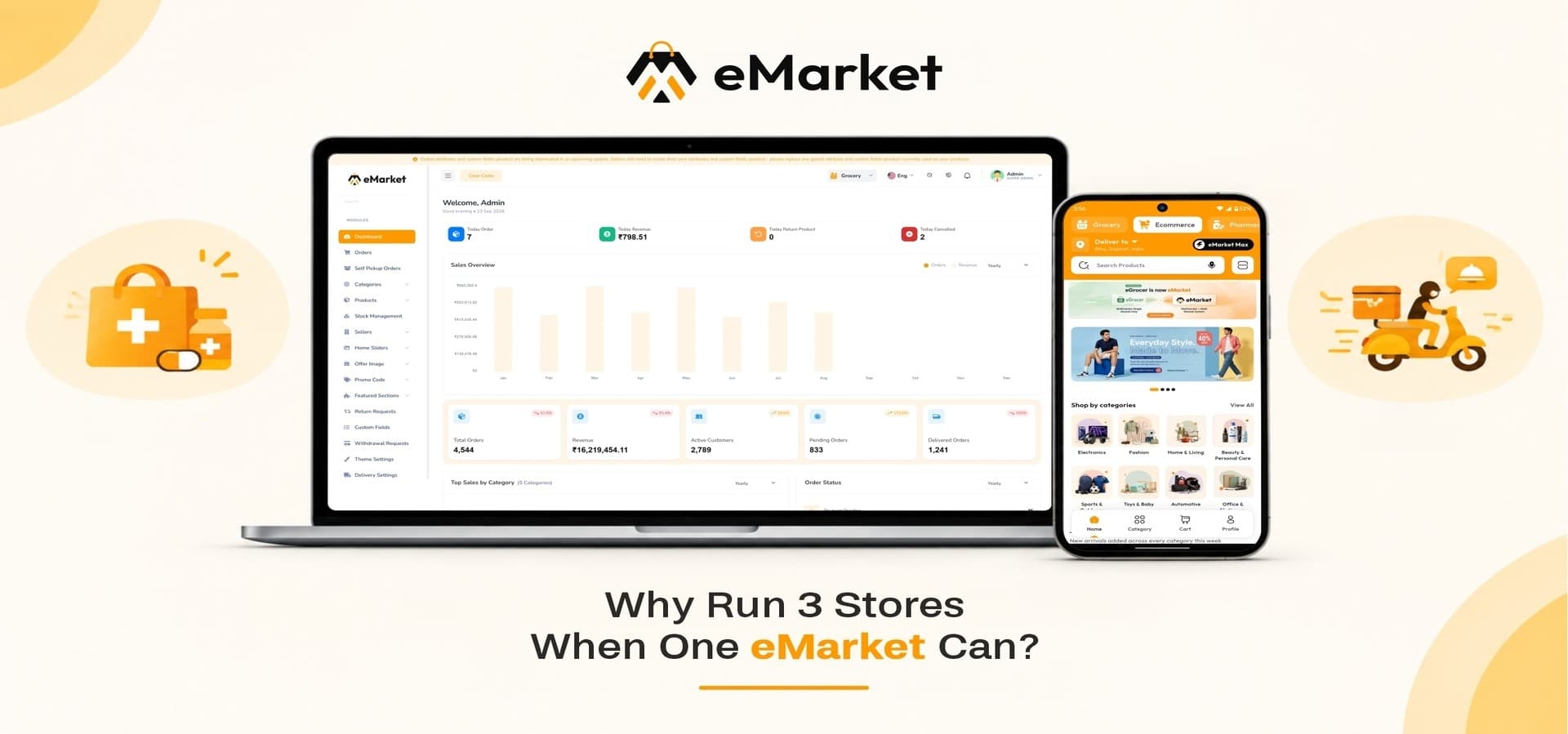
Most businesses that want to sell groceries online, run a pharmacy delivery service, and operate a general eCommerce store end up managing three separate systems, three separate teams, and three separate headaches. eMarket removes that split by putting all of it inside one platform, with one admin panel, one customer app, and one backend behind every order.
This post walks through what eMarket actually includes, how the different business modules work together, and who should be looking at a platform like this instead of stitching together separate scripts.
What Is eMarket?
eMarket is a multi-vendor, multi-module marketplace platform built on Flutter for the mobile apps and Laravel on the backend, with a Next.js web front end. It started out as a grocery delivery platform, and after proving itself there, it grew into a wider commerce ecosystem that can run several types of businesses from a single install.
Instead of licensing separate software for each vertical, a business owner activates the modules they need inside eMarket and manages every one of them through the same admin dashboard. That includes:
-
One customer-facing app for browsing and ordering across every active module
-
One admin panel for sellers, orders, payments, and reporting
-
One delivery management system shared across modules
-
One backend and database, which keeps hosting and maintenance costs down
Core Modules at a Glance
|
Module |
Status |
|
Grocery Marketplace |
Available now |
|
Pharmacy Marketplace |
Available now |
|
eCommerce Marketplace |
Available now |
|
Food Delivery |
Available now |
The eCommerce Module and Pharmacy Module ship alongside the grocery module today, so a business can go live selling general retail products and pharmacy items from day one, on top of grocery.
Why This Matters for a Multi-Vertical Business
If you're comparing a flutter multi vendor grocery app against building each vertical separately, the difference shows up fastest in day-to-day operations, not just in the initial build cost.
1. One Seller Base, Multiple Categories
Sellers register once and can list products across grocery, pharmacy, and general eCommerce categories, depending on what the admin enables for them. There's no need to onboard the same vendor three times on three different systems.
2. Shared Delivery Infrastructure
Delivery partners are managed from a single workspace. They pick up assigned orders regardless of which module the order came from, which keeps delivery costs and driver idle time down compared to running separate fleets per vertical.
3. Centralized Reporting
Revenue, commissions, and order volume across every active module show up in one set of business reports, instead of admins pulling numbers from three separate dashboards to understand overall performance.
Key Feature Modules
Order and Fulfillment
-
Unified order management across admin, seller, and delivery roles, with live status updates from placement to delivery
-
Self pickup order management, so customers can collect orders directly from a store instead of waiting on delivery
-
Point of Sale (POS) support for sellers taking in-store orders alongside their online storefront
-
Return request management, with sellers and admins both able to review, approve, or reject returns
Catalog and Inventory
-
Smart category management to keep products organized and easy to browse
-
Advanced product management covering pricing, stock, discounts, and approval workflows
-
Real-time stock management so sellers and admins always see accurate inventory across every store
Seller Operations
-
Smart seller onboarding, where admins register new sellers and their store details from one panel
-
Seller wallet and withdrawal management, letting sellers track earnings and request payouts
-
Seller policy management for setting store-specific terms and privacy policies
Marketing and Growth
-
Dynamic home sliders and promotional offer management for seasonal campaigns
-
Advanced promo code management with configurable discount rules and usage limits
-
Featured section management to highlight specific products or categories on the storefront
Delivery and Payouts
-
Delivery partner management, covering onboarding, availability, and document tracking
-
Cash collection and fund transfer management, so delivery partners and admins both have visibility into cash-based orders
-
Salary management for tracking delivery partner payments over time
Platform Administration
-
Smart module management, where admins turn business verticals on or off as the business grows
-
Localization management for languages, cities, and delivery zones
-
User and role management for controlling internal admin access
For a full breakdown of what to check before choosing any platform in this category, this pillar pairs with a complete features checklist for grocery and pharmacy marketplace software, covering the must-have capabilities buyers should compare across different scripts.
Monetization Opportunities
Running multiple business verticals on one platform also means multiple ways to generate revenue from the same infrastructure.
-
Marketplace commissions on every order across grocery, pharmacy, eCommerce, and future modules
-
Delivery and service fees, charged on top of order value for fulfillment
-
Advertising and featured placements, sold to vendors who want more visibility for their store or products
-
Additional revenue as new modules launch, without needing new infrastructure to support them
Because commissions and delivery fees can all be configured independently per module, a business doesn't have to apply the same commission rate to a grocery order and a pharmacy order if the margins on each category are different.
Who Should Consider eMarket
eMarket fits a specific kind of business owner: someone who wants to run more than one type of online store without paying for and maintaining more than one system.
A good fit if you're:
-
Launching a multi vendor grocery delivery script business and expect to add pharmacy or general retail later
-
Running a local grocery or pharmacy delivery service and want a grocery store website template with a web, admin, and mobile presence out of the box
-
Planning to eventually add food delivery, parcel delivery, or local ride booking without rebuilding your platform
-
Managing multiple sellers or store locations and need one dashboard instead of several
Less of a fit if:
-
You only ever plan to run a single-category store with no plans to expand
-
You need a fully custom checkout or catalog structure that falls outside standard multi-vendor marketplace patterns
Common Launch Scenarios
-
A regional grocery delivery business that wants to add pharmacy orders without building a second app
-
A general retailer using a grocery store website template as a starting point, then adding grocery or pharmacy categories once the storefront is live
-
An entrepreneur planning a super-app style rollout, starting with grocery and pharmacy now and activating food, parcel, or ride modules as each becomes available on the roadmap
Getting Multiple Verticals Running Together
Businesses that try to run grocery, pharmacy, and general retail as separate apps usually run into the same problem: delivery partners, sellers, and customers all end up duplicated across systems, and nothing talks to anything else. Running these categories together, with one delivery pool and one set of reports, is often the main reason a business moves to a combined platform in the first place. It also changes how quickly a new vertical can go live, since the seller onboarding, payment settings, and delivery zones are already configured for the categories already running.
Keeping Delivery Organized as You Add Categories
Once more than one module is active, delivery zones start to matter more than they did with a single-category store. eMarket's zone-based delivery configuration connects customers with nearby sellers by area, which keeps fulfillment times consistent even as order volume grows across grocery, pharmacy, and eCommerce categories at once. Getting zone and dispatch settings right early tends to save a lot of manual reassignment work later.
Comparing a Combined Platform Against Running Separate Apps
The alternative to a platform like eMarket is running separate scripts for each vertical, each with its own seller list, its own delivery team, and its own admin login. That approach can work at a small scale, but the operational overhead compounds as order volume grows across categories. Weighing the real cost difference, in developer time, support overhead, and delivery efficiency, is usually where the case for a single combined platform becomes clear.
Bringing New Sellers and Categories Onto the Platform
As a marketplace grows, onboarding needs to stay simple for the seller and controllable for the admin. eMarket's seller registration, request approval, and commission settings are configured per module, so a grocery seller and a pharmacy seller can be onboarded with different commission structures without extra development work. Getting this onboarding and commission setup right across modules is one of the details that separates a marketplace that scales cleanly from one that needs constant manual fixes.
Why WRTeam's eMarket
WRTeam has built and maintained eMarket through multiple product cycles, moving it from a single grocery delivery script into a broader multi-module platform based on real usage. That matters for buyers evaluating long-term support, not just launch-day features.
-
Lifetime license validity with free updates on every plan
-
Documented setup with a public documentation site and demo apps for customer, seller, and delivery roles
-
Modular architecture, so new business verticals get added to the roadmap rather than requiring a platform rebuild
-
Direct support options, including a dedicated support desk and setup assistance on the extended license
Get Started With eMarket
If you're ready to run grocery, pharmacy, and eCommerce sales from a single platform, explore eMarket on the WRTeam Marketplace: eMarket - Multi-Module Marketplace Source Code