Every taxi business knows the pattern. Mornings fill up, evenings fill up, and rain, holidays and local events send requests soaring. At those moments there are never enough cars, riders wait longer and drivers who could be earning more are paid the same flat fare as a quiet afternoon. A well-built taxi booking app solves part of this by letting you adjust prices to match demand, so the busiest hours become your most profitable ones.
This post follows a practical use case: a taxi operator who wants to earn more during peak hours without upsetting riders or drivers. You will see how surge pricing works, how to set it up in eTaxi, and how to keep it fair.
1. The Peak-Hour Problem Every Taxi Business Faces
Before setting any rules, it helps to see what goes wrong when pricing never changes.
Demand Spikes Outrun Supply
During rush hours, bad weather or big events, the number of ride requests rises much faster than the number of available drivers. Riders wait longer, some cancel and others switch to a competitor. Your business loses sales exactly when demand is strongest.
Flat Fares Leave Money Behind
A fixed fare treats a busy Friday evening the same as a quiet Tuesday afternoon. Your cars are in high demand, yet your income per trip does not change. Over a month, this adds up to a large gap between what you earned and what you could have earned.
Drivers Lose Motivation
Drivers face traffic, long waits and extra effort at peak times. If they earn the same as on a slow day, many choose to log off or stay in quieter areas. Fewer drivers on the road makes the shortage worse.
What the Business Needs
Operators need a way to:
-
Raise fares during high-demand windows
-
Apply different rules to different areas
-
Keep riders informed before they confirm a trip
-
Reward drivers for working when they are needed most
2. What Surge Pricing Is and What It Is Not
Surge pricing means applying a higher rate during periods of high demand. It is often misunderstood, so a clear definition helps.
A Balancing Tool
Higher fares do two things at once. They encourage more drivers to go online and serve busy areas, and they help riders who are flexible about timing to wait for a lower price. The result is a better balance between supply and demand.
Not a Hidden Charge
Surge pricing only works when riders trust it. The rider should see an estimated fare before confirming the trip, so there are no surprises at the end. When people know the price up front, they decide for themselves whether to book.
Tied to Real Events
The most accepted surge rules link to events that riders understand: rush hours, weekends, holidays, bad weather and local events. Clear reasons make higher prices easier to accept.
3. Setting Up Surge Pricing in eTaxi Step by Step
eTaxi includes surge settings inside its fare system, so operators can configure everything from the admin panel without writing code.
Step 1: Define Your Service Zones
Start with a map. eTaxi uses polygon-based zones, so you draw the exact areas you serve. A business district, an airport zone and a residential area can each have their own settings. This matters because demand rarely rises evenly across a whole city.
Step 2: Build Your Base Fare
Your normal fare sets the foundation. In eTaxi, a ride booking app fare can include base fare, distance charges, waiting fees and night charges, all configurable per city and ride type. A bike ride and a premium sedan can therefore have separate pricing.
Step 3: Add Zone-Wise Surge Rules
Next, add your surge rules. eTaxi lets you set special pricing for weekends, holidays or peak hours, applied city-wise or zone-wise. These rules can stack with your existing fare settings, so you do not need to rebuild your fare structure for every event.
Step 4: Set Different Rules for Different Ride Types
eTaxi supports ride categories such as bike, auto rickshaw, sedan and premium. You can apply surge to the categories where demand is strongest and leave others unchanged. This gives you control over which riders feel the change.
Step 5: Check Taxes and Commission
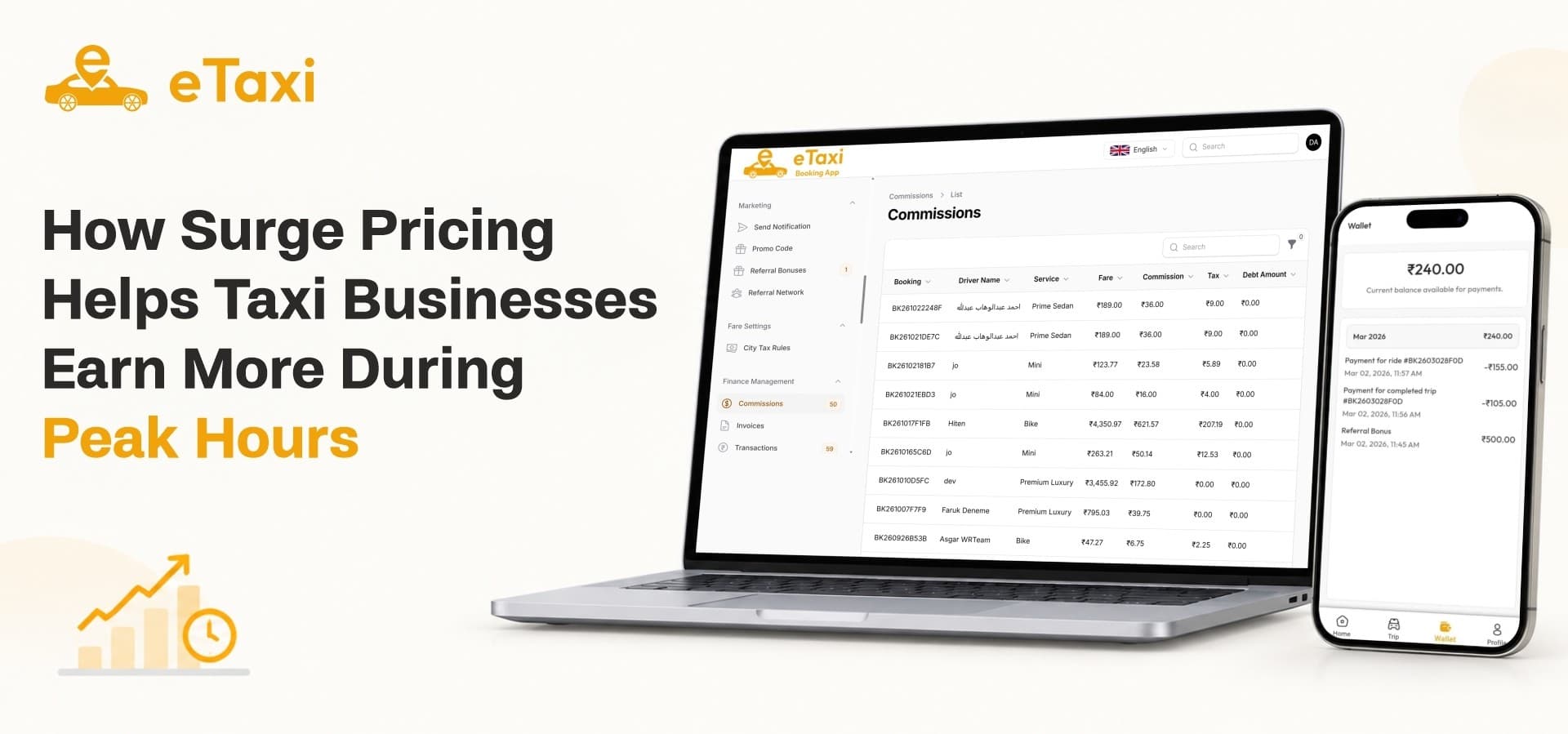
Taxes and commission also affect what you earn. eTaxi lets you manage tax rules city-wise, and a configurable commission is deducted from each completed ride before the driver's wallet is credited. Review these settings so you know your real margin at peak times.
Step 6: Test and Adjust
Run a few test bookings in each zone and confirm the fare matches your plan. Start with modest increases and watch how riders respond before applying bigger changes.
To summarize the setup:
-
Draw your zones
-
Set base fares per ride type
-
Add surge rules for peak hours, weekends and holidays
-
Choose which ride types use surge
-
Review taxes and commission
-
Test before going live
4. A Simple Example
Numbers make the idea clearer. The figures below are illustrative, and your own rates will depend on your market.
The Scenario
Imagine a sedan trip with a normal fare of 10 units. On weekday evenings between certain hours, demand in the business district doubles. The operator adds a surge rule that raises fares in that zone by 30 percent during those hours.
What Changes
-
The trip now costs 13 units instead of 10
-
More drivers move toward the district to earn the higher fare
-
Riders who can wait choose a later time, easing pressure on supply
-
The operator earns more on every trip completed in the zone
Why It Works
The business earns more per trip, drivers earn more for the same effort and riders get a car instead of a long wait. If the rule is communicated clearly, everyone benefits.
5. Making Surge Pricing Acceptable to Riders
Higher fares can frustrate riders if they feel unfair. Good communication and supporting features protect your reputation.
Show the Fare Before Booking
In eTaxi, customers see estimated fares and arrival times before they confirm a ride. This transparency is the most important trust signal. Riders who see the price first rarely feel tricked.
Offer Promo Codes and Wallet Credits
Promotions soften the effect of peak pricing. Admins can create promo campaigns with fixed or percentage discounts, with limits by city or ride type. Riders can also use wallet balances, which store refunds, promotional credits and rewards, toward full or partial payment.
Provide Clear Receipts
After each trip, riders receive a digital receipt with a breakdown of the fare, taxes and discounts. A clear breakdown reduces disputes and support tickets.
Keep Safety Visible
Peak hours often mean more trips late at night or in bad weather. Safety features such as OTP-verified trip starts, SOS alerts and live trip sharing remind riders that your service takes care of them. This helps justify a fair premium.
6. How Surge Pricing Benefits Drivers
A pricing model works best when drivers support it.
Better Earnings at Busy Times
Drivers see their income rise during the hours when they work hardest. The earnings screen in the driver app shows daily and weekly totals, commission details, tips and the net payable balance, so they can see exactly what they gained.
Fair Ride Matching
A cab booking app needs to distribute rides fairly, or drivers lose trust. eTaxi uses a matching engine that assigns requests based on proximity and ratings instead of chance. Drivers also control availability by switching between online and offline modes.
Motivation to Go Online
Clear peak-hour rewards give drivers a reason to be available when you need them most. That helps reduce waiting times and cancellations, which improves the rider experience too.
7. Monitoring Results and Improving
Setting a rule is only the start. You need to see whether it works.
Live Monitoring
A strong taxi management software setup gives admins live visibility into active trips, routes, fare breakdowns and assigned drivers. In eTaxi, the admin panel offers live ride monitoring and searchable ride history, so you can compare busy and quiet periods.
Financial Reports
The admin panel provides detailed earnings and financial reports covering fares, commission and revenue by city and ride type. These reports show whether surge rules raised income or pushed riders away.
Support Inbox
A unified support inbox lets agents respond to trip-linked tickets from customers and drivers. If a surge fare causes confusion, your team can resolve it quickly and learn what to explain better.
Managing the Fleet at Scale
When your operation grows beyond a single city, cab management software that handles zones, ride types, fares and driver approvals from one panel keeps things organized. eTaxi supports multi-city operations, with independent service rules and timings for different regions.
8. Common Mistakes to Avoid
Surge pricing can backfire when it is handled carelessly.
-
Applying it everywhere: Use zone-wise rules so only high-demand areas are affected.
-
Setting increases too high: Start modestly and adjust with real data.
-
Hiding the price: Always let riders see the fare before they book.
-
Ignoring drivers: Share how surge benefits their earnings so they support it.
-
Forgetting to review: Check your reports regularly and change rules as demand patterns shift.
9. Choosing the Right Platform for This Strategy
Owners often start by searching for uber clone apps, then realize the real question is which product gives them control over pricing, zones and drivers. eTaxi is its own product and makes no claim of feature parity with any brand. What matters is whether the platform lets you configure fares by city and zone, onboard verified drivers and see your results.
A white label taxi app also lets you launch under your own name. With eTaxi, you receive full source code, so your brand, your fleet and your pricing rules stay under your control.
10. A Quick Checklist Before You Launch Surge Pricing
-
Map your busiest zones and the hours when demand peaks.
-
Set your base fares for each ride type.
-
Add surge rules for peak hours, weekends and holidays.
-
Prepare promo codes to balance the effect on riders.
-
Brief your drivers on how earnings change at peak times.
-
Review reports weekly and adjust.
Where eTaxi Fits
eTaxi gives you the rider app, driver app and admin panel in one package, with zone-wise surge, city-wise fares, commission, cancellation fees and live monitoring built in. For an operator who wants to earn more at peak hours without building tools from scratch, it covers the full journey from booking to payout.
Start Earning More at Peak Hours
Ready to price your busiest hours with confidence? Explore the features, demo and license options for eTaxi on the WRTeam Marketplace.