Plenty of people have knowledge worth teaching, but few turn it into a business they control. Many start on a public course site, then discover that the audience belongs to the site, the pricing rules belong to the site and the commission goes to the site. Owning your platform changes that. With an online learning management system of your own, you decide how courses are sold, how learners are treated and how much of every sale you keep.
This post follows a practical use case: launching a paid course business with eLMS. You will see how to choose a business model, how to set up your first course, how to price and sell it, and what to prepare before going live.
1. Why Own Your Course Platform
Before choosing tools, it helps to understand what ownership gives you.
Renting Space vs Owning the Business
Public course sites are easy to start with, but they limit what you can do. They set the layout, control the pricing options and take a share of each sale. If you build an audience there, the audience is tied to their platform. Running your own platform means your brand, your learners and your revenue stay with you.
Who Typically Launches This Kind of Business
The same approach suits several groups:
-
Coaches and trainers who want a branded academy
-
Creators and influencers who want to monetize an audience
-
Institutes that want to sell programs online
-
Entrepreneurs who want to run a marketplace for other educators
What eLMS Provides
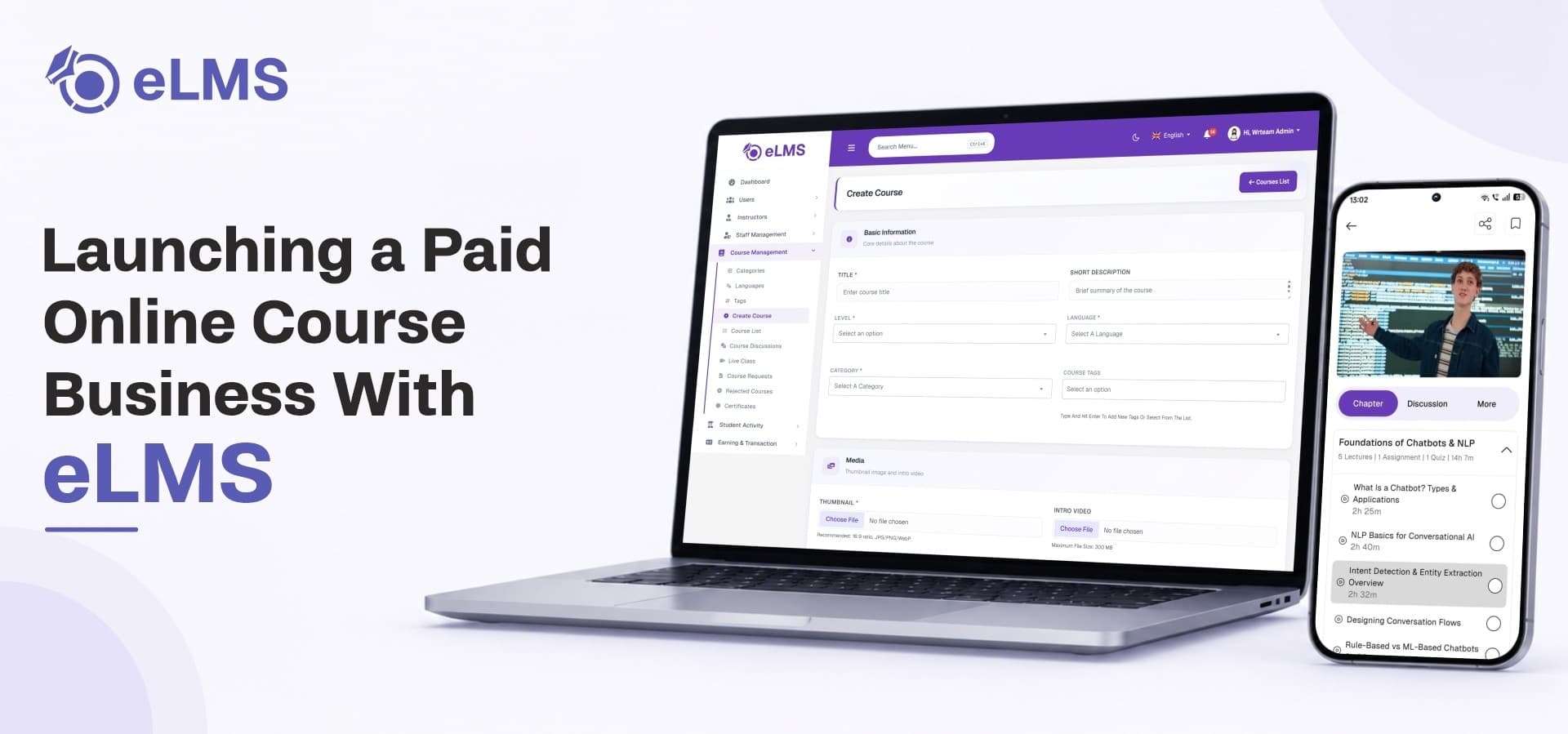
eLMS is a ready-to-launch platform that includes a Flutter app for Android and iOS, a Next.js website for learners and instructors, and a Laravel admin panel. Source code is included, you host it and you own it, and the product page states that you keep 100% of every sale.
2. Choosing Your Business Model
The first decision shapes everything that follows.
Option A: A Single-Instructor Academy
Choose this if you or your organization creates all the courses. The platform acts as a branded academy for one trainer or coach, with the marketplace features switched off. It is the simplest route and gives you full control over quality.
Option B: A Multi-Instructor Marketplace
Choose this if you want other educators to publish and sell on your platform. Commission is calculated automatically on every sale, so your income grows as more instructors join. Among all learning management platforms, this dual-mode flexibility is valuable for owners who are not sure which path will suit them in a year.
Switching Between Modes
eLMS ships with both modes, and you switch between them with a single setting. You can start as a solo academy and open the platform to other instructors later without rebuilding anything.
3. Launching Your First Paid Course Step by Step
Here is a practical path from idea to first sale.
Step 1: Plan Your Catalogue
Start with one clear course topic rather than ten half-finished ones. Decide who the course is for, what they will achieve and how long it should take. A focused first course is easier to market and easier to improve.
Step 2: Build the Course
Good learning management software guides you through course creation instead of leaving you with a blank page. In eLMS, the course builder covers the title, description, category, level, language, tags, learning outcomes, requirements, thumbnail, preview video, SEO fields and pricing in one guided flow. A curriculum builder then lets you arrange chapters with video lectures, downloadable resources, quizzes and assignments.
Step 3: Add Video and Protect It
Video is usually the main product. eLMS supports uploaded video with HLS encoding, YouTube embedding, free preview lessons and chunked uploads for large files. To protect paid content, it offers screen recording prevention, screenshot blocking, hidden video URLs and disabled downloads. These controls matter when your income depends on content that people could otherwise share freely.
Step 4: Add Assessments and Certificates
Learners finish courses when they can see progress and earn something at the end. The quiz system supports points, pass grades, attempt rules, images in questions and LaTeX for scientific notation. Assignments accept images, video, audio and documents, which instructors can review with marks and written feedback. Certificates include a unique code, a public verification link and a QR code, so anyone can verify them without logging in. You can even charge for the certificate on free courses.
Step 5: Choose Course Access Rules
You can lock a course into step-by-step order or let learners move freely. Sequential learning suits structured programs, while open access suits reference-style courses. You set this per course.
Step 6: Publish and Test
Before announcing anything, buy your own course as a test learner. Watch a lesson, take a quiz and download the certificate. This walkthrough reveals small issues before real customers find them.
To summarize the launch path:
-
Plan one focused course
-
Build the course and curriculum
-
Upload and protect your videos
-
Add quizzes, assignments and certificates
-
Set access rules
-
Test as a learner and publish
4. Selling Your Courses
A great course needs a smooth way to buy it.
Pricing and Checkout
Selling is where an online course selling platform proves its worth. Learners can save courses to a wishlist, add them to a cart and buy from multiple instructors in a single checkout. Pricing is set inside the course builder, so you can offer free previews and paid full courses side by side.
Payment Gateways
eLMS supports Stripe, Razorpay, Flutterwave and PayPal, and each one can be switched on or off independently. This lets you offer the options that suit your learners without keeping gateways you do not need.
Coupons and Promotions
Discounts help you launch and keep sales moving. The coupon system supports platform-level and instructor-level promo codes with usage limits, expiry dates and fixed or percentage discounts. A launch-week code or a seasonal offer can bring in your first group of paying learners.
Taxes and Wallets
Country-wise tax settings apply a default rate with per-country overrides at checkout. A dual wallet system gives learners and instructors separate balances, and iOS users can buy store credit through App Store-compliant in-app purchases.
5. Creating Multiple Income Streams
A single course sale is only one way to earn. eLMS supports several.
Revenue Options at a Glance
-
One-time course sales
-
Paid certificates on free or paid courses
-
Commission from instructors in marketplace mode
-
Promotional offers that raise enrollments
-
Wallet top-ups and in-app purchases
Growing From Solo to Marketplace
Many owners start by selling their own courses. As the audience grows, they invite trusted instructors. Commission rates are configurable for individual and team instructors, and settlement tracking keeps payouts organized.
6. Branding and Reaching Learners
Learners judge your business by how it looks and how easily they can find it.
A Branded Mobile Experience
A white label lms app lets you launch under your own name instead of someone else's. In eLMS, you can rebrand the Flutter app, and the primary color you set once in the admin panel flows through to the mobile app. Learners see your identity, not a generic template.
A Website That Brings in Search Traffic
An lms website that search engines can read helps new learners discover you without paid ads. eLMS includes SEO management with per-page and per-language meta titles, descriptions, keywords, JSON-LD schema and Open Graph images. Course discovery tools such as categories, filters for level, language, duration, price and rating, and tag search help visitors find the right course quickly.
Building Trust
Instructor profiles with biographies, qualifications and ratings help learners trust the person teaching. Live classes inside courses add a personal touch, with scheduled sessions, external meeting links and automatic notifications to enrolled learners.
7. Running the Business Day to Day
After launch, the work shifts to operations.
Analytics and Reports
The admin panel includes reports on sales, commission, courses, instructors, enrollments and revenue. Reports are filterable and can be exported to PDF and Excel. These numbers show which courses sell and which need improvement.
Refunds, Withdrawals and Community
Learners can request refunds with reasons and attachments, instructors can evaluate them and the admin makes the final decision. Instructors can request payouts, which the admin reviews and approves. Course discussions and groups help learners support each other, and moderation tools let you handle flagged comments.
Staff and Permissions
Staff roles and permissions let you give team members only the access they need. A support person can handle refunds while a content manager updates pages.
Choosing the Right Foundation
When comparing learning management systems, look beyond the course player and check whether selling, payouts, coupons and reporting are already included. Adding these later through separate tools costs time and creates gaps. A complete package keeps the business side in one place.
8. Technical Preparation
Planning for the technical side avoids surprises on launch day.
Hosting Needs
eLMS runs on shared hosting or a VPS, but HLS video security and SEO-optimized rendering need a VPS. FFmpeg must be installed on the server for HLS video encoding. If video protection matters to you, plan for a VPS from the start.
Firebase and Notifications
A Firebase project is needed for OTP login and push notifications. Google may charge usage-based costs depending on your traffic, so check your expected volume.
Your Own Content
Images used in demos and previews are not included in the download, so prepare your own thumbnails, course images and branding before launch.
9. A Launch Checklist
Work through this list before inviting learners:
-
Decide between solo academy and marketplace mode.
-
Prepare your first course with videos, quizzes and a certificate.
-
Set your pricing and a launch coupon.
-
Enable the payment gateways you want to use.
-
Confirm hosting, FFmpeg and Firebase are ready.
-
Test a full purchase and course completion as a learner.
Where eLMS Fits
eLMS suits owners who want one package for building, protecting, selling and managing courses, with apps, a website and an admin panel included. It works for a single trainer or a growing marketplace, and the Extended License adds setup help for those who prefer not to handle deployment themselves. If you are still deciding on your hosting approach, read how a self-hosted LMS compares with a SaaS LMS for your institution before you choose.
Start Your Paid Course Business
Ready to launch a course business you fully own? Explore the features, demo and license options for eLMS on the WRTeam Marketplace.