A rider judges your service in the first minute of a trip, but the real decision was made weeks earlier, on the day a driver was approved. Loose checks lead to cancellations, safety complaints and a fleet nobody trusts. Strict, well-organized checks build the reputation that brings riders back.
This guide shows how driver onboarding and document verification work in eTaxi, from the first registration screen to the admin decision and the control that follows. Reliable taxi management software should make each step visible, repeatable and easy to change, so here is how eTaxi delivers that.
Why Driver Onboarding Shapes Fleet Quality
Onboarding is the gate between a stranger and a driver who represents your brand on the road. When that gate runs on chat messages and emailed photos, files get lost, approvals drag on and nobody knows who is cleared to drive.
What Goes Wrong With Manual Verification
-
Unverified drivers raise safety risks and damage rider trust.
-
Slow approvals push good drivers toward rival fleets.
-
Expired papers create legal exposure for the business owner.
-
Staff lose hours chasing documents instead of growing the business.
What a Good Onboarding System Should Do
A reliable onboarding flow should meet five needs:
-
Collect personal, vehicle and document details in one place.
-
Hold every account in a clear status until a person approves it.
-
Explain rejections so drivers can fix problems quickly.
-
Let operators change document rules without a developer.
-
Support suspension and reactivation when circumstances change.
eTaxi is built around these five needs, and the sections below follow them in order.
How Drivers Register and Submit Documents
Registration happens inside the Flutter-based Driver app, so nobody has to email scans or visit an office. Because the whole process lives in the cab booking app itself, drivers can apply from their phone in one sitting.
The Registration Journey
-
Create an account in the Driver app.
-
Enter personal details and contact information.
-
Add vehicle data such as vehicle type and registration number.
-
Upload the mandatory documents.
-
Add clear vehicle photos.
-
Submit the profile for admin review.
Documents Drivers Typically Upload
-
Government-issued ID
-
Driving license
-
RC (vehicle registration certificate)
-
Any extra documents you add for your city
Keeping the Profile Current
Drivers can return to their profile at any time to update details or replace vehicle photos. A renewed license or a repainted car never forces a fresh sign-up, and your records stay accurate without extra paperwork from your team.
Document Verification From the Admin Panel
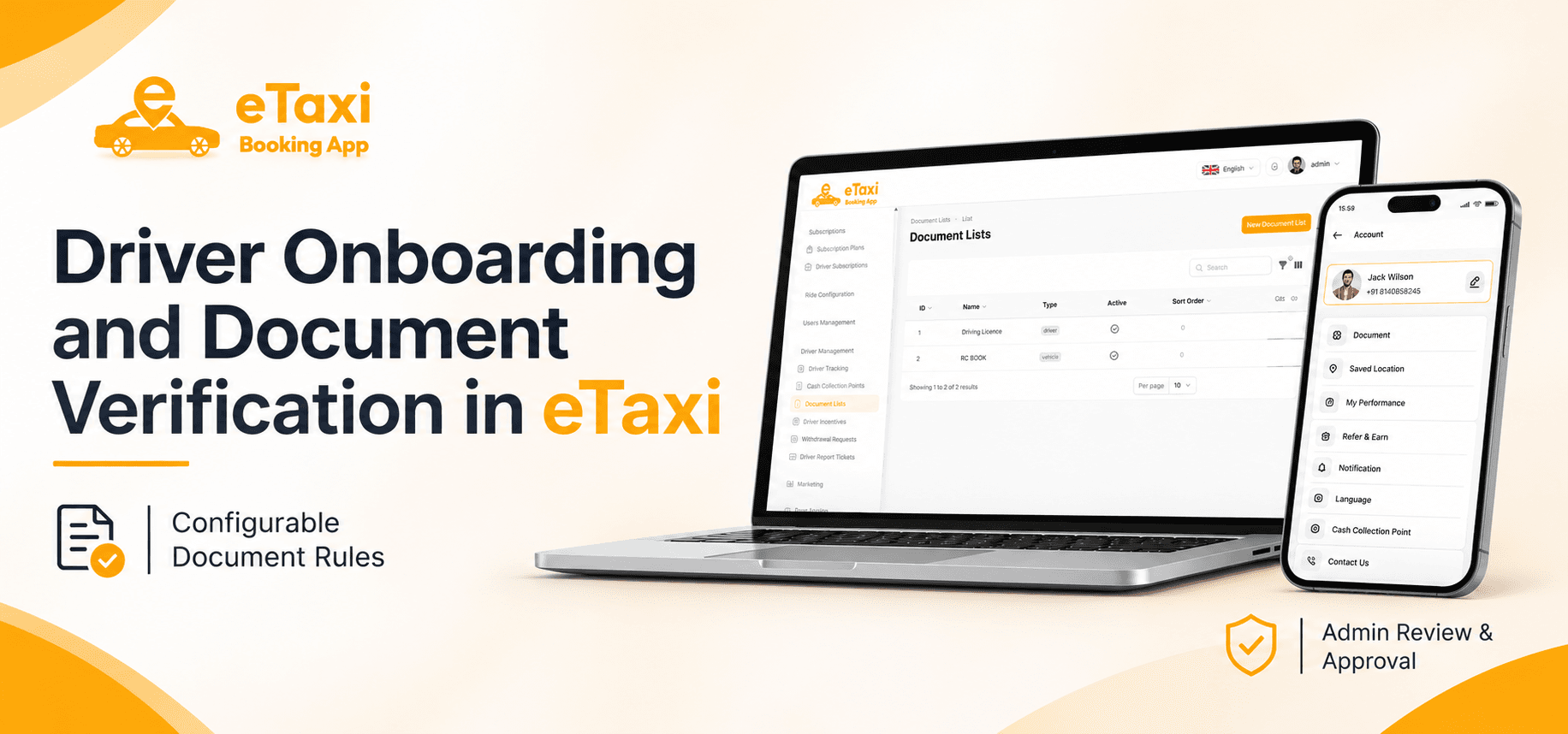
After submission, the account sits in an "Under Review" state. The driver cannot take rides until an admin decides, which keeps unverified people off the road. As cab management software, the Laravel admin panel gives your team one queue to work through instead of scattered inboxes and chat threads.
A Configurable Review Pipeline
eTaxi's dynamic onboarding workflow lets admins check each uploaded document against your compliance rules. The same pipeline works for every city you operate in, so reviewers follow one consistent process no matter who is on shift.
Three Possible Decisions
-
Approve: the driver goes live and can start receiving ride requests.
-
Reject: the account is declined with a stated reason.
-
Request resubmission: the driver uploads a clearer or corrected file.
Clear Status and Re-Upload Guidance
Drivers always see where they stand. The app shows the approval status, any rejection reason and instructions for re-uploading. A blurry license photo becomes a two-minute fix instead of a mystery that ends in an abandoned application.
Why Faster, Clearer Reviews Pay Off
-
More applicants reach the road, which matters most when you open a new zone.
-
Support tickets drop because drivers are never left guessing.
-
Reviewers spend time on decisions, not on chasing missing files.
Setting Document Rules Without Writing Code
Rules differ between cities and change over time. A taxi booking app that hardcodes its document list forces a developer visit for every change, but eTaxi puts the controls in the admin panel.
Define Mandatory Documents
Admins decide which driver and vehicle documents are required and can update the list whenever needed. New requirements apply across the fleet instantly, so every driver is held to the same standard.
Handle Expired Licenses and Permits
Admins can control re-upload requirements for expired licenses or permits. Drivers whose papers lapse are asked to submit fresh versions, which keeps your fleet compliant without a separate tracking spreadsheet.
Adapt as Regulations Change
If a city introduces a new permit, add it to the document list and move on. There is no rebuild and no waiting for a new release, which protects your launch timeline and your reputation with local authorities.
Managing Drivers After Approval
Verification is not a one-time event. eTaxi treats onboarding as the start of a driver lifecycle.
Suspend and Reactivate
Admins can suspend a driver after complaints or document problems, then reactivate the account once the matter is resolved. The record stays intact, so nobody has to start over from the first screen.
Ride Type Eligibility
Each ride type, such as bike, auto rickshaw, sedan or premium, can carry its own driver eligibility criteria and city-wise availability. Drivers are matched only to the categories that fit the rules you set.
Verified Profiles Riders Can Trust
Approved credentials show up where they count. Before a trip begins, riders see the driver's details, rating and vehicle registration number. Inside a ride booking app, that visible proof turns a stranger's car into a confident choice. OTP-based trip start then confirms that the right rider and driver meet.
Growing the Verified Driver Pool
Driver Refer and Earn lets existing drivers invite others and earn a bonus once the referred driver becomes active. Because every invitee still goes through your review, you grow supply without lowering standards.
A Practical Onboarding Checklist for Operators
Before you open applications, work through this list:
-
Confirm which documents each city requires and add them in the admin panel.
-
Define your ride types and the eligibility criteria for each.
-
Decide who reviews applications and how fast decisions should arrive.
-
Prepare clear rejection reasons your team can reuse.
-
Test the full flow with a demo driver account before inviting real drivers.
-
Set a routine for checking drivers whose papers are close to expiry.
Where eTaxi Fits in Your Launch Plan
eTaxi is a complete package: Flutter Customer and Driver apps, a Laravel admin panel and full source code ownership. Agencies delivering a white label taxi app to local clients can adjust document rules for each client without rewriting code, while fleet owners replacing manual dispatch get a defined path from application to first ride.
Many buyers browse uber clone apps hoping to launch fast, then find that the driver approval side was an afterthought. eTaxi treats it as a core feature, which is a practical difference once real drivers start applying.
Extended License buyers also receive ready-to-launch setup, so your online taxi booking system can go live with onboarding already configured. For the bigger picture of how every module works together, see launching a city-ready ride-hailing app with eTaxi.
Start Onboarding Verified Drivers With eTaxi
Ready to build a fleet you can trust from the first ride? Explore the complete package, demo apps and licenses on the marketplace: eTaxi on WRTeam Marketplace