A customer who orders groceries at lunch time does not care how clever your catalog is if the bag turns up late and nobody can say where it is. In fast delivery, the journey from store to doorstep is the product. That is why serious operators put as much effort into how riders are signed up, assigned and followed as they do into what sits on the shelf.
This post looks closely at that side of SnapBuy. You will see how riders join your network, how orders reach them, what the rider app walks them through, and how everyone from the customer to the admin can follow progress. If you are comparing quick commerce software for one store or a group of stores, this is the part of the stack worth testing first in the demo apps.
1. Why the Last Mile Decides Whether Customers Return
Delivery Is Where the Promise Is Kept
Instant delivery builds a particular kind of habit. Shoppers choose you for convenience and judge you on a few minutes of waiting. A vague status, an unanswered call or a wrong handover hurts more here than in a scheduled model, because the whole pitch was speed and certainty.
A hyperlocal eCommerce platform works inside tight neighbourhood zones, so a small number of riders handle many short trips. When dispatch is messy in that setup, problems pile up fast: one zone has idle riders, another has overloaded ones, and customers keep refreshing a screen that tells them nothing.
What a Dispatch Setup Has to Cover
Before you pick any platform, check that it handles these jobs without extra tools:
-
Signing up and verifying riders without endless paperwork
-
Giving your team a clear way to hand each order to a rider
-
Guiding the rider through each step of a delivery
-
Letting customers see where their order is
-
Keeping rider earnings and cash collections transparent
SnapBuy covers all five inside one product, and the sections below walk through them in order.
2. Bringing Riders Into Your Delivery Network
Self-Registration With Documents and Bank Details
SnapBuy lets delivery boys register on their own by submitting personal information, identity documents and bank details. Your team does not have to collect forms over chat or type details by hand, which helps when you need to grow your rider pool before a sale or a seasonal peak.
Admin Approval and Account Control
Registration is only the first step. From the admin dashboard, you manage onboarding, approvals, account status and performance for your whole delivery workforce. A new applicant can wait for your review before taking orders, and you can look into an account whenever something goes wrong.
Commissions, Salaries and Payouts
The same dashboard covers commissions, salaries and payouts. The money side sits right next to the people's side, so you are not reconciling rider pay in a separate spreadsheet at the end of the week.
3. Handing Orders to Riders From One Dashboard
One Order Queue for Both Sales Channels
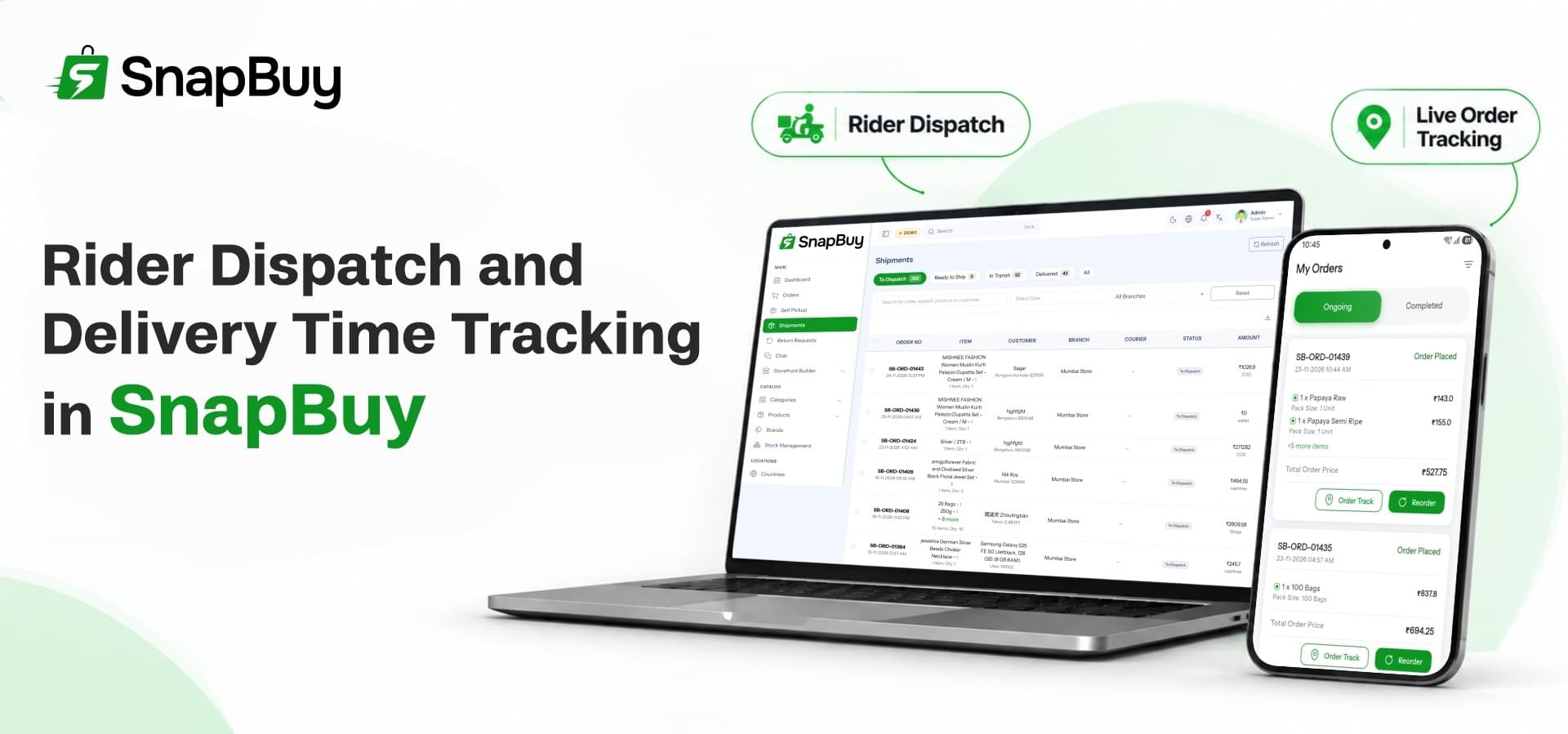
Instant orders and scheduled orders arrive in the same place. In the unified order view, your staff update statuses, assign delivery boys, generate invoices and process cancellations. Because this works as a single eCommerce management system, a dispatcher never has to switch tools when an instant order and a scheduled one land within minutes of each other.
Delivery Zones Set the Boundaries
You draw zones visually on an interactive map, and SnapBuy prevents overlapping service areas. Coverage can differ between instant delivery and scheduled delivery, so a close neighbourhood can be served for rapid orders while a wider area is covered for planned ones.
Clear zones also make dispatch easier to reason about. When an order comes in, everyone knows which area it belongs to and which riders work there.
Delivery Charges and Surge Rules
Delivery pricing supports flat rates, slabs, cities, delivery areas and surge pricing. During rain or a late-night rush, you can put a price on the extra effort, which helps cover the cost of busy periods instead of absorbing it.
4. What the Rider App Guides Riders Through
Riders work from a single mobile app, and demo builds for Android and iOS are listed on the product page. The workflow is step-by-step, so a new rider can get productive quickly without a long training session.
The Delivery Steps in Order
-
Accept the order when it is assigned
-
Follow route navigation to the pickup and the customer
-
Verify the handover with an OTP
-
Confirm the delivery in the app
-
Collect a return when a customer sends something back
Because every step has a place in the app, your team can see which stage an order has reached without calling the rider.
Secure Handover With OTP Verification
OTP verification is part of the guided flow, and it also protects in-store pickups. When a customer collects an order directly from the store, the OTP confirms that the right person walks away with it. That reduces pickup disputes and stops unauthorized collection.
Return Pickups and Refund Handling
Returns do not need a separate process. Riders handle return pickups in the same app, while the admin side follows a structured workflow with approval, wallet refunds and inventory restocking. Customers can also cancel orders and return items at item level.
A Support Channel for Riders
Riders have a dedicated chat with administrators for delivery issues or general help, all inside the app. A rider stuck at a locked gate can get an answer without leaving the delivery screen.
5. Delivery Time Tracking: What Each Person Can See
Time tracking is really about visibility. Everyone involved should know where an order stands at any moment, and SnapBuy shows that from different angles.
For Customers
Customers get real-time order tracking, the live location of the delivery boy, direct calling and an integrated support chat. The order stays transparent from checkout until it reaches the doorstep, so fewer people feel the need to write in and ask where their delivery is.
For Admins and Dispatchers
Statuses live in the unified order view, so your team can see which orders are waiting, moving or finished. The live dashboard adds revenue, order counts and sales trends, with filters for country, zone and time period. You can also compare instant and scheduled sales side by side, and spot your top-performing stores.
Used together, these views help you notice when one zone is slower than the rest and decide where to add riders.
Notifications at Every Stage
The notification center sends customizable push notifications, emails and SMS alerts to customers and delivery boys about orders and account updates. Push messages run on Firebase Cloud Messaging, with SMTP email and SMS gateway integration for the other channels.
Testing the Flow Before You Commit
The quickest way to judge any delivery setup is to run one order through it yourself. With SnapBuy's demo apps and panels, you can follow a simple routine:
-
Place an order in the customer app and note the first status you see
-
Open the admin panel and assign the order to a delivery boy
-
Switch to the rider app and move through acceptance, navigation and OTP verification
-
Watch the customer screen to see how live tracking updates
-
Check the rider earnings screen to confirm the order appears there
Ten minutes spent this way tells you more than a long feature list. It shows whether your team and your riders would find each screen obvious, which is what decides how smoothly a real launch day goes.
6. Rider Earnings, Cash on Delivery and Withdrawals
Riders stay motivated when they can see what they have earned. Finance teams stay calm when cash is traceable. SnapBuy supports both:
-
Riders monitor commissions and wallet earnings in real time
-
Cash on Delivery collections are tracked in the same place
-
Riders request wallet withdrawals straight from the app
-
Admins review and approve each withdrawal from the dashboard
This transparent trail makes reconciliation simpler, since both sides see the same numbers.
7. Growing the Delivery Operation Without Losing Control
Many Stores, One Admin Panel
SnapBuy lets you manage unlimited stores from one admin panel, each with its own panel for day-to-day work. As eCommerce marketplace software, it keeps central control with you while stores handle their own catalogs. Operating hours, contact details, product availability and map locations are all configurable per store.
Staff Roles and Permissions
You can create unlimited staff accounts and assign precise roles and permissions. A dispatcher can be given order and delivery access without seeing settings that only owners should touch.
New Countries and Currencies
When you expand, countries can be configured with their own currencies, time zones, payment gateways and business policies. Your rider network can grow with the business instead of being rebuilt for each market.
8. Where SnapBuy Fits in Your Plan
Plenty of delivery ideas fail on execution, not on demand. SnapBuy gives you a complete eCommerce solution with customer apps, a web storefront, a rider app and a Laravel admin panel, so the dispatch side is built in from the start. The platform runs on Flutter, Laravel, Next.js, MySQL and Firebase.
If you want ready-to-launch configuration for Android, iOS, web and the admin panel, the Extended license includes it, along with free backend deployment and domain server setup.
To see how delivery connects with stores, catalogs and customer apps in the bigger picture, read about building a hyperlocal quick and eCommerce business with SnapBuy.
Start Running Faster, Clearer Deliveries
Explore the full feature set, demos and license options for SnapBuy on the WRTeam Marketplace